- 12 -
TV menu system
28
MODE
REC
OK
MENU
DIGITAL
M
O
D
E
R
E
C
OK
MENU
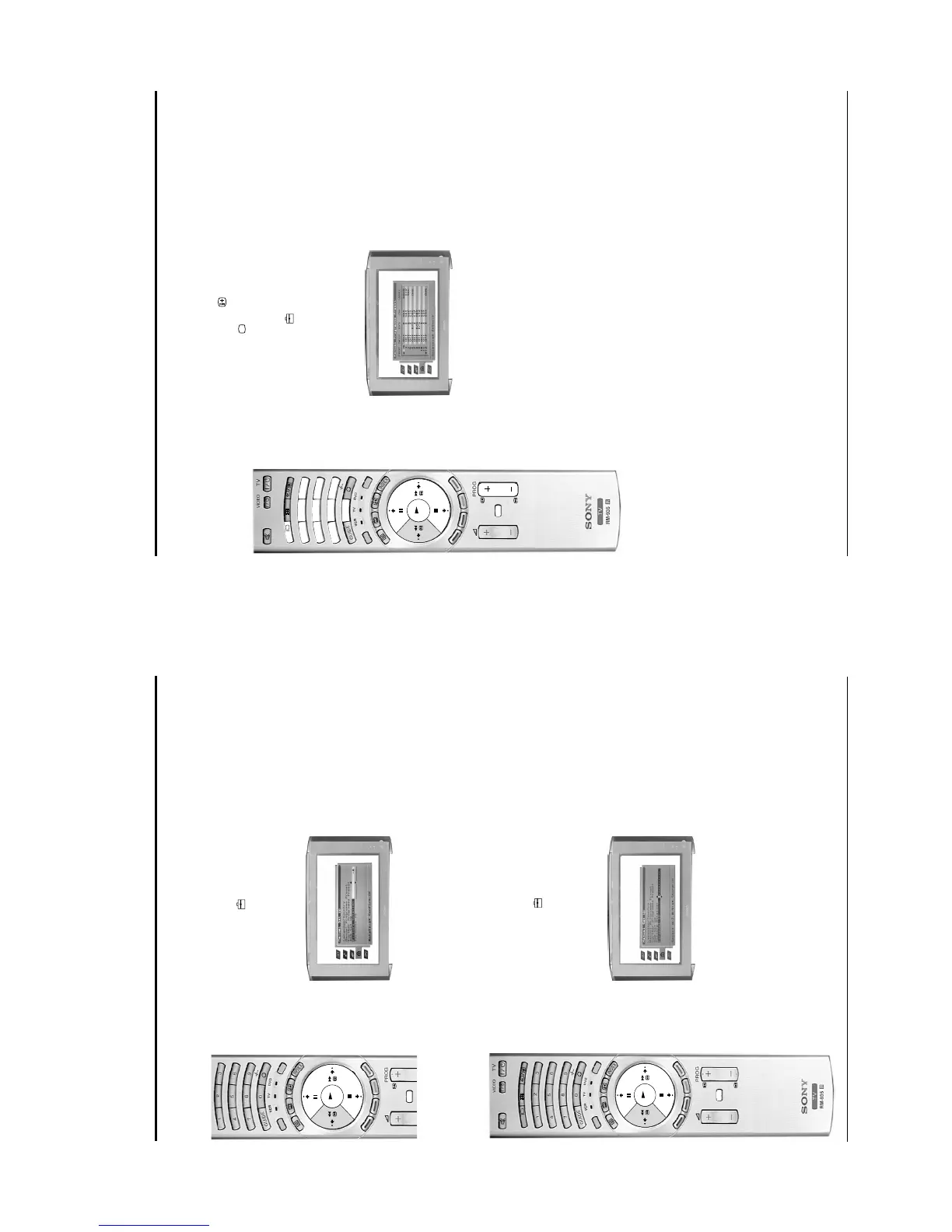
Adjusting the picture rotation
Due to the Earth’s magnetic field the picture can sometimes slant. This feature enables you to cancel out
any such effect.
1. Press the MENU button to display the main menu.
2. Press the v button to highlight the icon, then press the b button to highlight ‘Auto Tuning’.
3. Press the v button to highlight ‘Manual Set Up’ then press the b button to display the Manual Set Up
menu.
4. Press the v button to highlight ‘Picture Rotation’ then press the b button to select.
5. Press the V or v button to rotate the picture over a range of -5 to +5 then press the OK button to store.
6. Press the MENU button to remove the menu from the screen.
Setting your personal ID
This feature allows you to enter a safety code to the TV, which would help you to be traced if the TV is
stolen and recovered. This code can only be entered once, so please make a note of it and keep it safe.
1. Press the MENU button to display the main menu.
2. Press the v button to highlight the icon, then press the b button to highlight ‘Auto Tuning’.
3. Press the v button to highlight ‘Manual Set Up’, then press the b button to display the Manual Set Up
menu.
4. Press the v button to highlight ‘Personal ID’ then press the b button to select.
5. Press the V or v button to display the first character you require (letter or number), then press the b
button to select.
6. Repeat the procedure to complete your ID code, then press the OK button. A box appears requesting
your confirmation. Press OK to confirm and save.
7. Press the MENU button to remove the menu from the screen.
TV menu system
30
D
IG
IT
A
L
D
IG
IT
A
L
1
4
7
3
6
9
2
5
8
0
M
ODE
MENU
R
EC
D
IG
IT
AL
1
4
7
3
6
9
2
5
8
0
D
IG
IT
AL
OK
Manually tuning analogue signals
With this feature you can manually add analogue programmes to your TV. Manual tuning also allows you
to select inputs from the scart sockets (VCRs etc) so that they can be viewed on the programme number of
your choice.
To check which mode you are in, press the button on the remote control. If you are watching a digital
programme, an Info display appears on screen providing brief details for the current and next programme.
If this happens, press the DIGITAL/ button on the remote control to switch to the traditional analogue
channels.
1. Press the MENU button to display the main menu.
2. Press the v button to highlight the icon, then press the b button to highlight ‘Auto Tuning’.
3. Press the v button to highlight ‘Manual Set Up’ then press the b button to display the Manual Set Up
menu.
4. Press the v button to highlight ‘Manual Programme Preset’ then press the b button to display the
Manual Programme Preset menu.
5. Press the V or v button to highlight the programme number you require, then press the b button to
highlight the SKIP column.
6. Press the V or v button to set to OFF, then press the b button to highlight SYS column.
7. Press the V or v button to select your system requirement. For example, choose I for theTV broadcasts
or ‘EXT’ if you wish to view signals from your VCR or other equipment you have connected to the scart
sockets (AV1, AV2 etc.). Press b button to confirm your choice.
If you selected a TV broadcast system:
Press the V or v button to select ‘C’ for terrestrial channels, ‘S’ for cable channels or ‘F’ for direct
frequency input, then press b button to confirm your choice.
If you know the channel number or frequency number you require, use buttons 0 - 9 on the remote
control to enter the number, otherwise press the V or v button to search for the next available
broadcast. If the broadcast found is not the one you desire, press the V or v button to repeat the
search.
If you have selected EXT:
Press the V or v button to select the AV socket whose input you wish to view on the programme
number chosen in step 5.
8. Press the OK button to store.
9. Repeat steps 5 - 8 if you wish to tune in broadcasts to other programme numbers, then press the
MENU button to remove the menu from the screen .







 To Next Page