D:\Chin Meng's job\SONY-LCD\SY0142_Z115 (Rev-2)\3293042121_GB\01GB01BAS_GB.fm
5 (GB)
KLV-26S400A/3-293-042-12(1)
GB
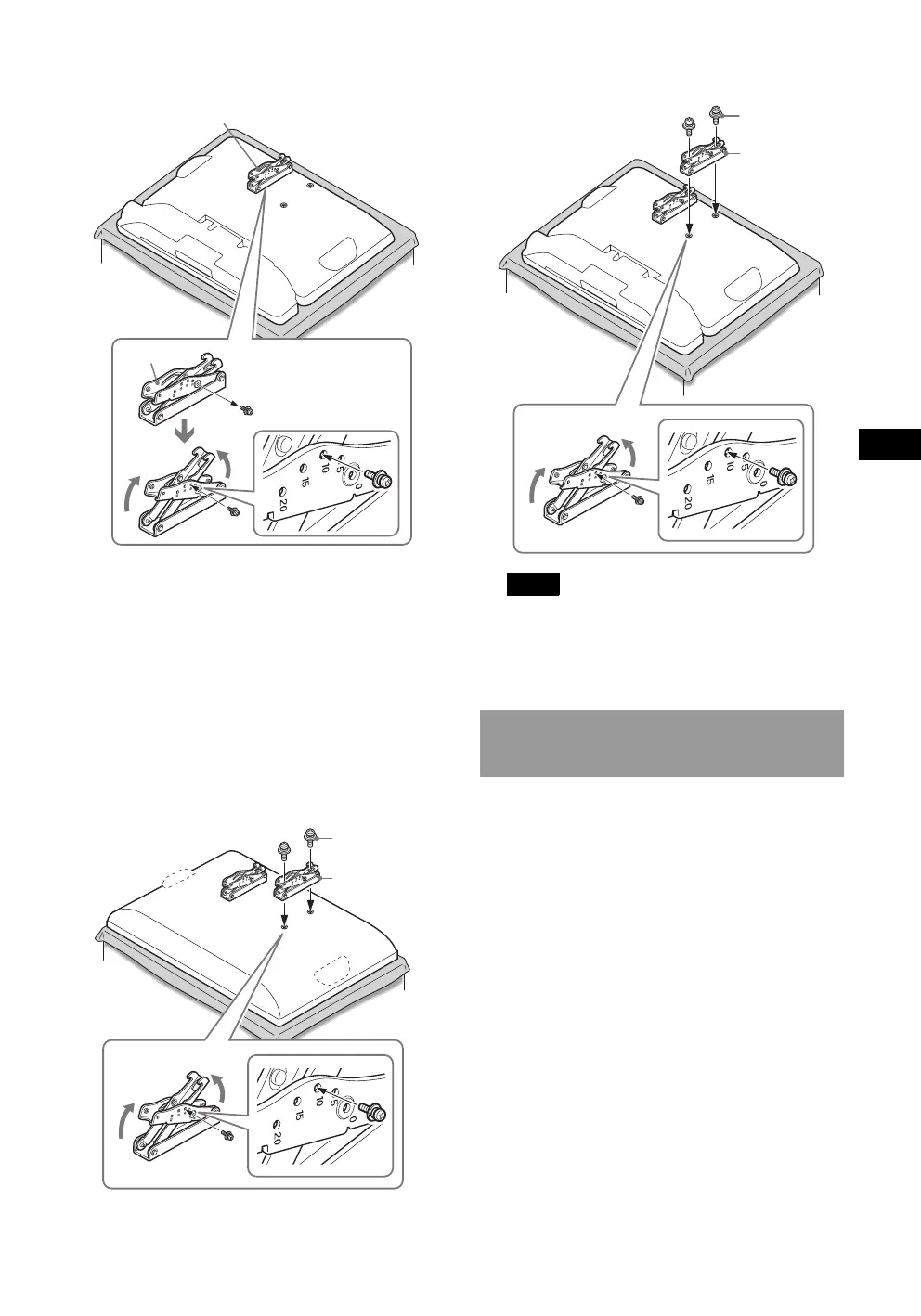
B For KLV-19T400W
4 Secure the Mounting Hook to the right side
of rear of the TV.
1 Secure the Mounting Hook to the rear of the TV
temporarily, using the supplied two screws (+PSW4
× 12).
2 Be sure that both screws are tightened securely with
equal torque strength to the rear of the TV.
If you adjusted the left angle of the Mounting Hook, also
perform the same adjustment as in 3 of Step 5 “Adjust the
angle of the Mounting Hook” for the right.
B For KLV-26S400A/KLV-26T400A/KLV-26T400G/
KLV-19T400A/KLV-19T400G
B For KLV-19T400W
Notes
• Be sure to adjust the right and left arms to the same
angle.
• Make sure that the two arm bases are screwed in
securely
.
Refer to the Instructions for the SU-WL100.
1
2
Mounting Hook
Arm
Screw
(+PSW4 × 12)
Mounting
Hook
Step 6: Installing the TV on
the wall
Screw
(+PSW4 × 12)
Mounting
Hook
KLV26S400A_GB.book Page 5 Tuesday, June 24, 2008 9:14 AM


 To Next Page