26
Receiving the stored stations
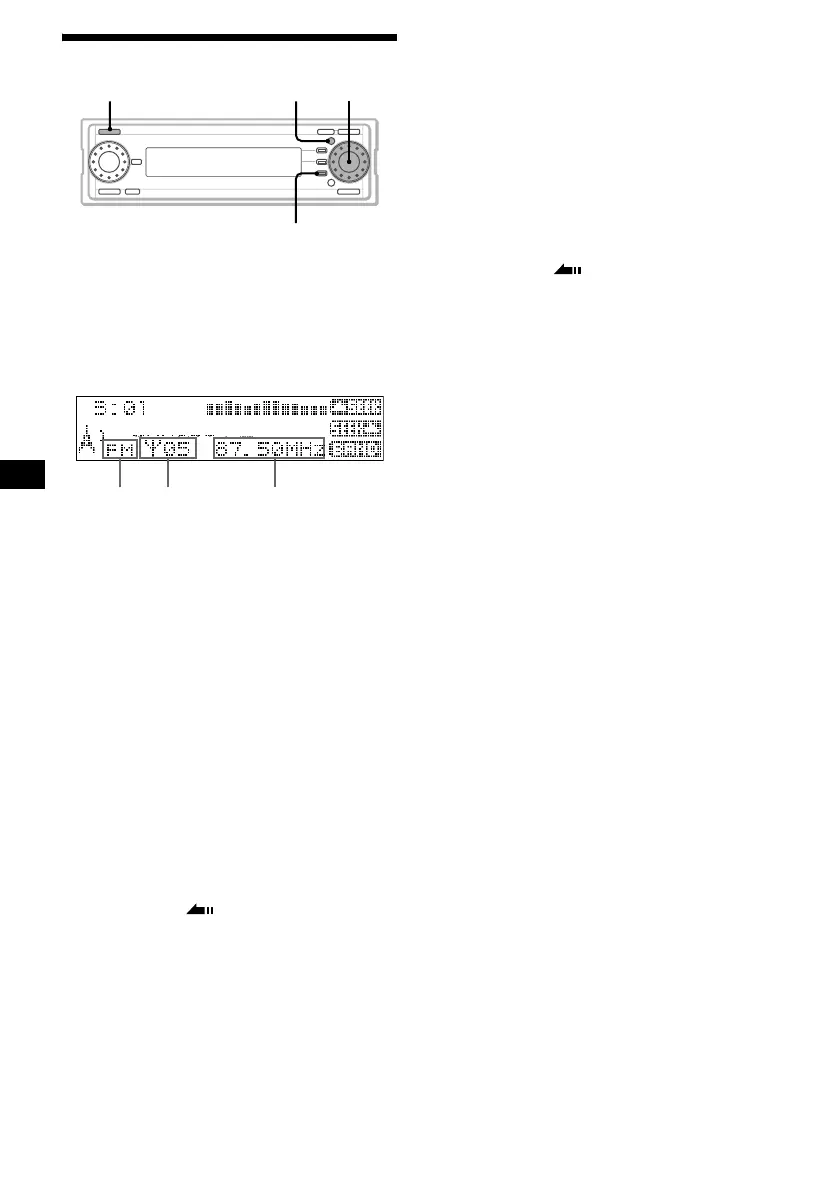
1 Press (SOURCE) repeatedly to select
“FM,” “MW” or “LW.”
2 Rotate the R dial to select the desired
station.
Display items
* When RDS is received and station name does not
appear, “ *” is displayed to the left of the frequency.
If preset tuning does not work (Local
mode)
The Automatic Tuning function may stop
frequently when there are many radio stations in
the area. If this happens, you can reduce the
sensitivity of the tuner so that only relatively
strong signals are tuned in.
1 During radio reception, press (MENU).
2 Rotate the R dial to select “Receive
Mode,” then press the R dial.
3 Rotate the R dial to select “LOCAL,”
then press the R dial.
4 Rotate the R dial to select “On,” then
press the R dial.
5 Press (F3) ().
The normal reception display appears.
To cancel the Local mode
Select “Off” in step 4.
If FM stereo reception is poor
(Monaural mode)
1 During FM reception, press (MENU).
2 Rotate the R dial to select “Receive
Mode,” then press the R dial.
3 Rotate the R dial to select “Mono,”
then press the R dial.
4 Rotate the R dial to select “On,” then
press the R dial.
5 Press (F3) ().
The normal reception display appears.
The sound improves, but becomes monaural.
To cancel the Monaural mode
Select “Off” in step 4.
Tip
If FM broadcasts are difficult to hear, set DSO to “Off”
(see “Setting the Dynamic Soundstage Organizer” on
page 51).
MENU
F3
SOURCE
R dial
Preset station
number
Radio
band
Frequency*



 To Next Page