39
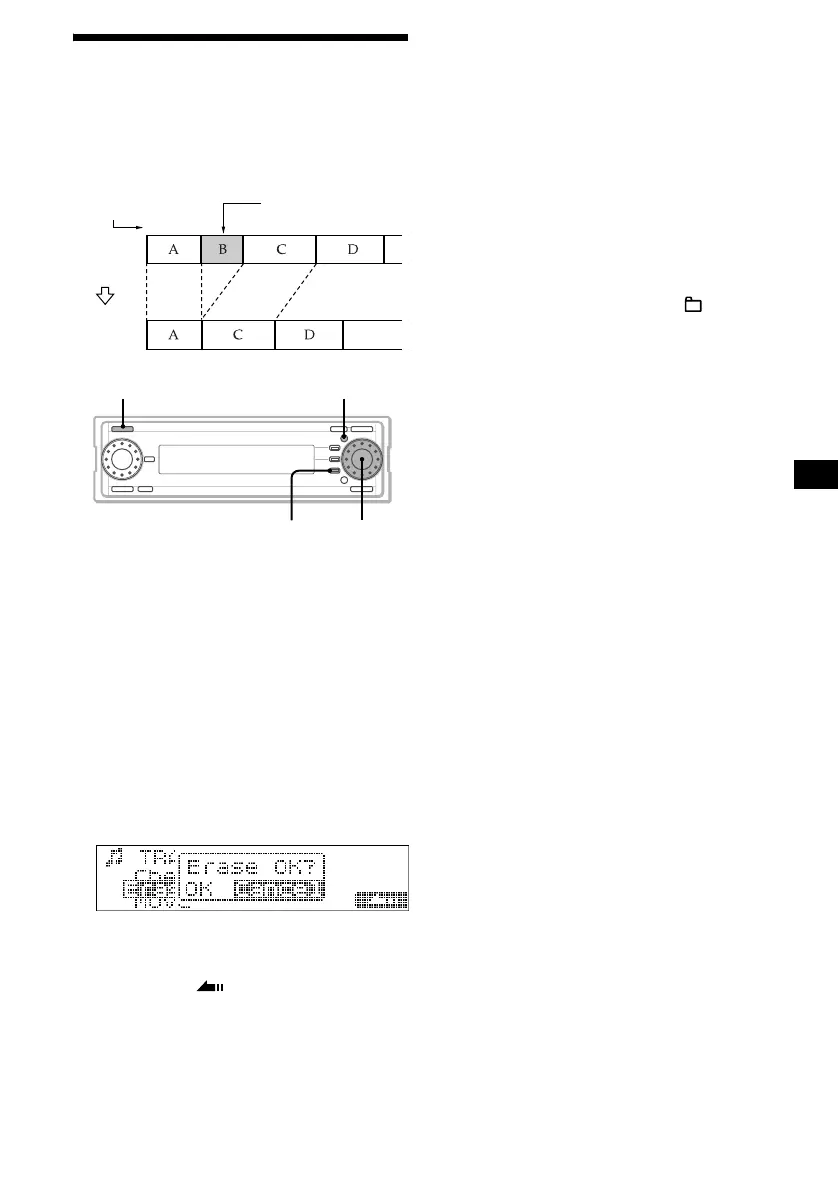
Erasing a folder/album/track
— Erase function
Keeping only precious tracks or tracks you often
play back saves your HDD space.
1 Press (SOURCE) repeatedly to select
“HDD.”
2 Press the R dial repeatedly to display
the desired name list.
Each time you press the R dial, the list display
changes as follows:
Album name list t Track name list t
Normal playback display t Album name list
3 Rotate the R dial to select the item you
want to erase, then press (MENU).
4 Rotate the R dial to select “Erase,”
then press the R dial.
The confirmation dialogue appears.
5 Rotate the R dial to select “OK,” then
press the R dial.
6 Press (F3) ().
The normal display appears.
To cancel erasing
Select “Cancel,” then press the R dial in step 5.
Creating a folder again
If all custom folders on the HDD have been
erased, you cannot select “HDD” as the source.
In this case, create a new folder and record a CD
on the HDD.
1 Press the R dial to display the source
list.
2 Rotate the R dial to select “HDD,” then
press (MEN U).
3 Rotate the R dial to select “ Create,”
then press the R dial.
4 Enter the name.
For details, See “Labelling a folder/album/
track” on page 35.
5 Rotate the R dial to select “OK,” then
press the R dial.
Notes
• The erased tracks are temporarily saved in the
Latest 400 album in the Recycle Bin folder, and the
erased albums are temporarily saved in the Recycle
Bin folder.
In the event that you choose not to permanently
erase an item in the Recycle Bin folder, it can be
moved from the Recycle Bin (page 38).
The erased tracks in the Latest 400 album, or the
erased albums in the Recycle Bin folder can only be
moved track by track or album by album.
• Contents erased from the Recycle Bin are
permanently erased from the HDD.
• Once you erase the item, you cannot restore it.
Make sure the item you want to erase before
erasing.
• A maximum of 400 tracks can be stored in the Latest
400 album. If it exceeds 400, tracks with the oldest
time stamp are erased as new tracks are added.
• A maximum of 200 albums can be stored in the
Recycle Bin folder. If it exceeds 200 (including the
number of Latest 400 album), albums with the oldest
time stamp (not including the number of Latest 400
album) are erased as new albums are added.
1
1
23
2
4
3
Example: Erasing track B.
Track
number
Before
erasing
After
erasing
Erase track B
MENUSOURCE
F3
R dial



 To Next Page