35
To change the recording speed
Press (F2) to select the recording speed in step
2.
* The default setting.
To change the folder/album to store the
tracks
1 Rotate the R dial to select the
storage folder or storage album,
then press the R dial in step 2.
To create a new folder, press (F2)
(CREATE).
2 Rotate the R dial to select the
desired folder or album, then press
the R dial.
To create a new album, press (F2)
(CREATE).
Labelling a folder/album/
track
— Name In
Giving album titles, tracks titles, or artist names
to the items recorded on the unit will help you
create an easy access music library.
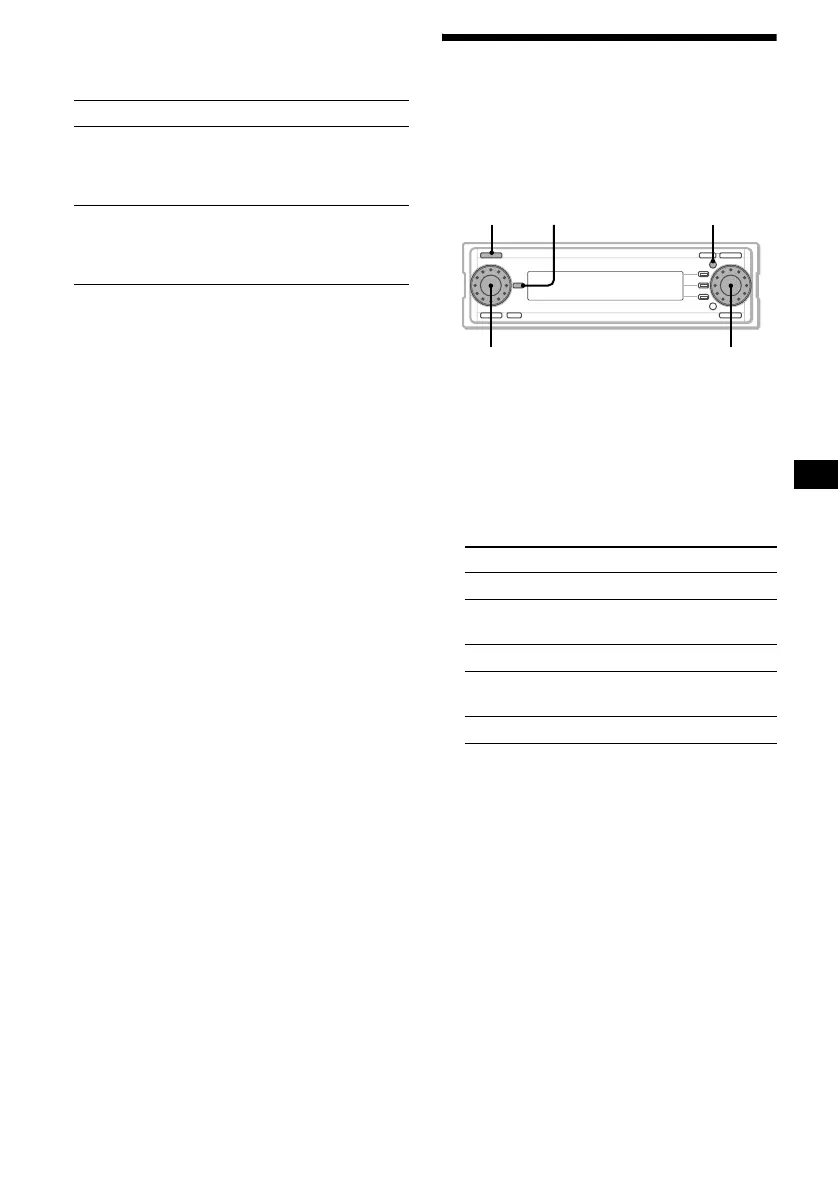
1 Press (SOURCE) repeatedly to select
“HDD.”
2 Press (MENU).
3 Rotate the R dial to select “Name In,”
then press the R dial.
4 Rotate the R dial to select the desired
item, then press the R dial.
Item Explanation
× 1-REC Records the track and
reproduces track sound
simultaneously.
(Normal speed recording)
HI-REC* Records the track up to 8 times
faster than normal speed
recording.
(High speed recording)
Item Explanation
Track To assign a name to a track
Track Artist To assign an artist name to a
track
Album To assign a name to an album
Album
Artist
To assign an artist name to an
album
Folder To assign a name to a folder
continue to next page t
SOURCE MENUDSPL
R dial
L dial



 To Next Page