HT-ST9
46
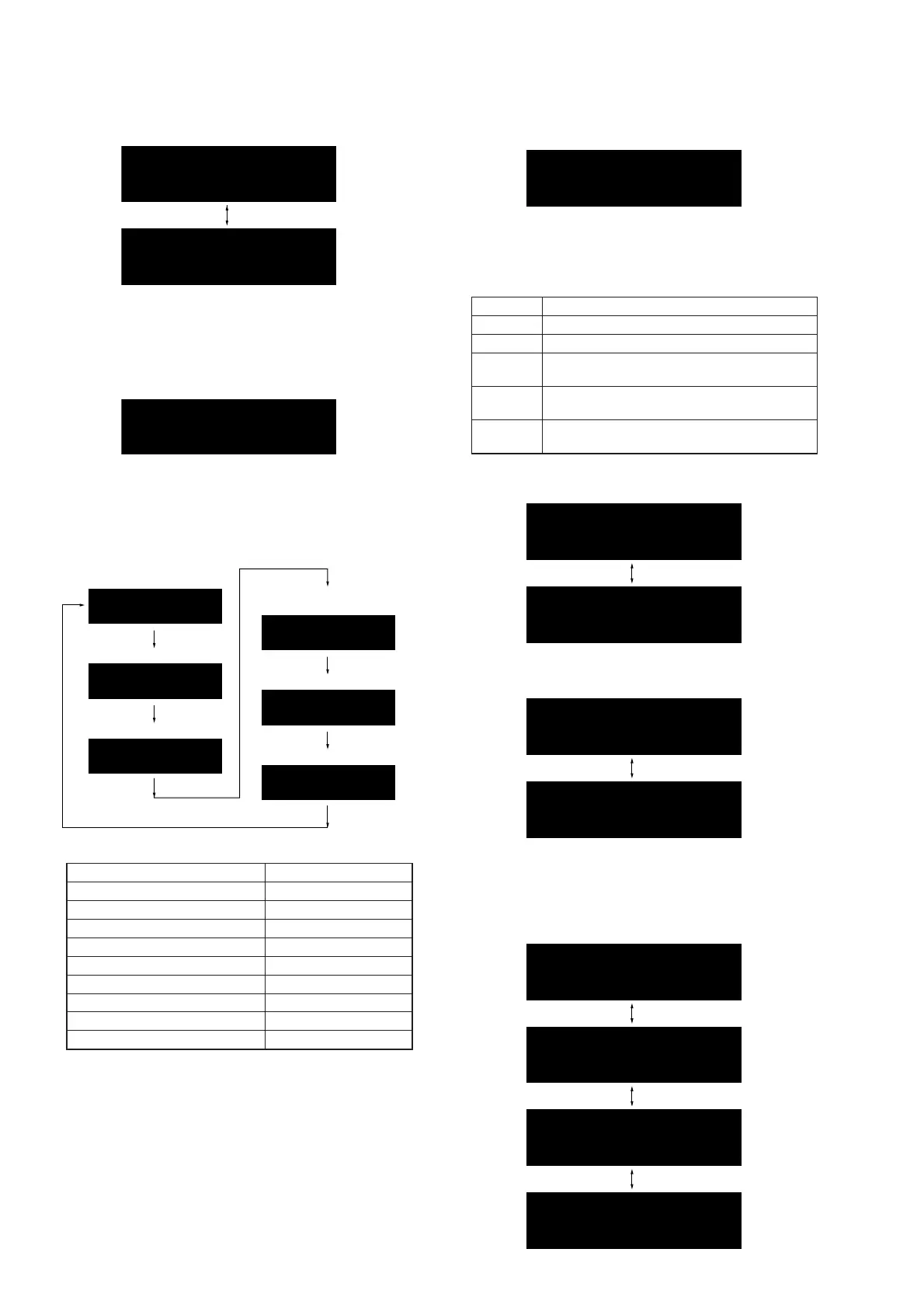
When pressing the all buttons, “OK” and “K 5” are alternately
displayed on the OLED display.
K 5
OK
5. Press the [
2
–] button on the remote commander and return to
the state of step 3.
6. In the state of step 3, press the [
2
+] button on the remote
commander and “QZ_A” (model name) is displayed on the
OLED display. (“A” will display differs depending on the des-
tination)
QZ
_
A
(Displayed characters in the above fi gure are example)
Each time the [
2
+] button on the remote commander is
pressed, the display changes from destination → system ver-
sion → IFCon audio coeffi cient version → BD coeffi cient ver-
sion → SPC version in this order, and returns to the model
name display.
Destination
System version
Model name
IFCon audio
coefficient version
BD coefficient version
SPC version
NA
1. 06a
IF0. 16
BD0. 25
SPC
. 00
QZ
_
A
(Displayed characters/values in the above fi gure are example)
Destination Display
US and Canadian models (UC2) NA
AEP model (CEL) CE2
Russian model (RU3) RU
UK model (CEK) CEK
Australian model (AU1) AU
Chinese model (CN4) CN
Singapore model (SP1) SP
Taiwan model (TW2) TW
Latin American model (LA9) LATIN
Releasing method:
Press the [
@
/
1
] button and return to the normal mode.
AMP TEST
It can the AMP setting and measurement.
Procedure:
1. Press the [
@
/
1
] button to turn the power on.
2. Press the buttons on the remote commander in the order of [
x
]
→ [DISPLAY] → [
2
–] → [V].
3. The message “MSURE” is displayed on the OLED display and
enter the AMP setting and measurement mode.
MSURE
4. Each time the [DIMMER] button on the remote commander is
pressed, the swap mode changes from FULL → THRU → F2S
→ F2SB → F2CW in this order, and returns to the “FULL”
setting.
Display Output speaker
FULL The front L/R input is output to all speakers.
THRU Each channel is directly output (through).
F2S
The front L/R input is output to surround L/R
speakers.
F2SB
The front L/R input is output to surround back
L/R speakers.
F2CW
The front R input is output to center/subwoofer
speakers.
5. Each time the [
m
] button on the remote commander is
pressed, attenuate on/off setting is changed.
A. ON
A. OFF
6. Each time the [
%
] button on the remote commander is pressed,
volume setting is changed.
V. MSM
V. N
The setting “V.N” is normal volume mode.
The setting “V.MSM”, press the [VOLUME +]/[VOLUME –]
buttons, the message is changed with “Vol Min” ↔ “Vol 1” ↔
“Vol 20” ↔ “Vol Max” on the OLED display and volume set-
ting is changed.
Vol 1
Vol Min
Vol 20
Vol Max
Ver. 1.1



 To Next Page