1-6
28
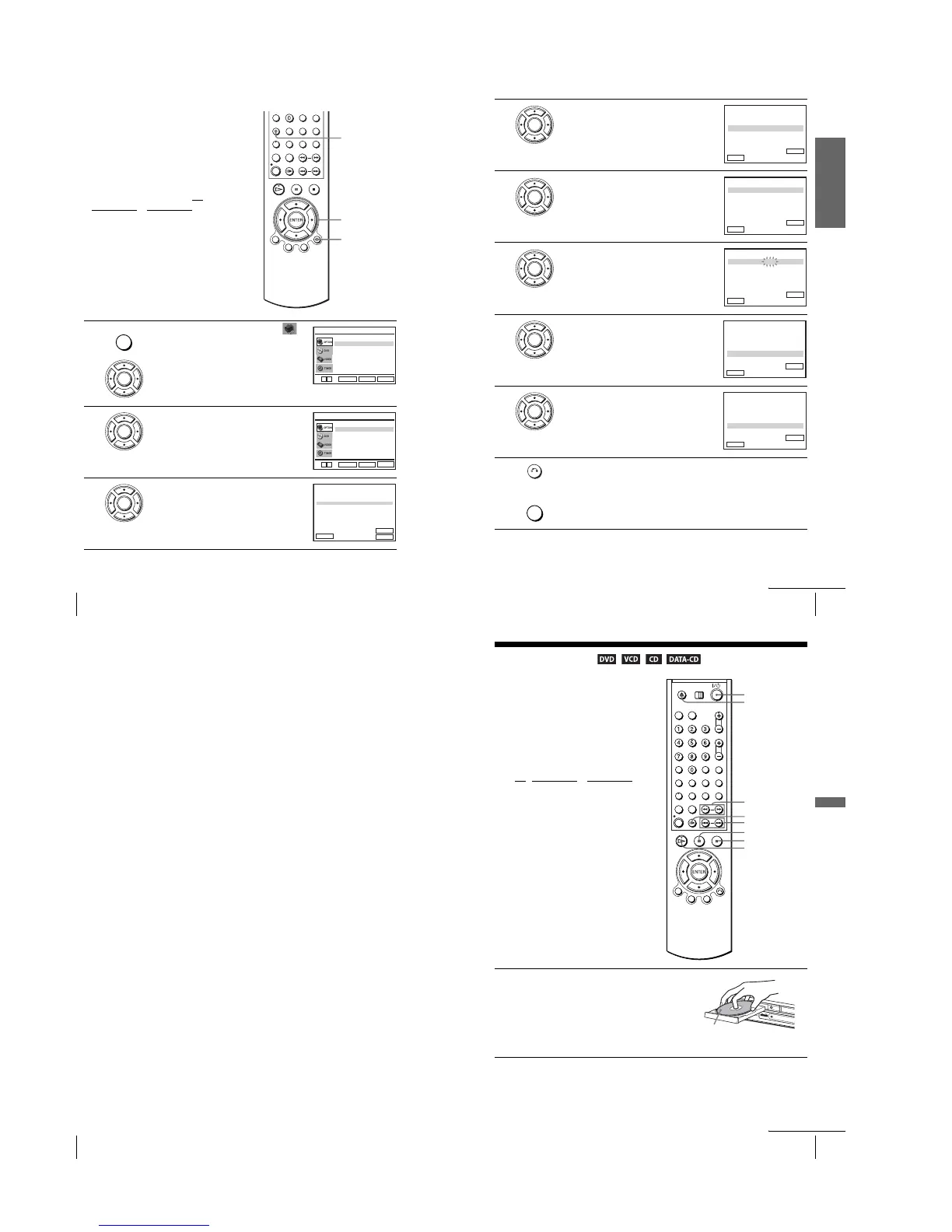
Setting the Canal Plus decoder
Setting Canal Plus channels
To wa tch or record Canal Plus programmes,
set your DVD-VCR to receive the channels
using the on-screen display.
In order to set the channels correctly, be sure
to follow all of the steps below.
Before you start…
•Turn on the DVD-VCR and your TV.
•To control the DVD-VCR, set TV
/
DVD·VIDEO
to DVD·VIDEO on the
remote (page 9).
•Set your TV to the video channel so that
the signal from the player appears on the
TV screen.
• If the DVD player is in play mode, you
cannot display the setup menu. Stop the
DVD playback.
1
Press SET UP, then press V/v to select
(OPTION) and press ENTER.
2
Press V/v to select “Installation”, then press
ENTER.
The “INSATLLATION” menu appears.
3
Press V/v to select “Installation Manuelle”,
then press ENTER.
SET UP
V/v/B/b
ENTER
O RETURN
SET UP
ENTER
Langue
Installation
Veille Auto
Messages Ecran
Réglages Utilisateur
L’horloge
:Français
[ Non ]
[ Oui ]
RETURN
OPTION
SET UP
ENTER
v
V
ENTER
Installation Manuelle
Installation Auto
RETURN
INSTALLATION
SET UP
ENTER
v
V
ENTER
PR
2
1
3
4
5
CAN.
029
027
030
032
NOM
LMN –
AAB –
CDE –
I J K –
DEC
NON
NON
NON
NON
SYS.
L / L’
L / L’
L / L’
L / L’
033
– – – –
NON L / L’
RETURN
LISTE STATIONS TV
ENTER
CLEAR
MODIF.ST
:
EFFACER :
V
v
B
Getting Started
29
Setting the Canal Plus decoder
4
Press V/v to select the row which you want to
set for the decoder, then press b.
To di splay positions 6 to 80, press V/v
repeatedly.
5
Press V/v to select “SYS.” if necessary.
6
Press B/b to set “L/L’” or “B/G” if necessary.
•To receive broadcast in France, select
“L/L’”.
•To receive broadcast using the PAL system
(for example, in Germany or Switzerland),
select “B/G”.
7
Press V/v to select “DECODEUR”.
8
Press b to set “DECODEUR” to “OUI”, then
press ENTER.
9
Press O RETURN, then press SET UP to exit the menu.
ENTER
: 5
RETURN
ENTERMEMOIRE :
PR
REGL.FIN
CANAL
DECODEUR
NOM
SYS.
RECHERCHE MANUELLE
: L / L’
: NON
: 033
: –
: – – – –
V
v
B
b
ENTER
PR
REGL.FIN
CANAL
DECODEUR
NOM
: 5
SYS. : L / L’
: NON
RETURN
RECHERCHE MANUELLE
ENTERMEMOIRE :
: 033
: –
: – – – –
V
v
B
b
ENTER
PR
REGL.FIN
CANAL
DECODEUR
NOM
: 5
SYS. : L / L’
: NON
RETURN
RECHERCHE MANUELLE
ENTERMEMOIRE :
: 033
: –
: – – – –
V
v
B
b
ENTER
: 5
RETURN
ENTER
PR
REGL.FIN
CANAL
DECODEUR
NOM
SYS. : L / L’
: NON
RECHERCHE MANUELLE
MEMOIRE :
: 033
: –
: – – – –
V
v
B
b
ENTER
: 5
RETURN
ENTER
PR
REGL.FIN
CANAL
DECODEUR
NOM
SYS. : L / L’
: OUI
RECHERCHE MANUELLE
MEMOIRE :
: 033
: –
: – – – –
V
v
B
b
RETURN
SET UP
continued
30
Setting the Canal Plus decoder
Notes
•To superimpose subtitles while watching Canal Plus programmes, make both decoder-VCR
and VCR-TV connections using 21-pin PERITEL cables that are compatible with the RGB
signals. You cannot record subtitles on the VCR.
•When you watch Canal Plus programmes through the RFU input of the TV, press TV/VIDEO
so that the VCR indicator appears in the display window.
31
Playing discs
Basic Operations
Basic Operations
Playing discs
Depending on the disc, some operations may
be different or restricted. Refer to the
operating instructions supplied with your
disc.
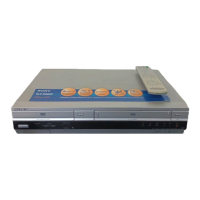
Before you start...
•Turn on the DVD-VCR and your TV.
•Set your TV to the video channel so that
the signal from the player appears on the
TV screen.
•Set TV
/ DVD·VIDEO to DVD·VIDEO,
then press SELECT DVD to control the
DVD player (page 9).
1
Press Z to open the disc tray and
place a disc on the disc tray.
Z
H
X
m/M
SLOW y
x
?/1
./>
C
with the playback side
facing down
continued



 To Next Page