1-13
56
Checking/changing/cancelling timer settings
Checking/changing/cancelling timer
settings
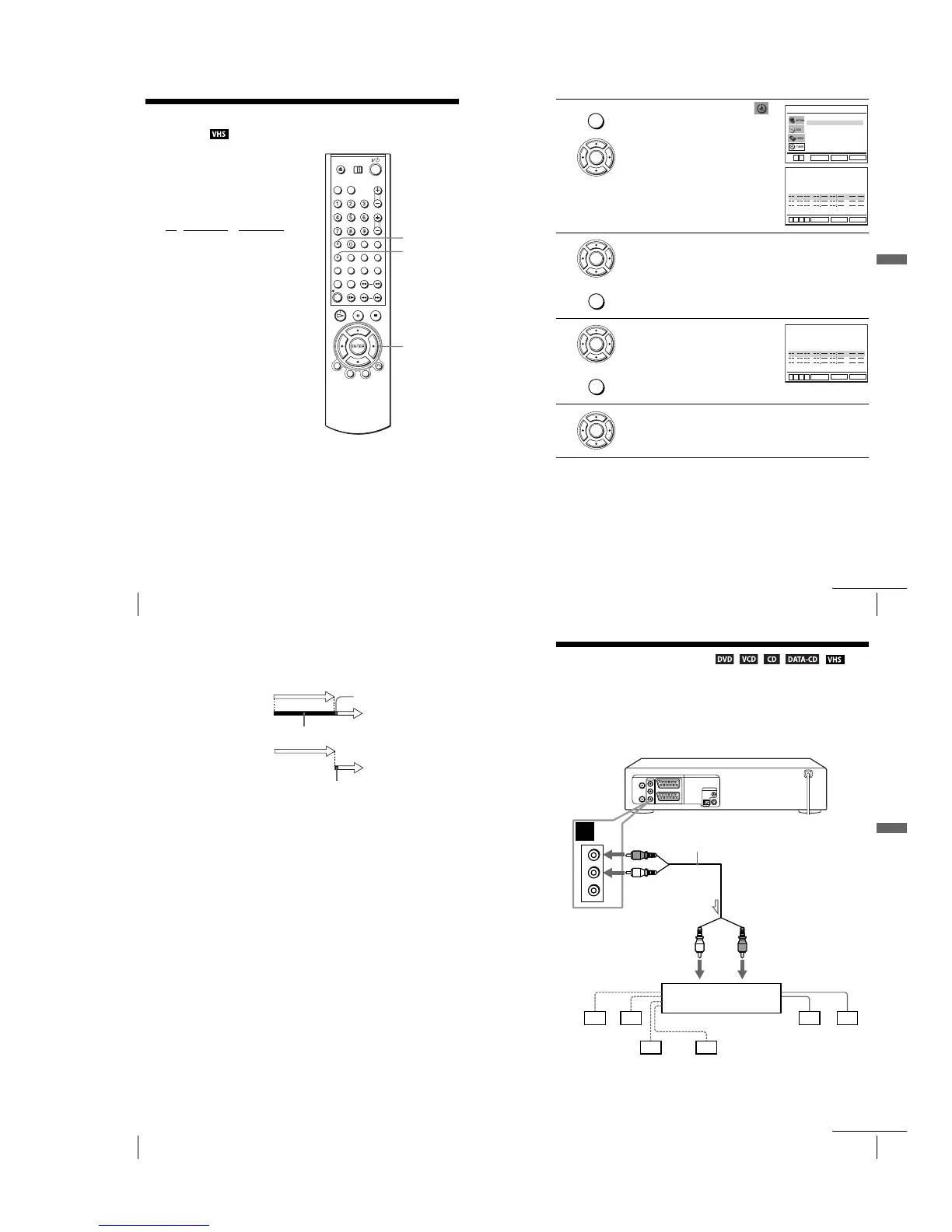
Before you start…
•Check that the DVD-VCR clock is set to
the correct time.
•Turn on the DVD-VCR and your TV.
•Switch the input selector on your TV so
that the signal from the player appears on
the TV screen.
•Set TV
/ DVD·VIDEO to DVD·VIDEO,
then press SELECT VIDEO to control the
VCR (page 9).
•When using a decoder, turn it on.
•Insert a tape with its safety tab in place.
Make sure the tape is longer than the total
recording time.
• If the DVD player is in play mode, you
cannot display the setup menu. Stop the
DVD playback.
SET UP
V/v/B/b
ENTER
CLEAR
57
Checking/changing/cancelling timer settings
Basic Operations
1
Press SET UP, then press V/v to select
(TIMER) and press ENTER.
•SLV-D950B
The “OPTIONS PROG.” menu appears.
•SLV-D910B
The timer programming menu appears. Step
2 is skipped.
2
SLV-D950B only
Press V/v to select “Normal”, then press ENTER.
• If you want to change a setting, go on to the next step.
• If you do not need to change the settings, press SET UP to exit the menu.
3
Press V/v to select setting you want to change
or cancel.
•To change the setting, press B/b to flash the
item you want to change, and press V/v to
change it.
•To cancel the setting, press CLEAR.
4
Press ENTER to confirm the setting.
If any settings remain, turn off the VCR to return to recording standby.
SET UP
ENTER
Normal
ShowView
RETURN
OPTIONS PROG.
SET UP
ENTER
v
V
V/P
CLEAR
SET UP
ENTER
v
V
b
B
35
0
:
0
01
:
00 SP
Non
Non
Non
20 :00
:
30 LP
60 :30
:
00
Auto
LU 30
ME 02
MA 30
22
2
02
2
32
22
PR JOUR DEBT FIN
SPEED
ENTER
SET UP
ENTER
CLEAR
V/P
CLEAR
SET UP
ENTER
v
V
b
B
35
0
:
0
01
:
00 SP
Non
Non
Non
20 :00
:
30 LP
60 :30
:
00
Auto
LU 30
ME 02
MA 30
22
2
02
2
32
22
PR JOUR DEBT FIN
SPEED
ENTER
continued
58
Checking/changing/cancelling timer settings
When the timer settings overlap
The programme that starts first has priority and the second programme starts
recording only after the first programme has finished. If the programmes start at the
same time, the programme listed first in the menu has priority.
about 20 seconds
will be cut off
Programme 1
Programme 2
about 20 seconds will be cut off
Programme 1
Programme 2
59
A/V Receiver hookup
Advanced Hookups
Advanced Hookups
A/V Receiver hookup
A Use this hookup if your A/V receiver has a Dolby∗ Surround (Pro
Logic) decoder and 3 to 6 speakers
Yo u can enjoy the Dolby Surround effects only when playing Dolby Surround audio
or multi-channel audio (Dolby Digital) discs.
∗ Manufactured under license from Dolby Laboratories. “Dolby,” “Pro Logic,” and the double-
D symbol are trademarks of Dolby Laboratories.
A
R
L
VIDEO
AUDIO
DVD-VCR
Front (R)
Front (L)
Rear (R)
Subwoofer
l: Signal flow
Rear (L)
Amplifier (receiver) with Dolby
Surround decoder
Centre
Stereo audio cord
(supplied)
[Speakers]
(red)(white)
[Speakers]
to audio input
(white)
(red)
to OUT AUDIO L/R
continued



 To Next Page