27
GB
Getting Started
HDMI is the abbreviated name for High-
Definition Multimedia Interface. It is an
interface which transmits video and audio
signals in digital format.
HDMI features
• A digital audio signals transmitted by HDMI
can be output from the speakers and the PRE
OUT jacks on this receiver. This signal
supports Dolby Digital, DTS, and linear
PCM.
• Linear PCM (sampling frequency less than
192 kHz) with digital audio signals of up to
8 channels can be received with this receiver
using the HDMI jack.
• Analog video signals input to the VIDEO
jack, S VIDEO jack, or COMPONENT
VIDEO jacks can be output as HDMI
signals. Audio signals are not output from an
HDMI OUT jack when the image is
converted.
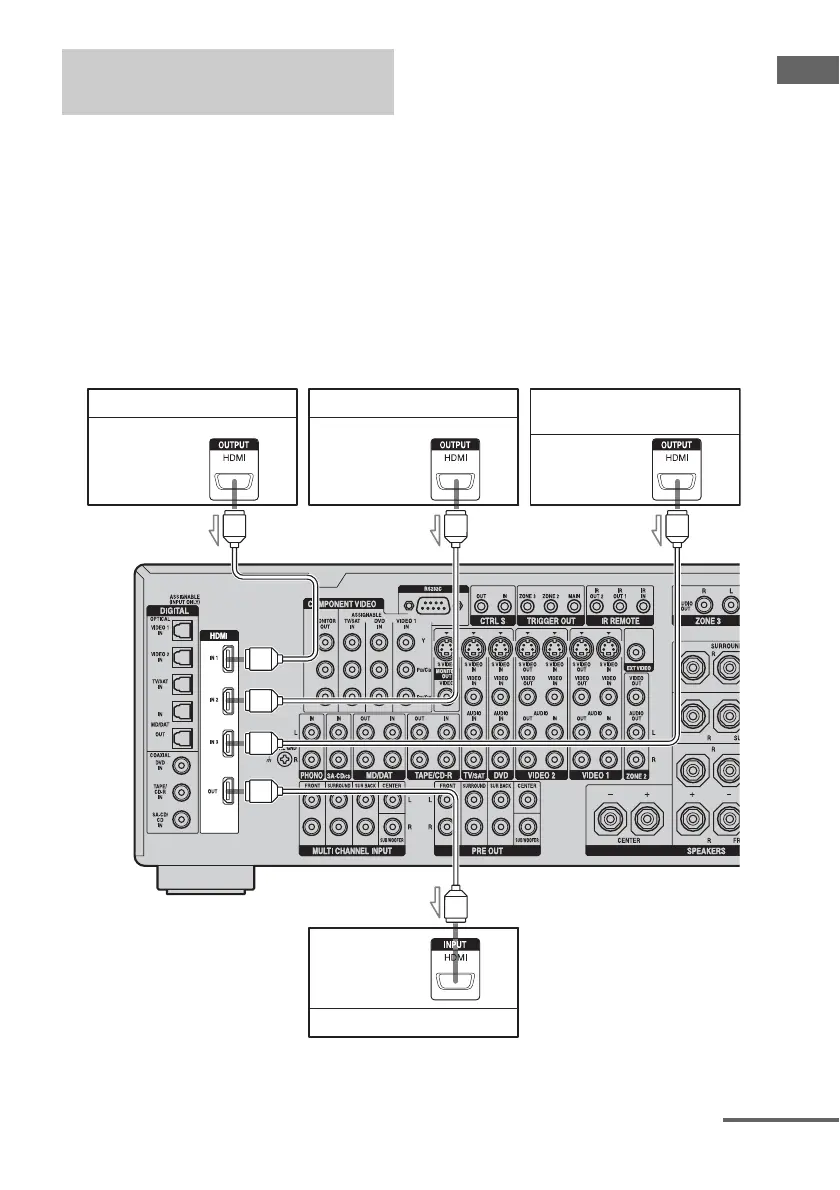
Connecting components with
HDMI jacks
DVD player Satellite tuner Blu-ray Disc player,
hard disk recorder
AAA
A HDMI cable (not supplied)
We recommend that you use a Sony HDMI cable.
Audio/video
signals
Audio/video
signals
Audio/video
signals
TV monitor, projector, etc.
Audio/video
signals
continued















 To Next Page