Playback
51
GB
Watching a DVD
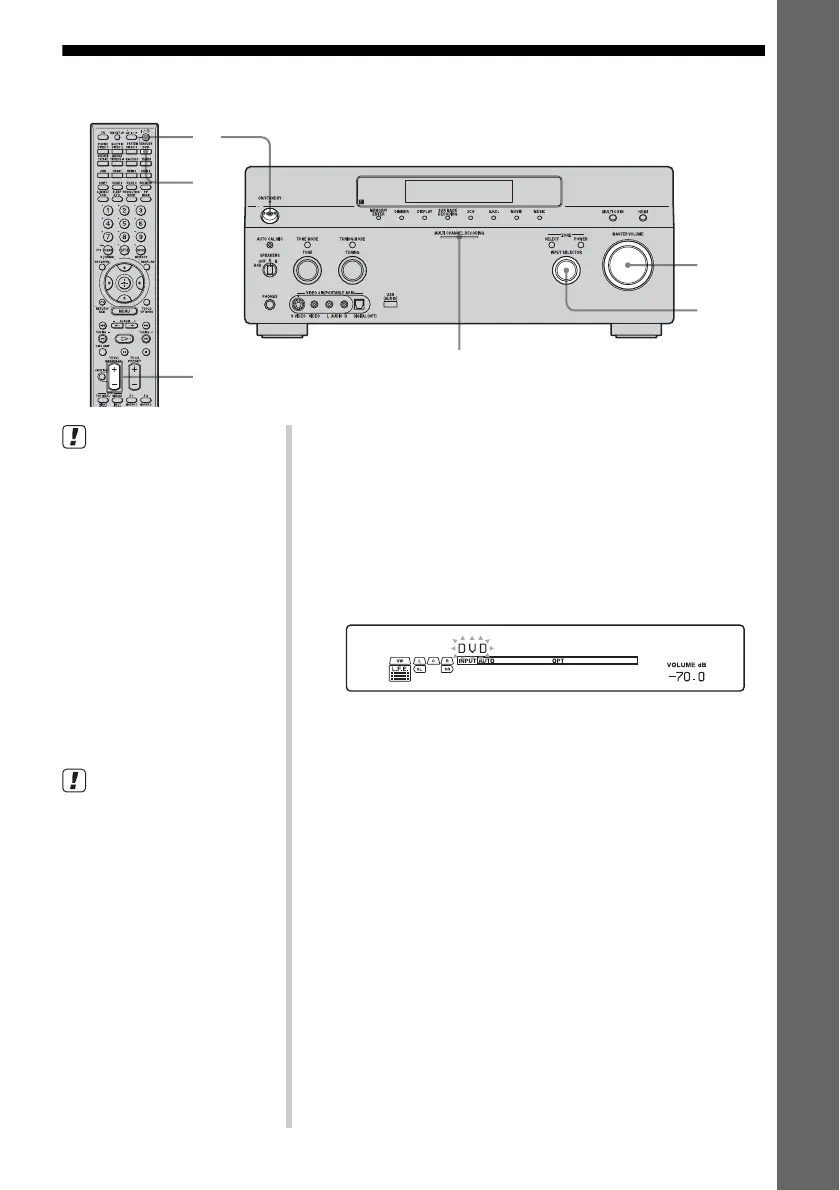
MULTI CHANNEL DECODING lamp
2
3
7
7
3
• Refer to the operating
instructions supplied with the
TV and DVD player.
z
Select the sound format of the
disc to be played, if necessary.
z
You can select the sound field to
suit the movie or the music. Refer
to page 62 for details.
Recommended sound fields:
Movie: Cinema Studio EX
Live image: Live Concert
Sport: Sports
Check the following if you cannot
listen to the multi-channel sound.
• Be sure the sound source
corresponds to the multi-
channel format (the MULTI
CHANNEL DECODING lamp
on the front panel lights up
during playback).
• Be sure this receiver is
connected to the DVD player via
a digital connection.
• Be sure the digital audio output
of the DVD player is set up
properly.
1 Turn on the TV and DVD player.
2 Turn on the receiver.
3 Press DVD.
You can also use INPUT SELECTOR on this receiver to
select “DVD.”
An example of the display
4 Switch the input of the TV so that an image
of the DVD is displayed.
5 Set up the DVD player.
Refer to “Quick Setup Guide” supplied with the receiver.
6 Play back the disc.
7 Adjust to a suitable volume.
8 After you have finished watching a DVD,
eject the disc and turn off the receiver, the
TV, and the DVD player.















 To Next Page