65
GB
Enjoying Surround Sound
For details on adjusting the parameters, see
“Adjusting the sound effect” (page 63).
x SB Decoding
(Surround back decoding)
Lets you select the surround back decoding
function.
•OFF
•AUTO
•ON
For details, see “Using the surround back
decoding mode (SB Decoding)” (page 66).
x SB Dec Mode
(Surround back decoding mode)
Lets you select the surround back decoding
mode.
• DDEX
• PLIIx MV
• PLIIx MS
For details, see “Using the surround back
decoding mode (SB Decoding)” (page 66).
Using the surround back
decoding mode
By decoding the surround back signal of DVD
software (etc.) recorded in Dolby Digital
Surround EX, DTS-ES Matrix, DTS-ES
Discrete 6.1, etc., format, you can enjoy the
surround sound intended by the filmmakers.
1 Connect a TV monitor to this
receiver.
Refer to “3: Connecting the monitor for
displaying menus” (page 19).
2 Turn on the receiver and the TV.
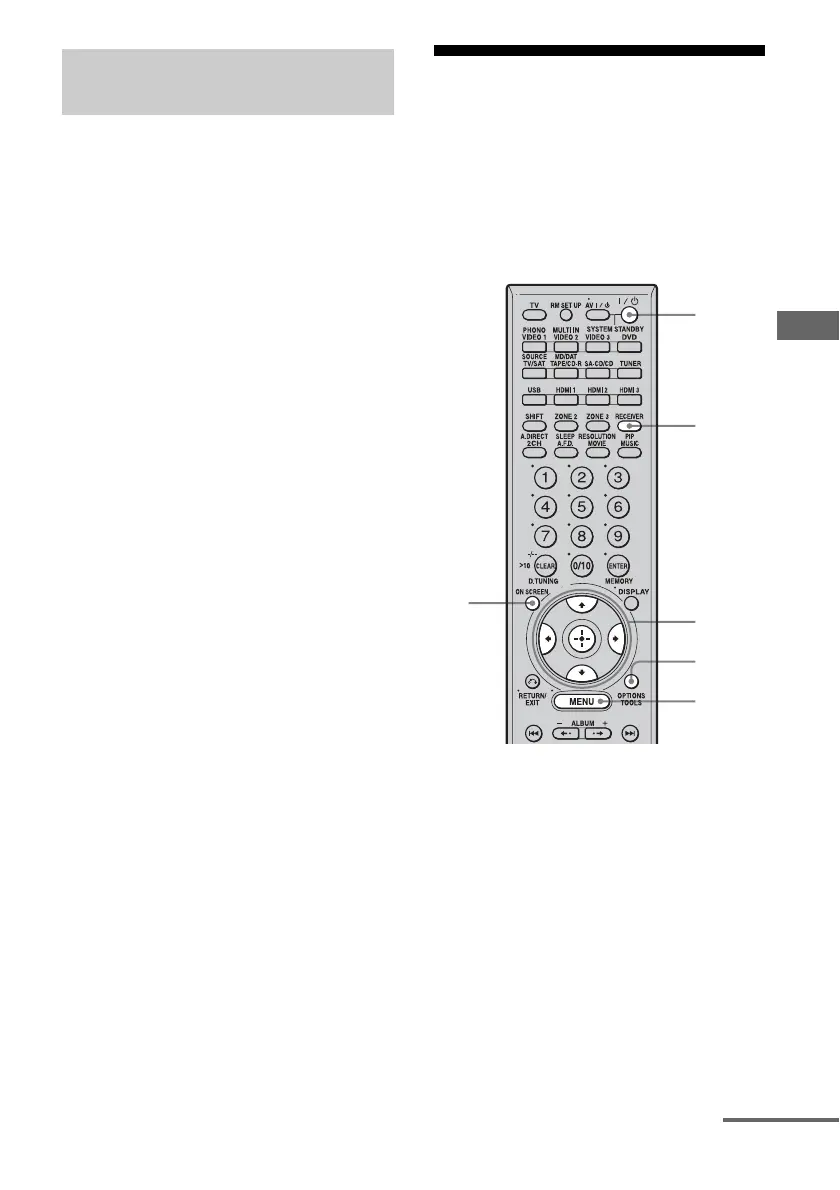
3 Press RECEIVER to enable
receiver operation.
4 Press ON SCREEN.
The menu list of this receiver appears on
the TV screen. Press MENU if the menu
list does not appear on the TV screen.
Option menu parameter of
Surround settings
3
2
4
5-6,
8-9
7
MENU
continued















 To Next Page