69
GB
Advanced Speakers Setting Up
Adjusting the speaker
settings manually
You can adjust the each speaker manually.
You can also adjust the speaker levels after the
auto calibration is completed.
1 Connect a TV monitor to this
receiver.
Refer to “3: Connecting the monitor for
displaying menus” (page 19).
2 Turn on the receiver and the TV.
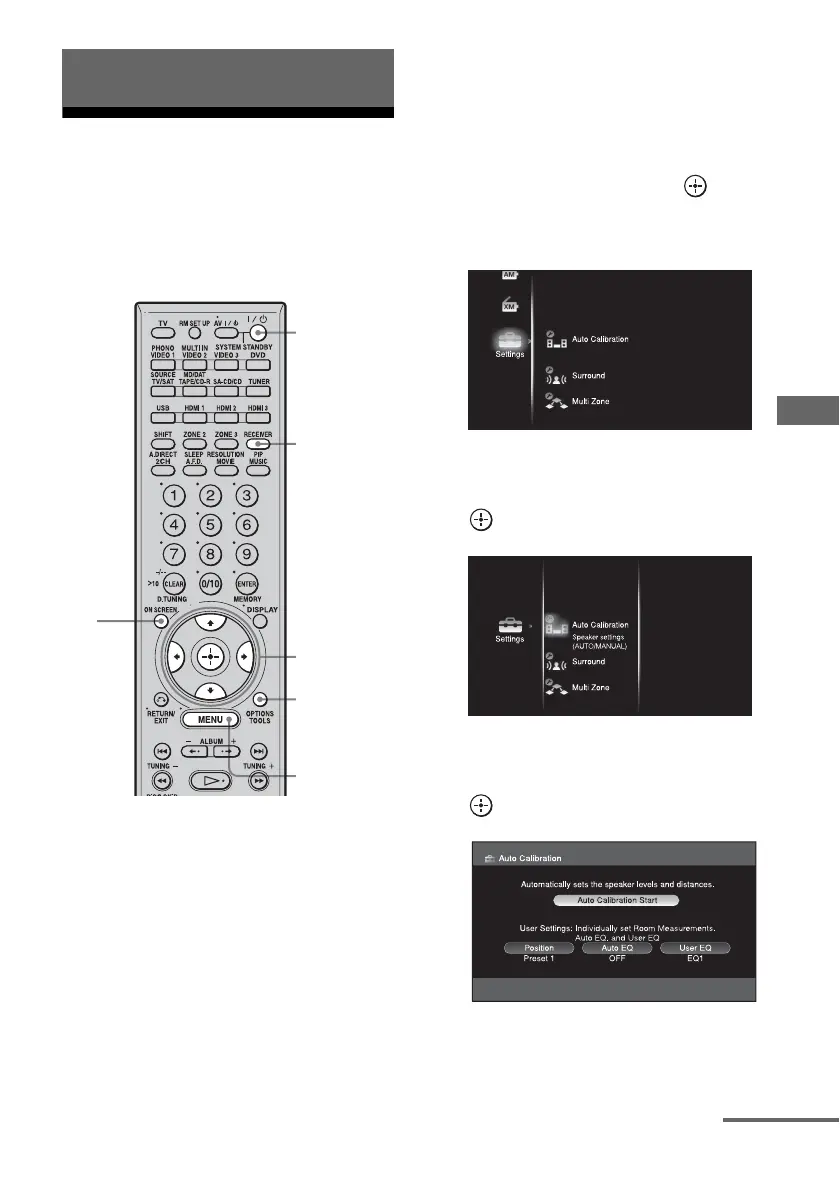
3 Press RECEIVER to enable
receiver operation.
4 Press ON SCREEN.
The menu list of this receiver appears on
the TV screen. Press MENU if the menu
list does not appear on the TV screen.
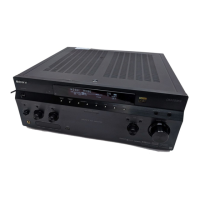
5 Press V/v repeatedly to select
“Settings,” then press or b.
The Settings menu list appears on the TV
screen.
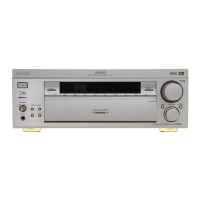
6 Press V/v repeatedly to select
“Auto Calibration” then press
.
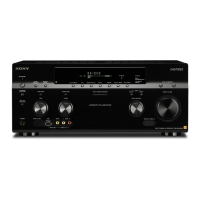
7 Press V/v/B/b repeatedly to
select “Position,” then press
.
Advanced Speakers Setting Up
3
2
5-9,
11,
13-15
MENU
10,12
4
continued




 To Next Page