80
GB
Presetting radio stations
You can preset up to 30 FM or 30 AM stations.
Then you can easily tune in the stations you
often listen to.
1 Connect a TV monitor to this
receiver.
Refer to “3: Connecting the monitor for
displaying menus” (page 19).
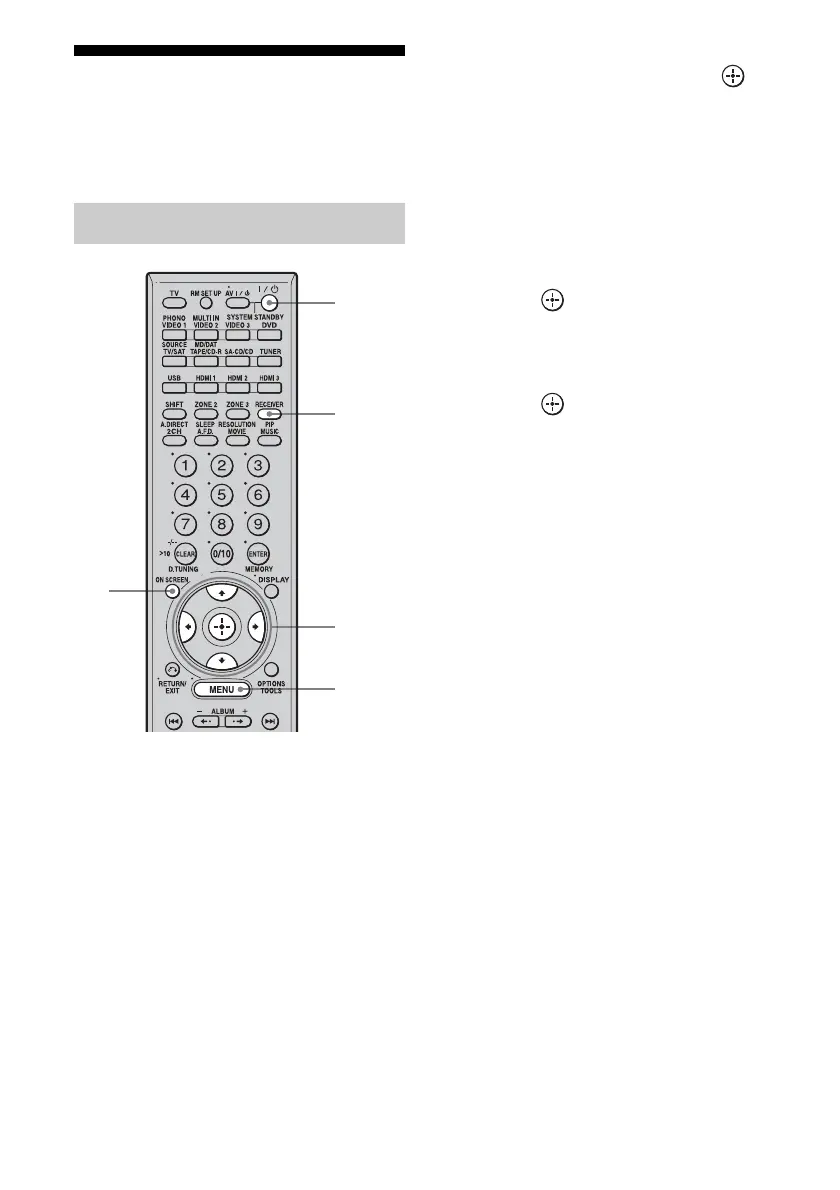
2 Turn on the receiver and the TV.
3 Press RECEIVER to enable
receiver operation.
4 Press ON SCREEN.
The menu list of this receiver appears on
the TV screen. Press MENU if the menu
list does not appear on the TV screen.
5 Press V/v repeatedly to select
“FM” or “AM,” then press or
b.
6 Tune in the station that you
want to preset using Automatic
Tuning (page 77) or Direct
Tuning (page 78).
Switch the FM reception mode, if
necessary (page 77).
7 Press .
8 Press V/v to select a preset
number.
9 Press .
The station is stored as the selected preset
number.
10Repeat steps 7 to 9 to preset
another station.
Presetting radio stations
3
2
5,
7-9
MENU
4















 To Next Page