97
GB
Other Operations
Using the Sleep Timer
You can set the receiver to turn off
automatically at a specified time.
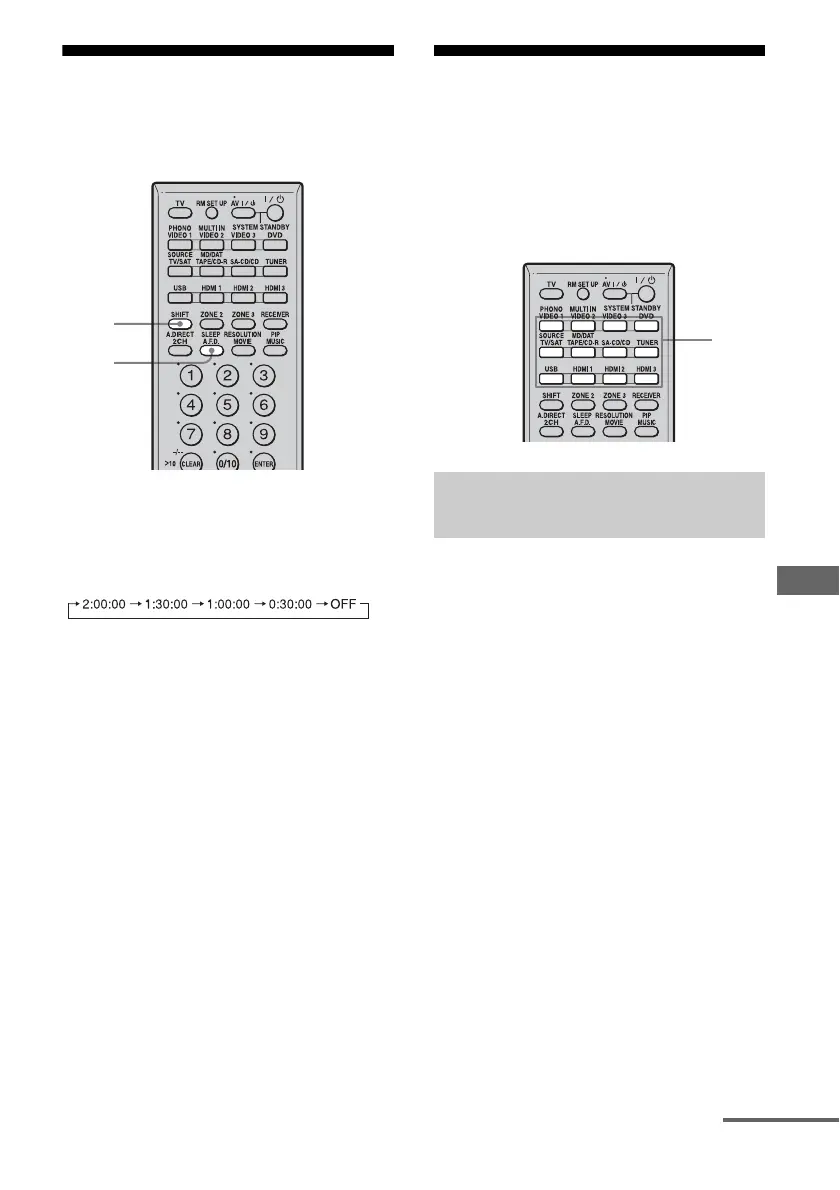
Press SHIFT then press SLEEP
repeatedly.
Each time you press SLEEP, the display
changes cyclically as follows:
When Sleep Timer is being used, “SLEEP”
lights up.
Tip
To check the remaining time before the receiver
turns off, press SLEEP. The remaining time appears
on the display. If you press SLEEP again, the sleep
timer will be changed.
Recording using the
receiver
You can record from a video/audio component
using the receiver. Refer to the operating
instructions supplied with your recording
component.
You can record onto a MiniDisc or audio tape
using the receiver. See the operating
instructions supplied with your MD deck or
tape deck.
1 Press the input button of the
playback component.
2 Prepare the playback
component for playing.
For example, insert a CD into the CD
player.
3 Prepare the recording
component.
Insert a blank MD or tape into the
recording deck and adjust the recording
level.
4 Start recording on the
recording deck, then start
playback on the playback
component.
SLEEP
SHIFT
Recording onto a MiniDisc or
audio tape
1
continued















 To Next Page