86
GB
Listening to the music of
a USB device
You can connect a USB device (Digital music
player or USB storage media, not supplied) to
the USB jack on the front panel of this receiver
and listen to the music stored on the USB
devices.
Notes
• For details on supported USB device, see “A list of
Playable USB Devices” supplied with this receiver.
• The audio formats that can be played back using
this receiver are as follows: ATRAC/MP3/WMA.
Files with copyright protection (Digital Rights
Management) cannot be played back using this
system.
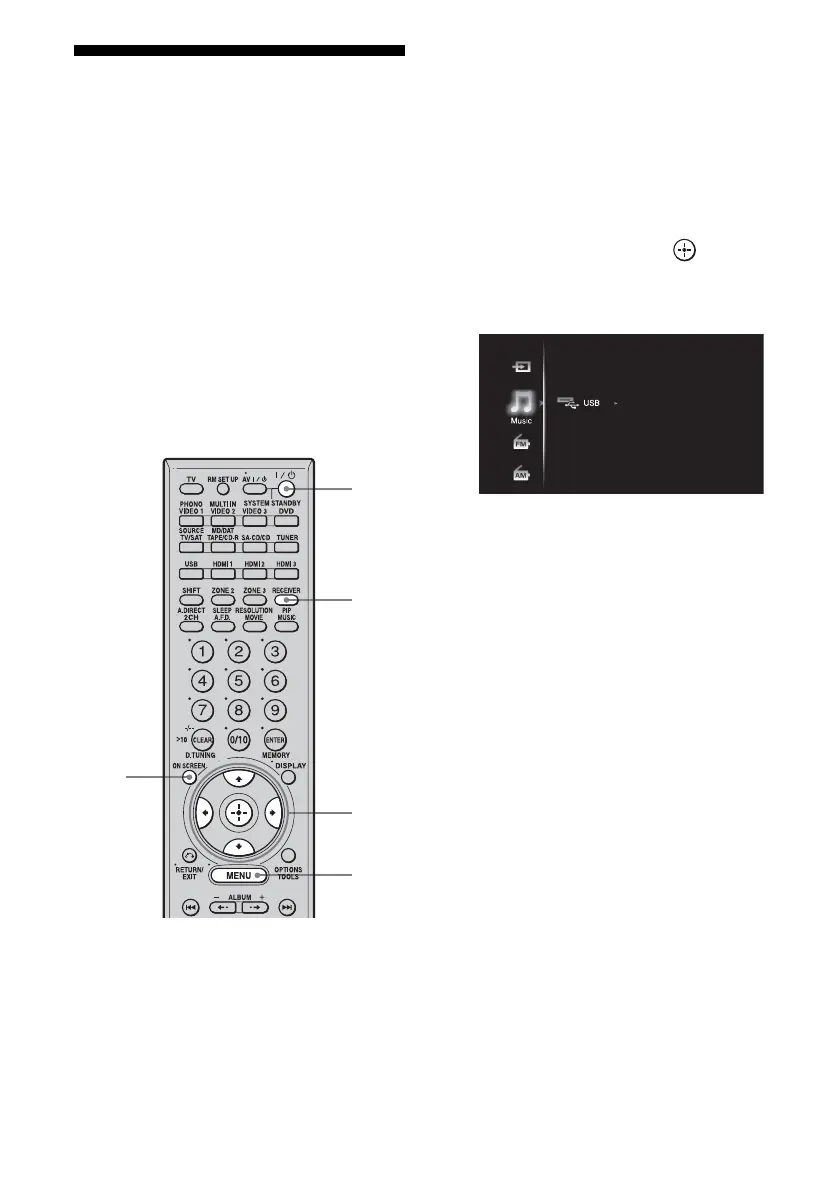
1 Connect a TV monitor to this
receiver.
Refer to “3: Connecting the monitor for
displaying menus” (page 19).
2 Turn on the receiver and the TV.
3 Press RECEIVER to enable
receiver operation.
4 Press ON SCREEN.
The menu list of this receiver appears on
the TV screen. Press MENU if the menu
list does not appear on the TV screen.
5 Press V/v repeatedly to select
“Music,” then press or b.
The category of the connected USB
device appears on the screen.
6 Select the track you want to
listen to using V/v/B/b.
You can play back tracks in the selected
directory.
3
2
MENU
5-6
4















 To Next Page