93
GB
Other Operations
Changing the display
You can check the sound field, etc., by
changing the information on the display.
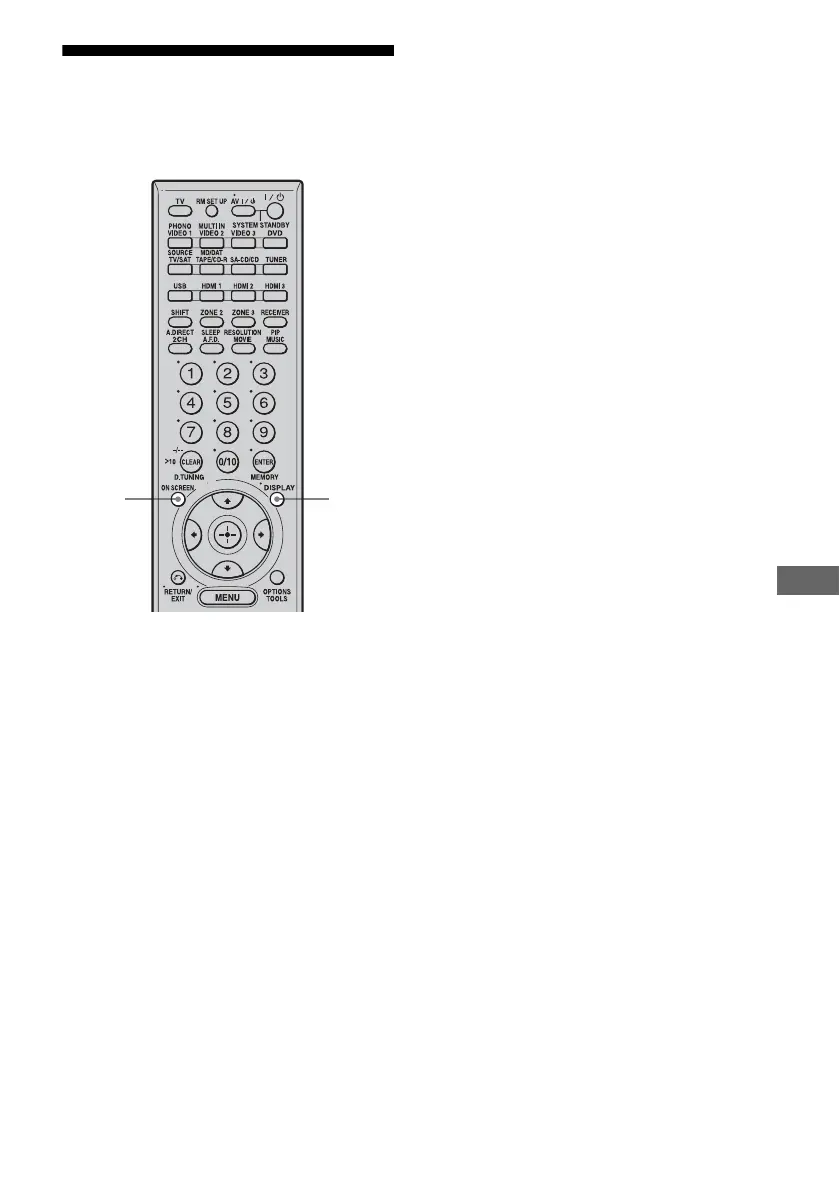
Press DISPLAY repeatedly.
Each time you press DISPLAY, the display
will change as follows.
Input name you selected t Original input
name t Sound field type t Volume...
Tip
You cannot switch the display while “GUI ON” is
shown on the display. Press ON SCREEN to cancel
the GUI display mode.
FM and AM band
Station name t Frequency t Sound field
type t Volume...
Index name appears only when you have
assigned one to the input or preset station
(page 88). Index name does not appear when
only blank spaces have been entered.
RDS information
PS (Program Service name) t PTY (Program
Type) t RT (Radio Text) t CT (Current
Time) t sound feild type t Vo l u m e . . .
USB device
Track title t Album title t (Artist name) t
(Genre title) t Sound field type t Vo l u m e . . .
ON
SCREEN
DISPLAY















 To Next Page