Using Your New TV (continued)
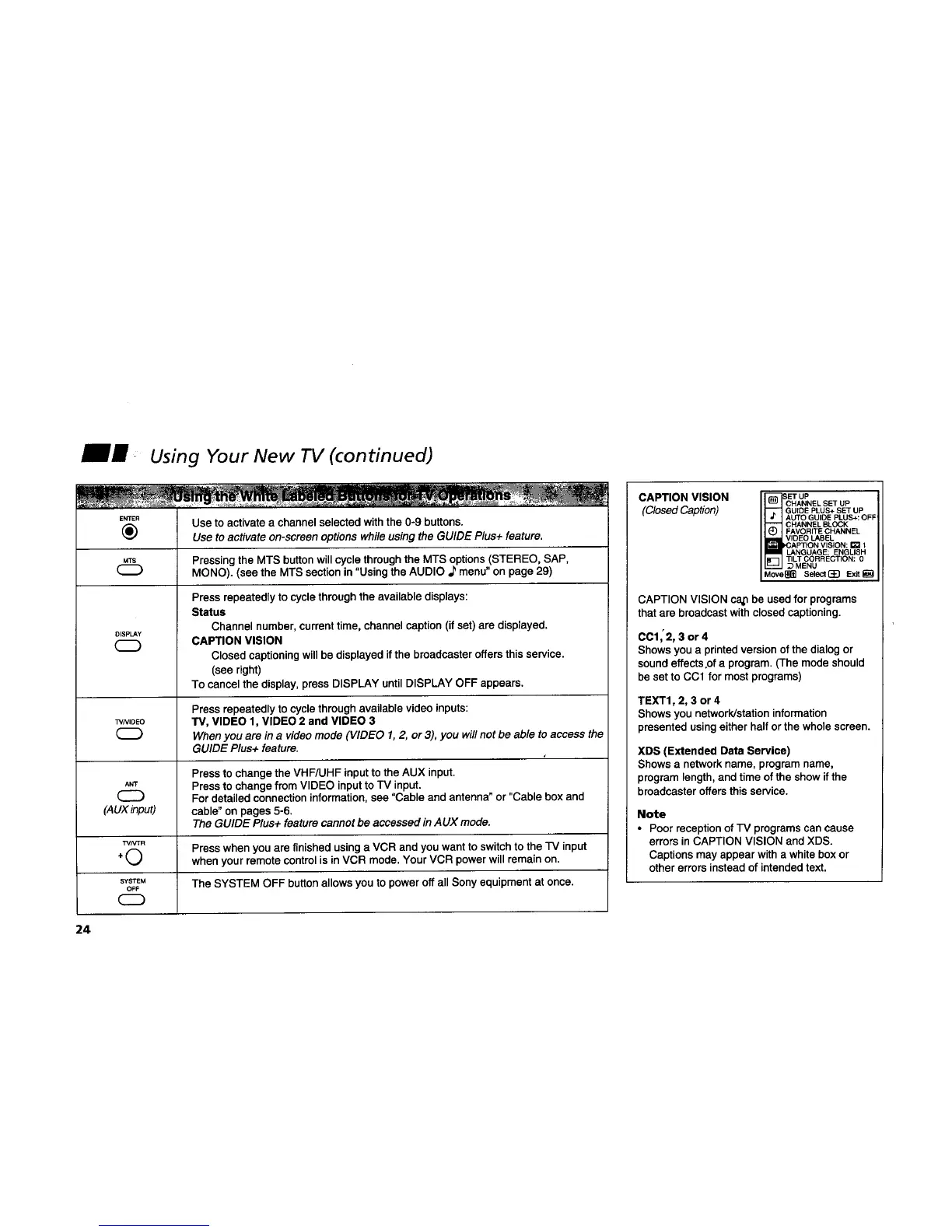
E_E" Use to activate a channel selected with the 0-9 buttons.
(_ Use to activate on-screen options whileusing the GUIDE Plus+ feature.
Pressing the MTS buttonwill cycle through the MTS options (STEREO, SAP,
MONO). (see the MTS section in "Using the AUDIO ,Pmenu" on page 29)
DISPLAY
Press repeatedly to cycle through the available displays:
Status
Channel number,current time, channel caption (if set) are displayed.
CAPTION VISION
Closed captioning will be displayed if the broadcaster offers this service.
(see right)
To cancel the display, press DISPLAY until DISPLAY OFF appears.
Press repeatedly to cycle through available video inputs:
WNID_O TV, VIDEO 1, VIDEO 2 and VIDEO 3
When you are in a video mode (VIDEO 1, 2, or 3), you will not be able to access the
GUIDE Plus+ feature.
Press to change the VHF/UHF inputto the AUX input.
ANT Press tO change from VIDEO input to TV input.
For detailed connection information,see "Cable and antenna" or "Cable box and
(AUXinput) cable" on pages 5-6.
The GUIDE Plus+ feature cannot be accessed in AUX mode.
TVNTR
F',, Press when you are finished using a VCR and you want to switch to the TV input
+
%)
when your remote control is in VCR mode. Your VCR power will remain on.
s-_srEM The SYSTEM OFF button allows you to power off all Sony equipment at once.
OFF
CAPTION VISION
(ClosedCaption)
CHANNEL SET UP
GUIDE PLUS+ SET UP
AUTO GUIDE PLUS+: OFF
CHANNEL BLOCK
FAVORITE CHANNEL
VIDEO LABEL
LANGUAGE: ENGLISH
TILT CORRECTION: 0
_MENU
Move_ Select(_] Exit_
CAPTION VISION cap be used for programs
that are broadcast with closed captioning.
CCl,2, 3 or 4
Shows you a printed version of the dialog or
sound effects.of a program. (The mode should
be set to CO1 for mostprograms)
TEXT1, 2, 3 or 4
Shows you network/station information
presented using either half orthe whole screen.
XDS (Extended Data Service)
Shows a networkname, program name,
program length, and time ofthe show ifthe
broadcaster offers this service.
Note
• Poor reception of TV programs can cause
errors in CAPTION VISION and XDS.
Captions may appear with a white box or
other errors instead of intended text.
24










 To Next Page