Watching two programs at
one time - PIP
These models are equipped with dual tuners.
This means that PIP is "ready to use".
REFER TO THE ILLUSTRA TION
OF THE REMOTE CONTROL ON
THE INSIDE FRONT COVER OF
THIS MANUAL AS YOU
REVIEWTHISCHART
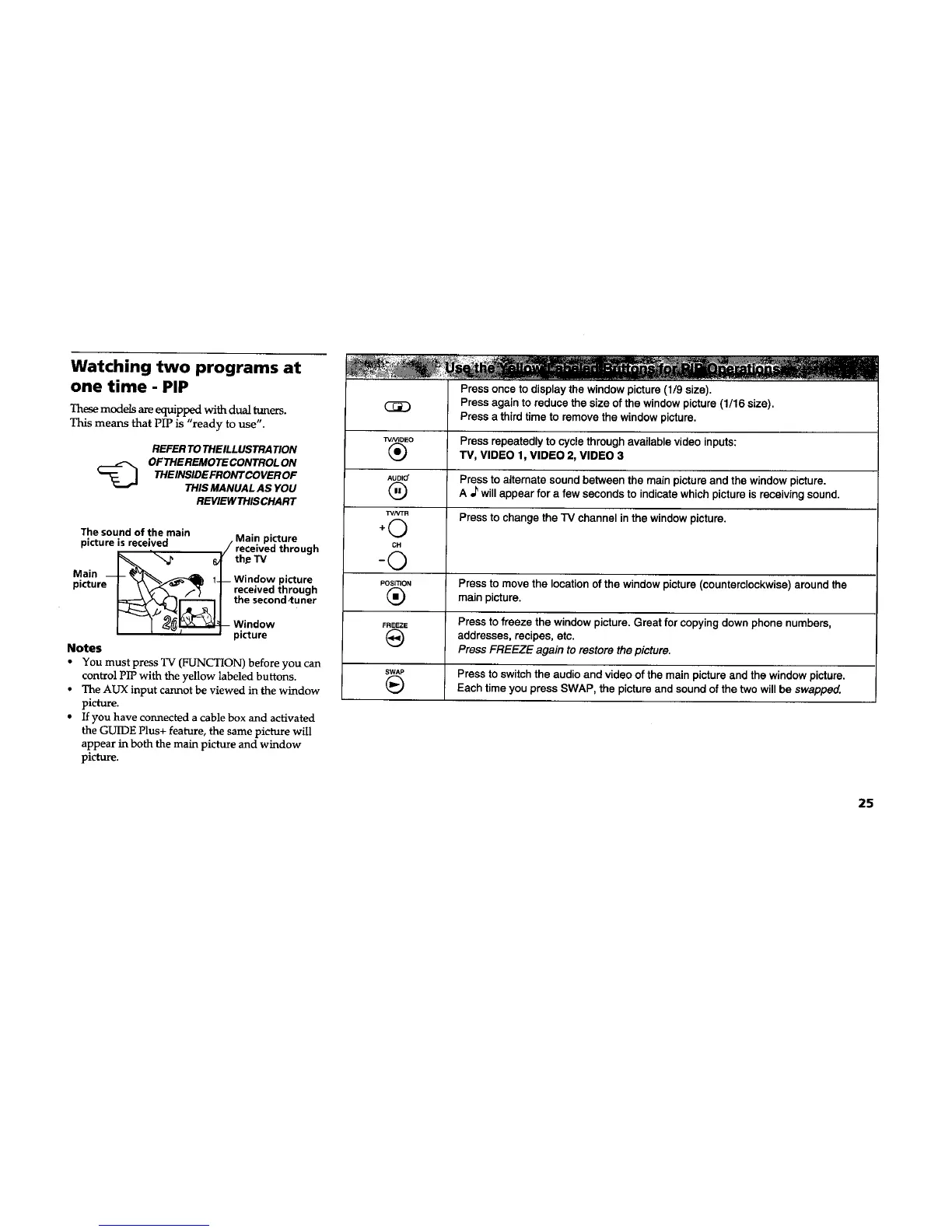
The sound of the main
picture is received
i
Main _\__
picture 1-
Notes
Main picture
/ received through
theeTV
_ Window picture
received through
the second ,tuner
Window
picture
• You must press TV (FUNCTION) before you can
control PIP with the yellow labeled buttons.
• The AUX input cannot be viewed in the window
picture.
• If you have connected a cable box and activated
the GUIDE Plus+ feature, the same picture will
appear in both the main picture and window
picture.
Press once to display the window picture (1/9 size).
Press again to reduce the size of the window picture (1/16 size).
Press a third time to remove the window picture.
W_OEO Press repeatedly to cycle through available video inputs:
(_ TV, VIDEO 1, VIDEO 2, VIDEO 3
AUDIO' Press to alternate sound between the main picture and the window picture.
(_ A _ will appear for a few seconds to indicate which picture is receiving sound.
TVhrFR
(,_ Press to change the "IV channel in the window picture.
+
CH
-©
Posmo, Press to move the location of the window picture (counterclockwise) around the
(_) main picture.
FREEZE Press tofreeze the window picture. Great for copying down phone numbers,
addresses, recipes, etc.
Press FREEZE again to restore the picture.
swAP Press to switch the audio and video of the main picture and the window picture.
(_ Each time you press SWAP, the picture and sound of the two will be swapped.
25










 To Next Page