102
9-2-2. Playback
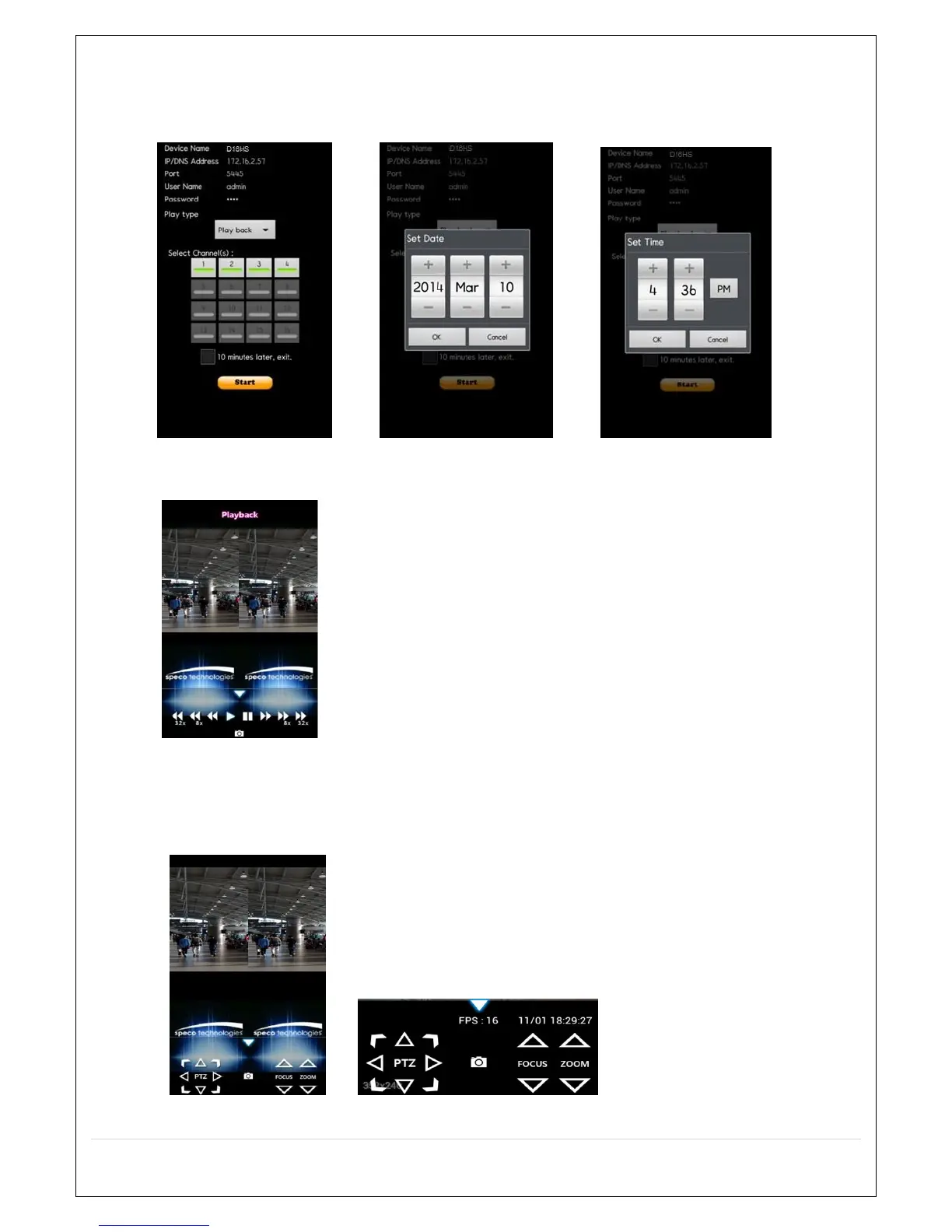
1. Select the registered device and select PLAYBACK and select up to 4 channels to search. Then click START
button. As soon as setting the date and time to search, the app will start the playback.
2. The app will display the selected channel(s). Double tap the channel screen to switch 1 channel display to 4
channels split display.
9-2-3.PTZ Control
To control the PTZ function of the camera, tap the channel screen, then the channel name will be highlighted
in Yellow. Using the PTZ menu icons on the screen, control PTZF.



 To Next Page