27
Figure 4.1.2 IP CAMERA Setup Screen
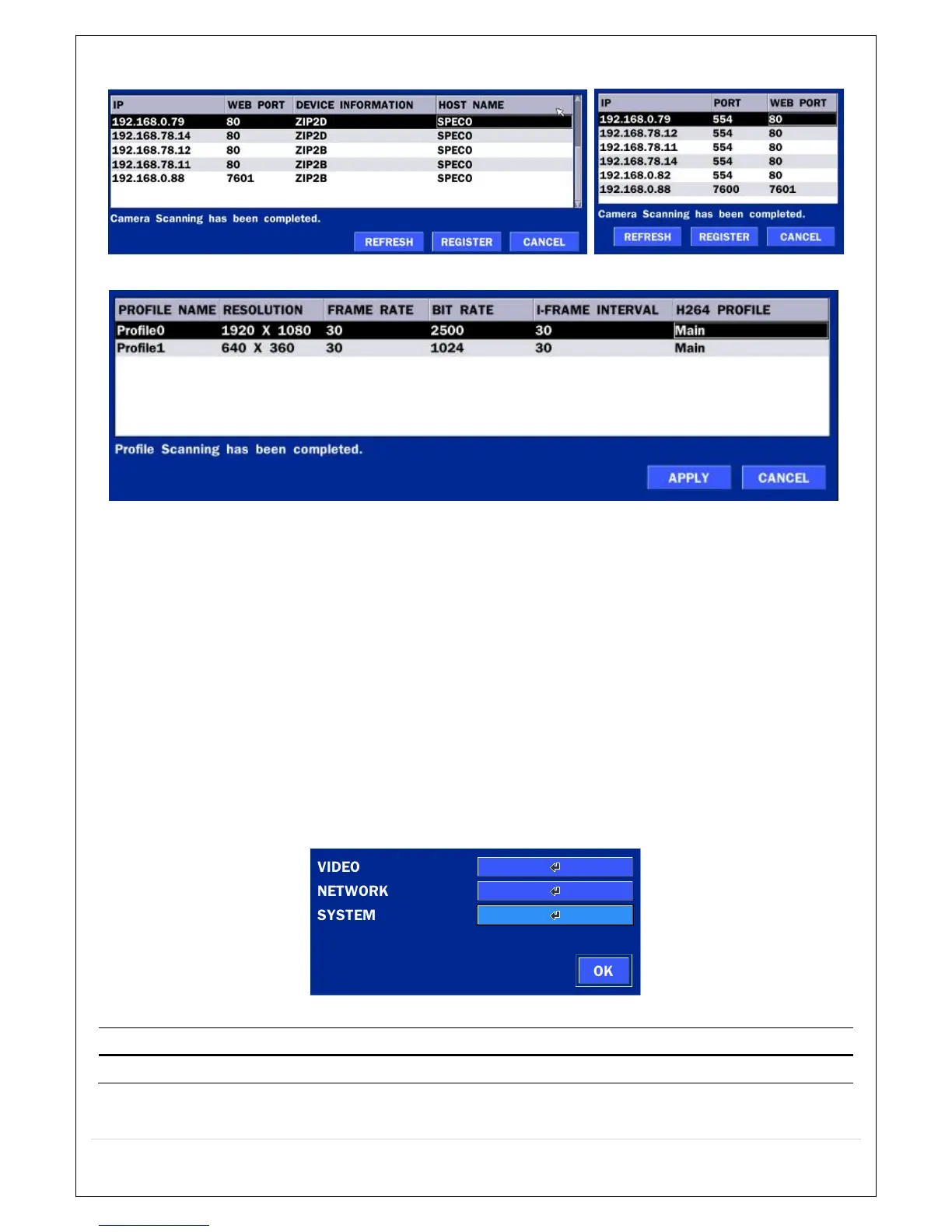
Figure 4.1.3 Left Image using ONVIF Protocol SCAN, Right Image using SPECO Protocol SCAN
Figure 4.1.4 ONVIF Protocol Profile SCAN Image
① Select the protocol used by the IP Camera and then click the scan button.
② Select the IP Camera from the list and then click the register button.
③ After registering, the basic information is displayed.
④ IP cameras using ONVIF protocol require ID, Password and Profile to be correctly entered for
proper operation.
⑤ SPECO protocols only require ID and Password to be correctly entered for proper operation. IP
cameras using ONVIF protocol can have their Video, Network and System settings accessed
and updated using the ONVIF setup menu.
(ONVIF Setup Menu may not be accessible depending on the ONVIF version used by the
IP camera.
4-1-2. ONVIF SETUP Menu
Table 4.1.2. Menu Items in ONVIF Setup Screen
Menu Item Description
VIDEO Video, Encoder to view and change to audio settings.



 To Next Page