96
8. Network Access Using the Web-Browser Viewer
The DVR provides a live remote monitoring feature by web-browser viewer. (NOTE: Web-Brower is only
available for Internet Explorer)
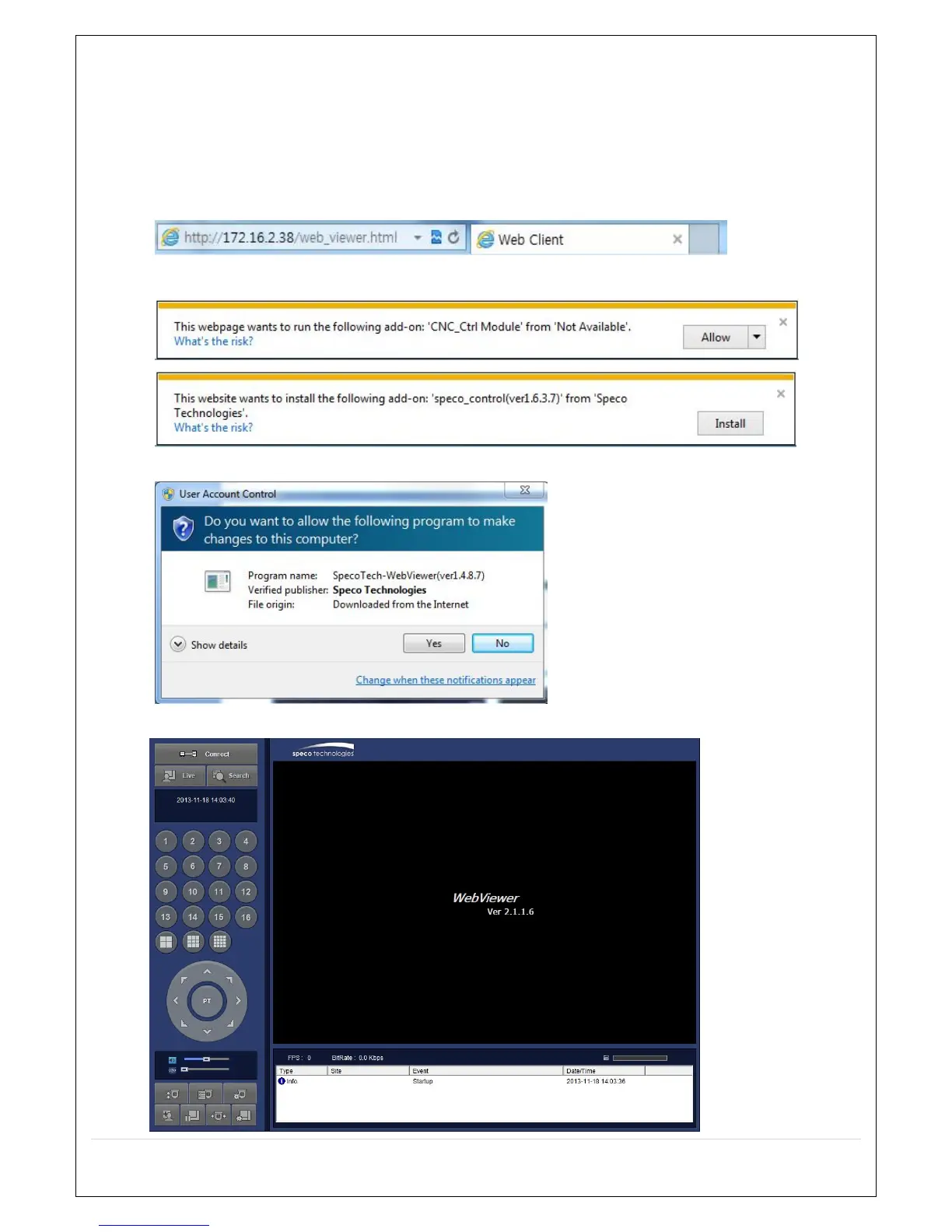
1. Check the IP address of the DVR from SETUP>SYSTEM>DESCRIPTION>IP ADDRESS or
2. Input the IP address or Domain name address that you pre-registered.
3. Click this bar. Then the dialog box is displayed.
4. Click “Install” to download and install the ActiveX control.
5. The Web Browser Viewer will be displayed as below after the ActiveX installation



 To Next Page