40
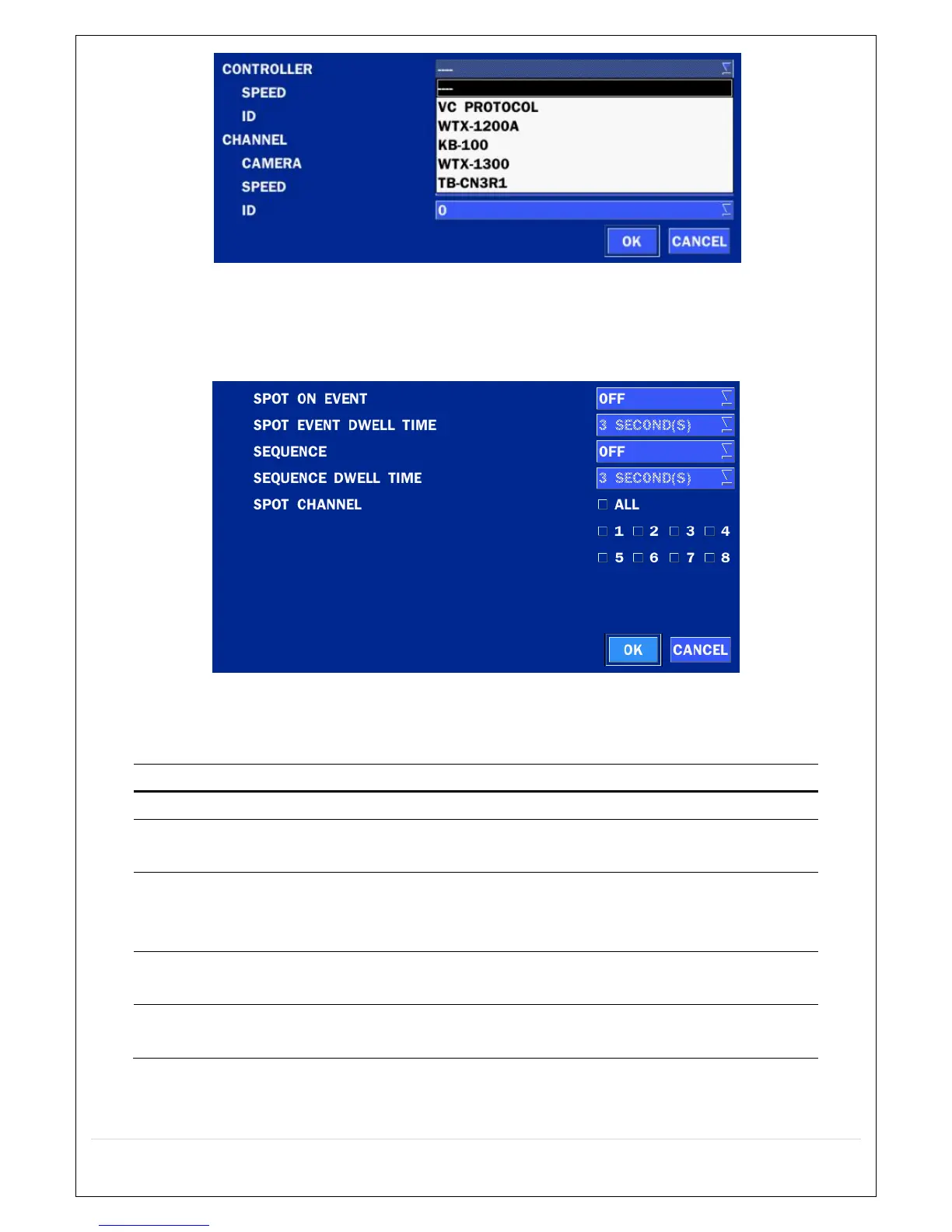
Figure 4.4.2.3. Controller Selection Screen
4-4-3. Spot Out
Figure 4.4.3. SPOT-OUT Setup Screen
Table 4.4.3. Menu Item in SPOT-OUT Setup Screen
Item Description
SPOT ON EVENT Enable/disable channel change if an event occurs on a channel.
SPOT EVENT
DWELL TIME
Set the dwell time for the display of the event activated channel.
(3-10sec)
SEQUENCE Enable/disable sequential display of spot channel in full screen.
If select ON, the selected channel will be displayed on the monitor
periodically.
SEQUENCE
DWELL TIME
Set the dwell time for the spot channel display. (3-10sec)
SPOT CHANNEL Select a channel for spot monitoring using the mouse or the remote
control and press OK button.



 To Next Page