85
7-7-7. User Management
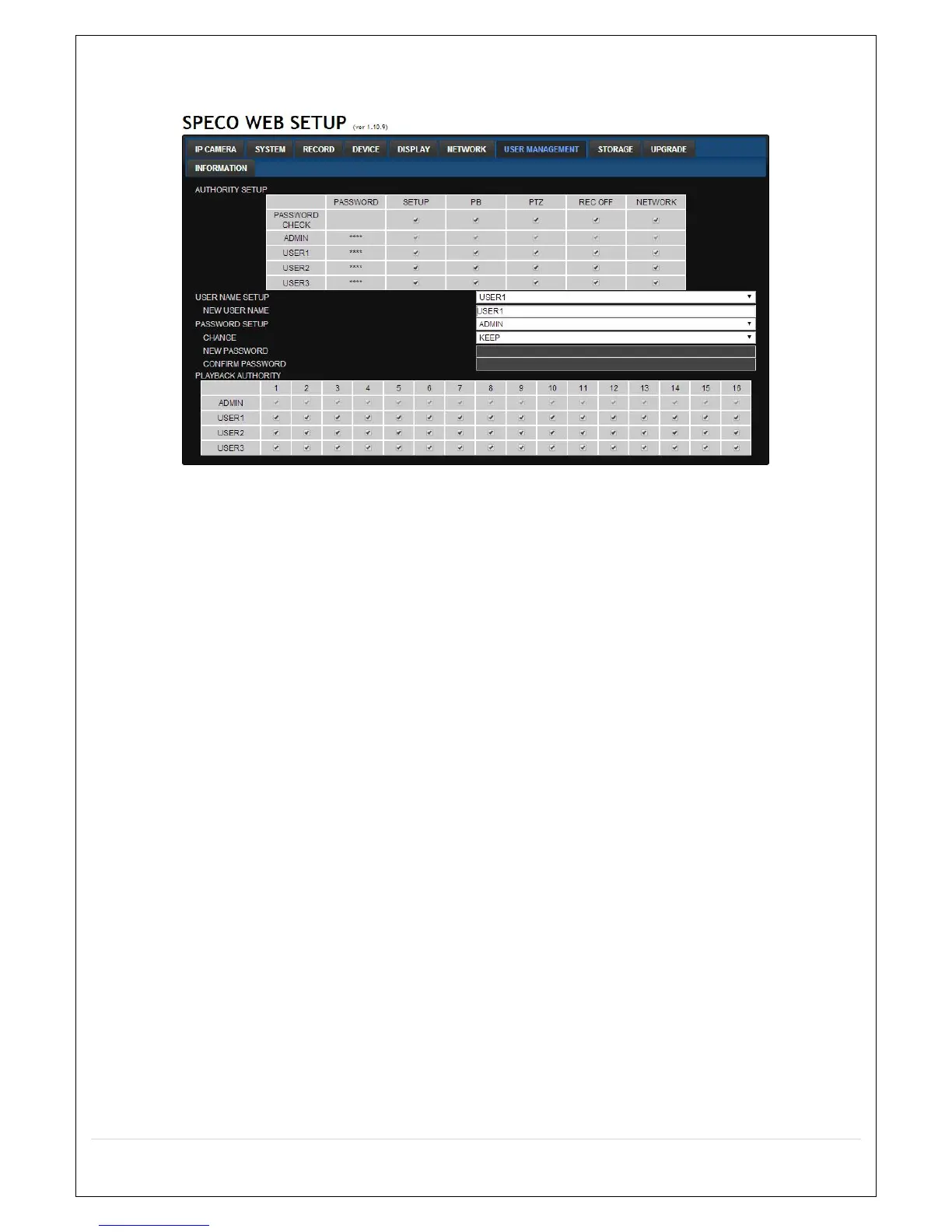
Select the USER MANAGEMENT tab to set the DISPLAY conditions.
AUTHORITY SETUP: Select which users have access to each function, password check can be
implemented for each function accessed.
USER NAME SETUP: Select which Username to change
o NEW USER NAME: Input the new username
PASSWORD SETUP: Select Username to change Password
A. CHANGE: Select whether to KEEP or CHANGE the current password.
B. NEW PASSWORD: Input NEW Password if CHANGE was selected.
C. CONFIRM PASSWORD: Input NEW Password again to confirm.
PLAYBACK AUTHORITY: User can select which users have access to which channels.



 To Next Page