79
7-7-2. System
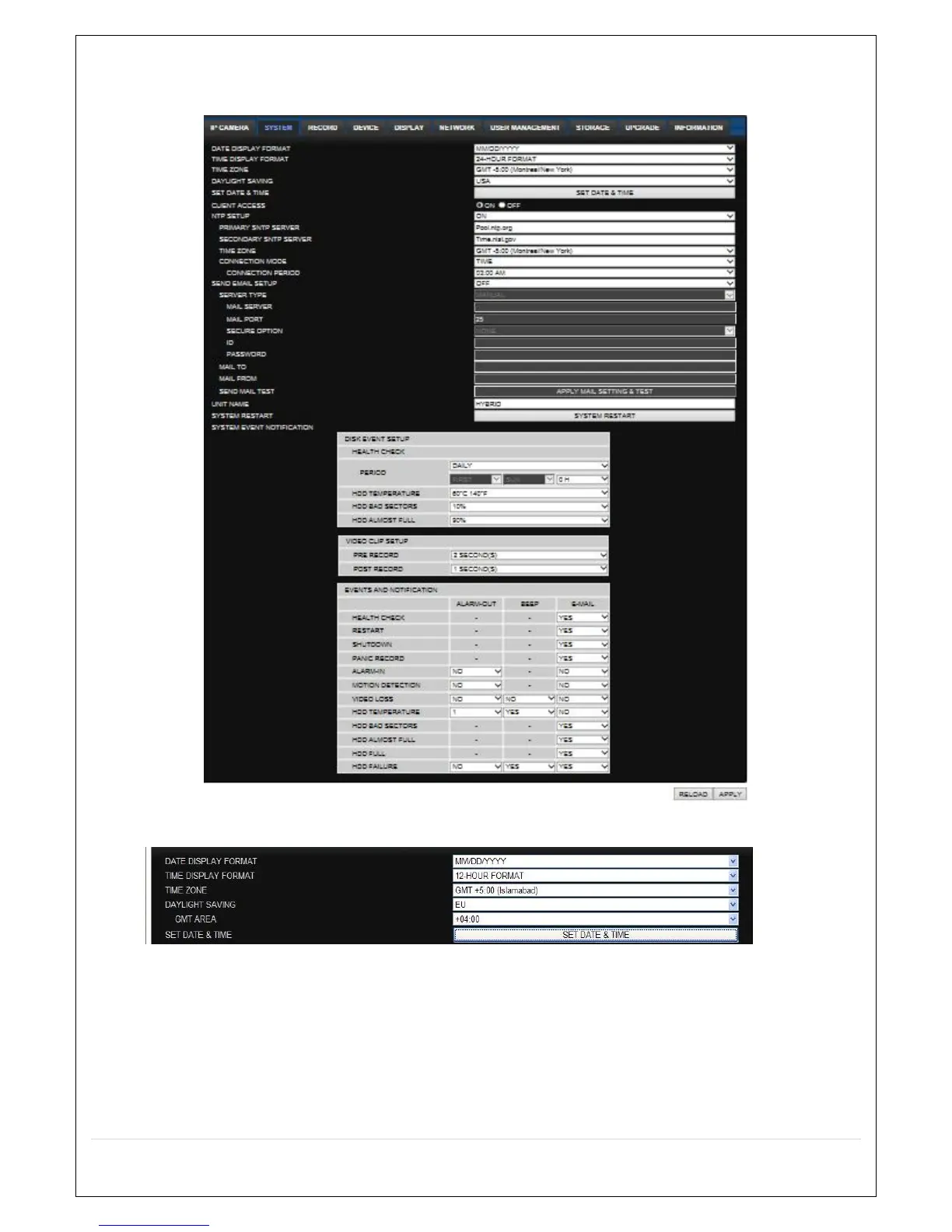
Select System to set system and time settings.
DATE DISPLAY FORMAT: Select the date display format.
In case setting the date & time, the changed date & tiem will be applied to the system.
And, the system will reboot.
When the user make the time back to the past, it does not show “TIME MISMATCH”
message unlike the local system. The data on the duplicated period time will be deleted
without WARNING.
CLIENT ACCCESS: Enable/Disable remote access through network client software.
NTP SETUP: Sets whether to synchronize the time using NTP server or not.



 To Next Page