16
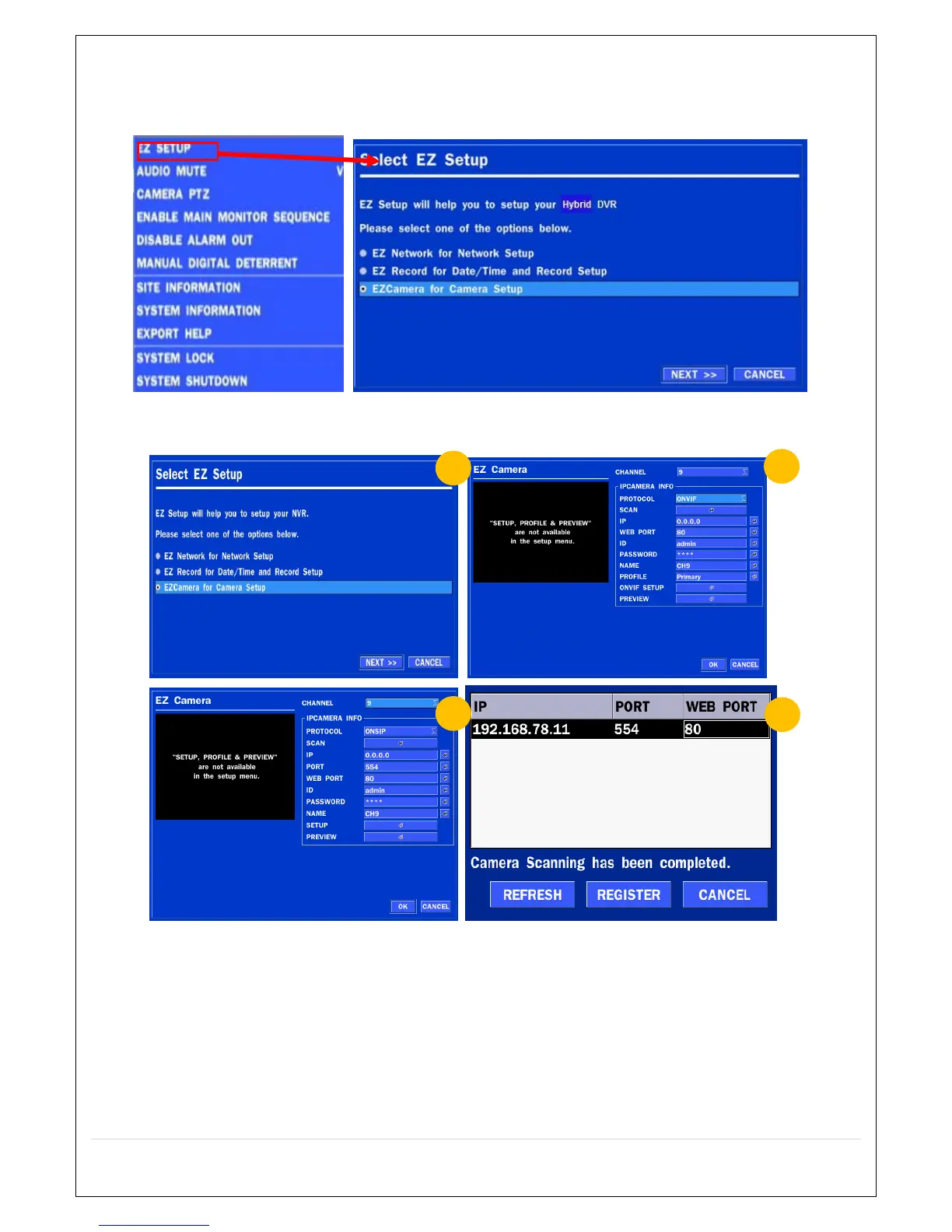
2-4. EZ SETUP
Quick installation Menu for HS and IP Camera Easy installation(Right-Click on the Main Screen)
Figure 2.4. EZ Setup Screen
2.4.1. Setup DATE & TIME, IP CAMERA configurations.
Figure 2.4.1. EZ CAMERA Setup Procedure
① Select EZ Camera for Date/Time and Camera Setup, Click NEXT to proceed.
② Configure individual cameras in the EZ Camera Setup.
Select the Channel to configure.
Select the Camera Protocol and then click on the scan button; this will scan the network for
any ip cameras using the specified protocol.
Select the desired Camera from the list, and then click on register.
If necessary, click on Preview to Preview the camera, or Setup to change camera settings.



 To Next Page