17
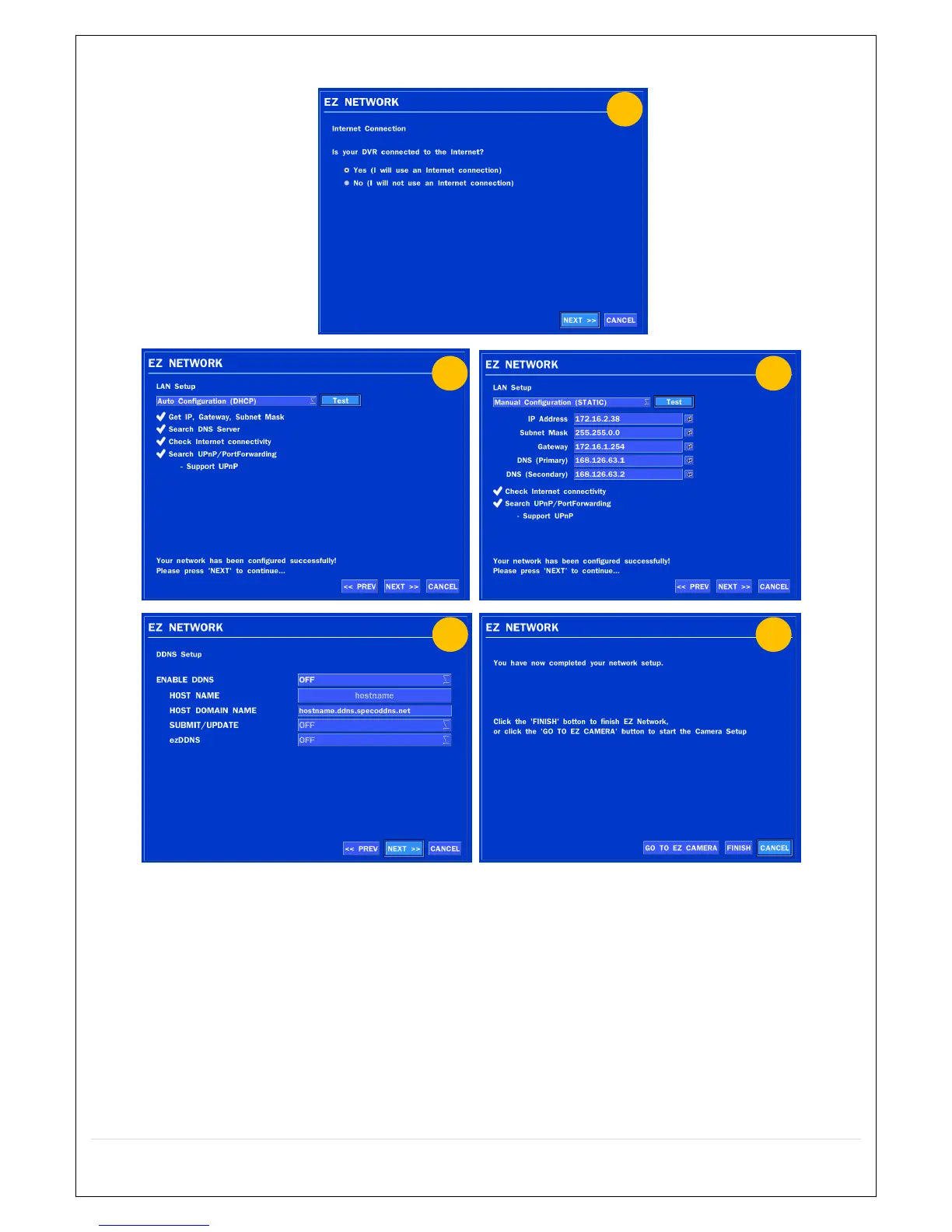
2.4.2. EZ NETWORK (Using an internet connection)
Figure 2.4.2. EZ NETWORK Setup Procedure
① Select YES in case of setting the network using an internet connection.
② Select Auto Configuration(DHCP) or Manual Configuration(STATIC) and then click TEST
Button. It will automatically setup the network for the system.
③ Setup DDNS setting. DDNS(Dynamic Domain Name System) allows a DNS name to be
constantly synchronized with a dynamic IP address. It allows using a dynamic IP address to be
associated with a static domain name. Refer to the full version manual for more information.
④ Click Finish to save the setup.



 To Next Page