24
4. Setting up the DVR
The following sections detail the initial setup of the DVR.
Menu screen will close if user response is not received in 5 minutes.
4-0. Setup – Main Live Screen
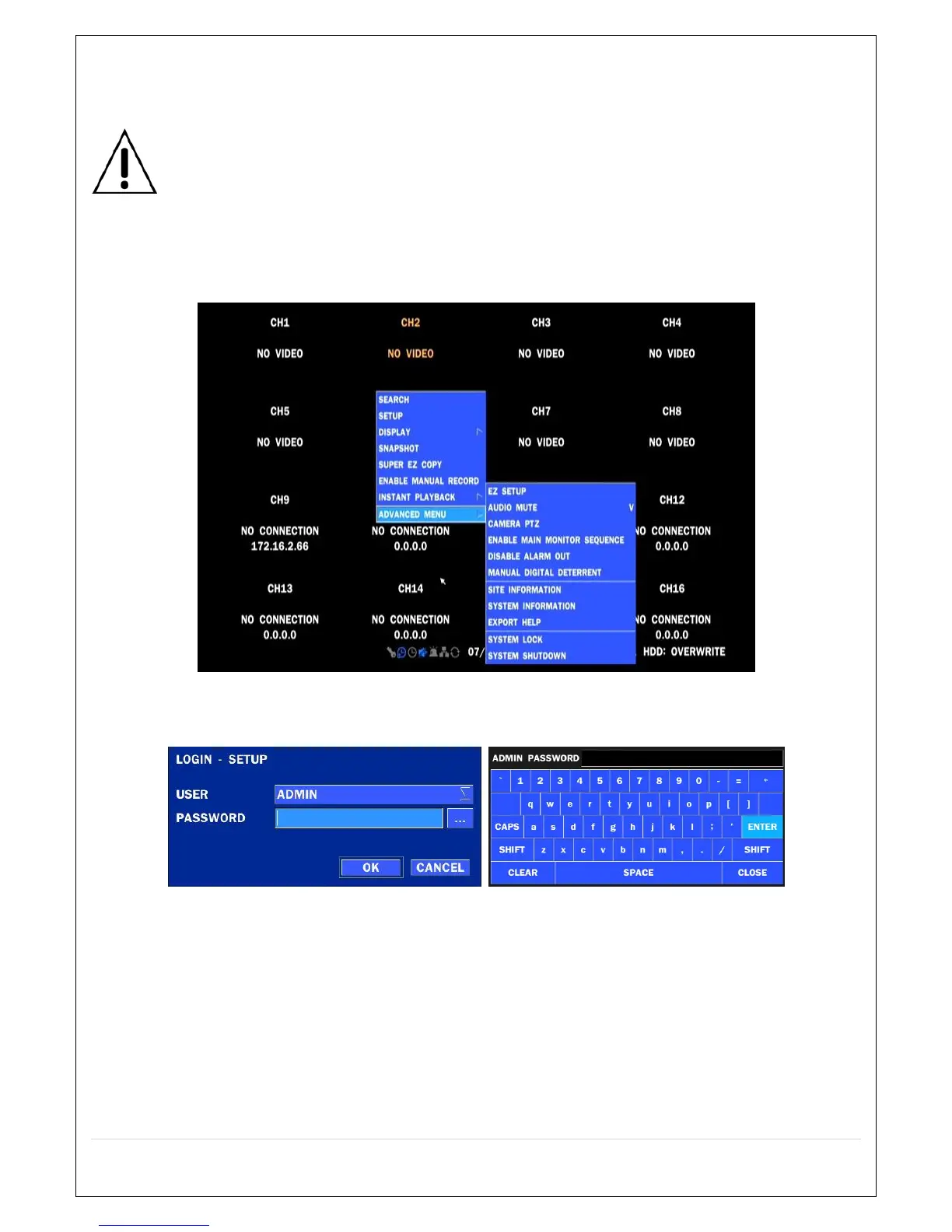
To enter the setup menu, right click on the mouse and select setup from the submenu or press the setup
button on the remote control.
Table 4.1.1. Live Screen and Quick Operation Window
When the DVR prompts the LOG-IN window, enter the PASSWORD using the virtual keyboard, or the front
panel, or the remote control. The factory default password is 1111. It is highly recommended to assign a
new password to protect the system. User can assign a new password in SECURITY setup menu.



 To Next Page