94
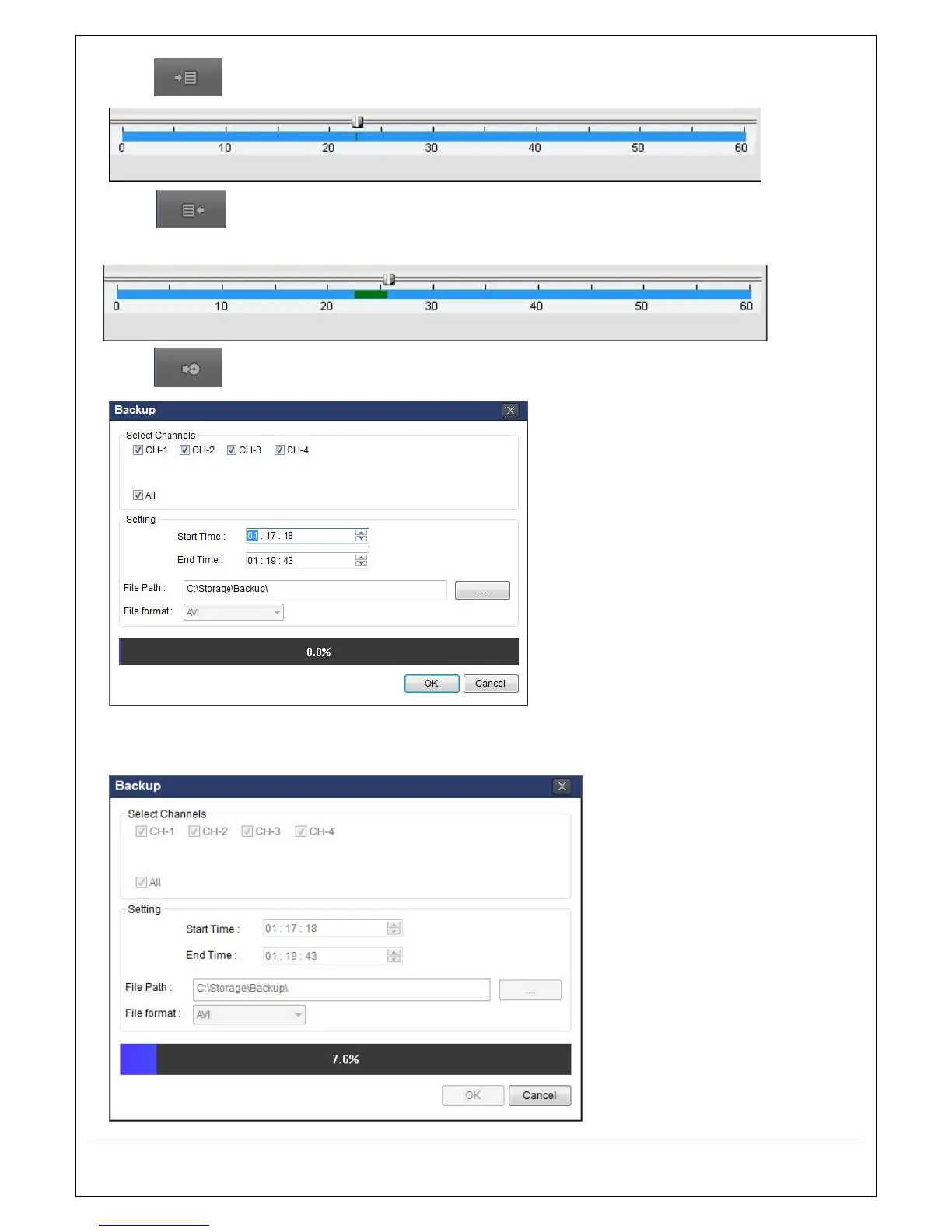
3. Click EZCOPY START button on the timeline scale to select the beginning point of the backup.
4. Click EZCOPY END button on the timeline scale to select the ending point of the backup.
Then, the selected starting point and the ending point on the timeline scale bar will be marked in green.
5. Click BACKUP. And then the BACKUP window will be displayed as below.
6. You can also set the beginning time and ending time on this window. After selecting a channel for backup,
click the OK button. The backup will begin.



 To Next Page