9
IM-S51-07 CTLS Issue 1
SP7-10, SP7-11, SP7-12 and SP7-20, SP7-21, SP7-22 Parameterization
2.6.2 Operating mode 1.1: Control without adaptation
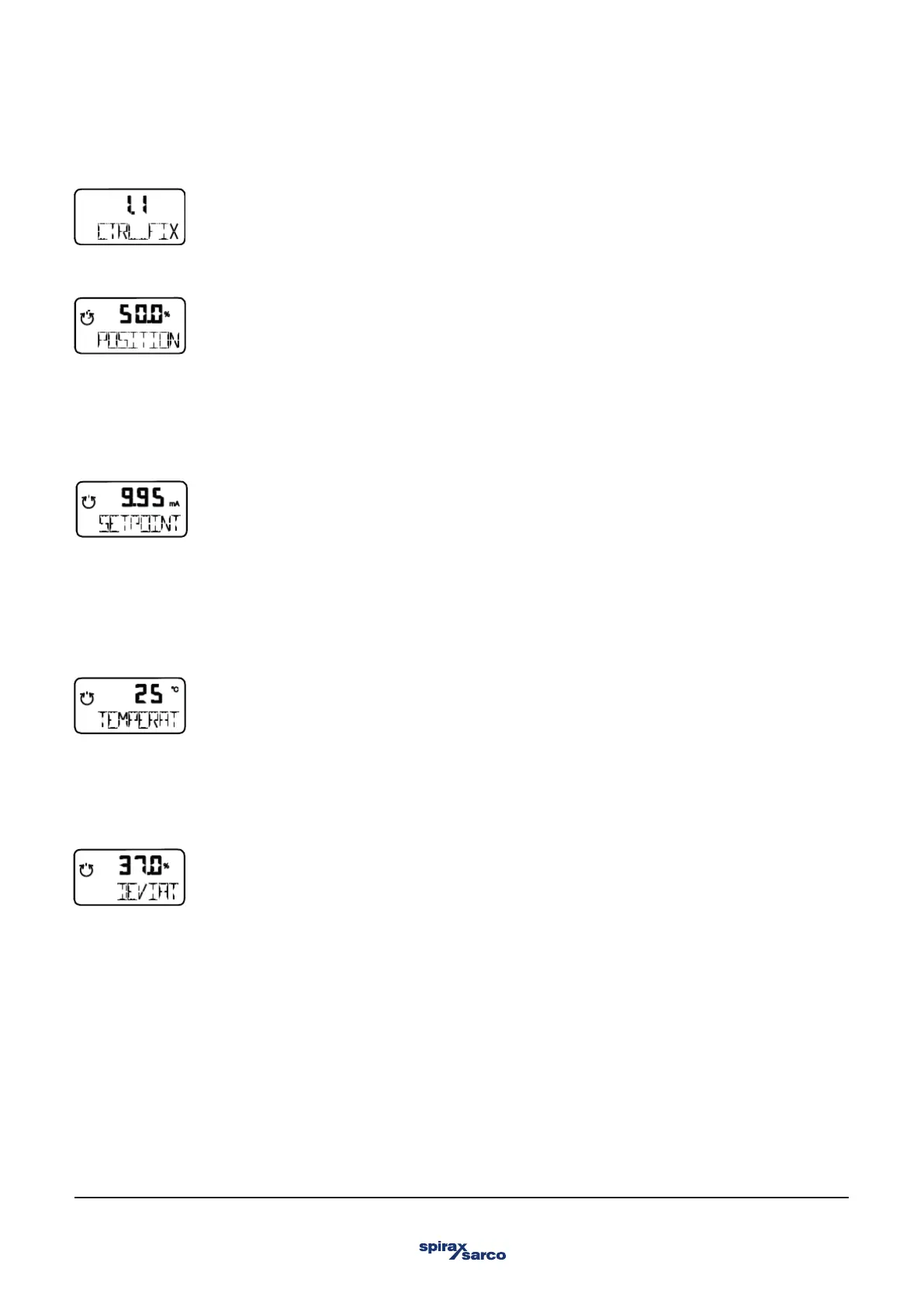
Controlling operation with fixed parameters This is the normal recommended operating mode.
In contrast to the operating mode P1.0 CTRL_ADP, the control parameters are not automatically adjusted. The valve position is
indicated as a percentage of the operating range (from 0 ... 100%).
In both control modes 1.0 and 1.1, several values can be displayed besides the current actuator position:
Set point display
1. Press and hold the ARROW UP button. The setpoint is displayed.
2. Briefly press ENTER.
The setpoint display is toggled between the setpoint current at the input terminals in mA and the setpoint as a percentage of the
stroke range.
Temperature display
1. Press and hold the ARROW DOWN button. The temperature inside the case is displayed.
2. Briefly press ENTER.
3. The temperature display is toggled between °C and °F.
Display of control deviation
1. Press and hold the ARROW UP and ARROW DOWN button.
The control deviation is displayed as a percentage (%) of the stroke range.



 To Next Page