76
Spohn + Burkhardt
7.7. Replacing cam disk
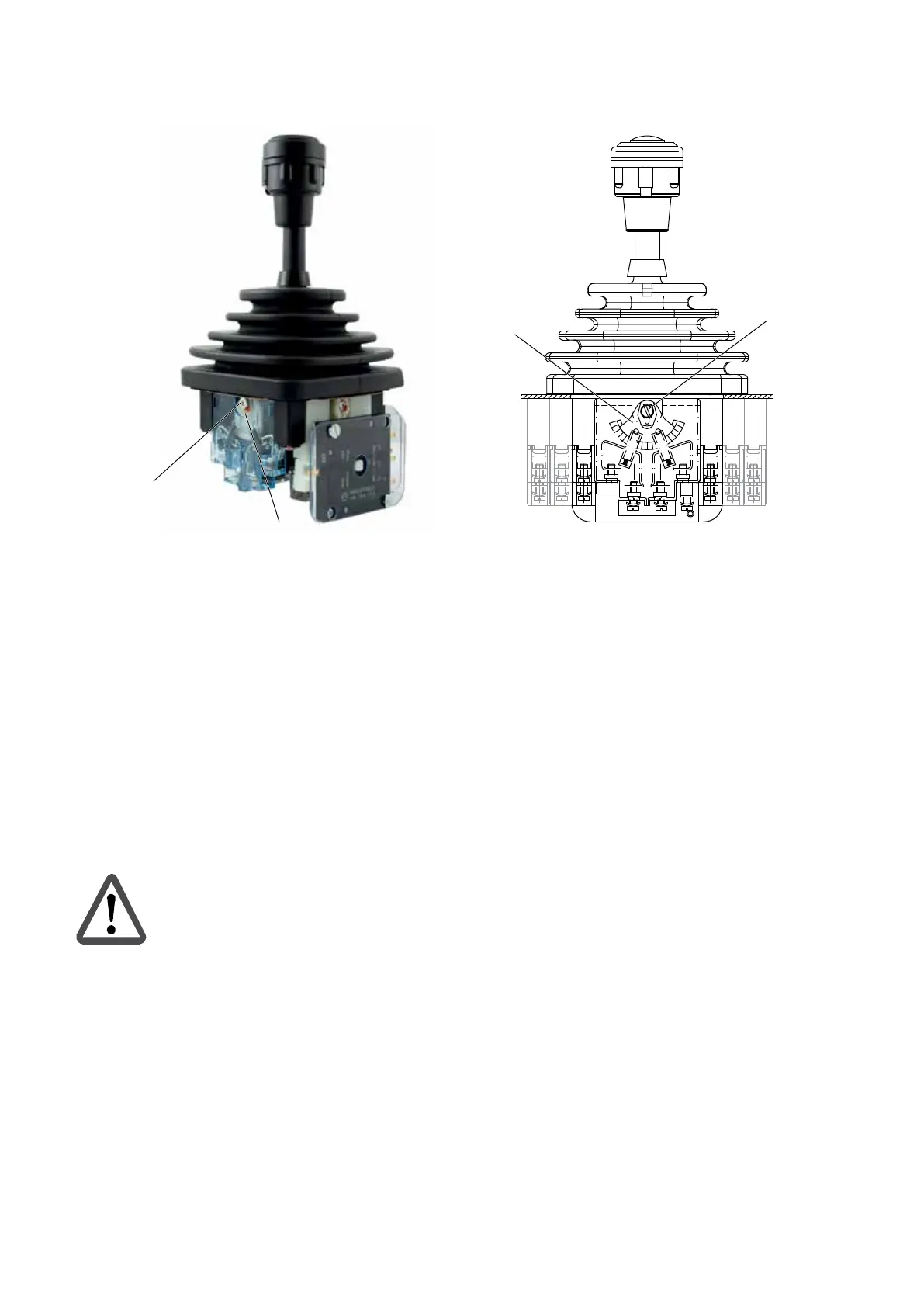
Figure 16.
20
Joystick VCS0 – replacing cam disk
Preparatory work
1. Disconnect the system from the supply of electrical power.
2. Open the installation space.
3. Remove the joystick VCS0 as per chapter 9. "Removal", page 79.
4. Remove the contact element (10) as per section 7.6 "Replacing contact element", page 75.
Replacing cam disk
Attention!
On joysticks VCS0 with detent mechanism, from this work step onward the joystick VCS0
should no longer be rotated or positioned because otherwise components could fall out
of position.
1. Remove the screws (20.1) and the locking washers underneath (20.2).
2. Pull the faulty cam disk (20) o the shaft.
3. Fit the new cam disk (20) to the shaft.
4. Insert again the locking washer (20.2) and the screw (20.1) and tighten the screw (20.1).
5. Install the contact element (10) as per section 7.6 "Replacing contact element", page 75.
6. Install the joystick VCS0 as per chapter 5. "Installation", page 63.
7. Undertake setup (see chapter 6. "Setup", page 70).


 To Next Page