Hardware layout and configuration UM2469
14/59 UM2469 Rev 1
7.3 Embedded ST-LINK/V2-1
The ST-LINK/V2-1 programming and debugging tool is integrated on the STM32F7308-DK
board. Compared to ST-LINK/V2 the changes are listed below.
The new features supported on ST-LINK/V2-1 are:
• USB software re-enumeration
• Virtual COM port interface on USB
• Mass storage interface on USB
• USB power management request for more than 100 mA power on USB
These features are no more supported on ST-LINK/V2-1:
• SWIM interface
• Application voltage lower than 3 V
For general information concerning the debugging and programming features that are
common to both versions V2 and V2-1, refer to the ST-LINK/V2 in-circuit
debugger/programmer for STM8 and STM32 user manual (UM1075).
7.3.1 Drivers
Before connecting the STM32F7308-DK board to a Windows
®
7, Windows
®
8 or
Windows
®
10 PC via USB, a driver for ST-LINK/V2-1 must be installed. It can be
downloaded from the www.st.com website.
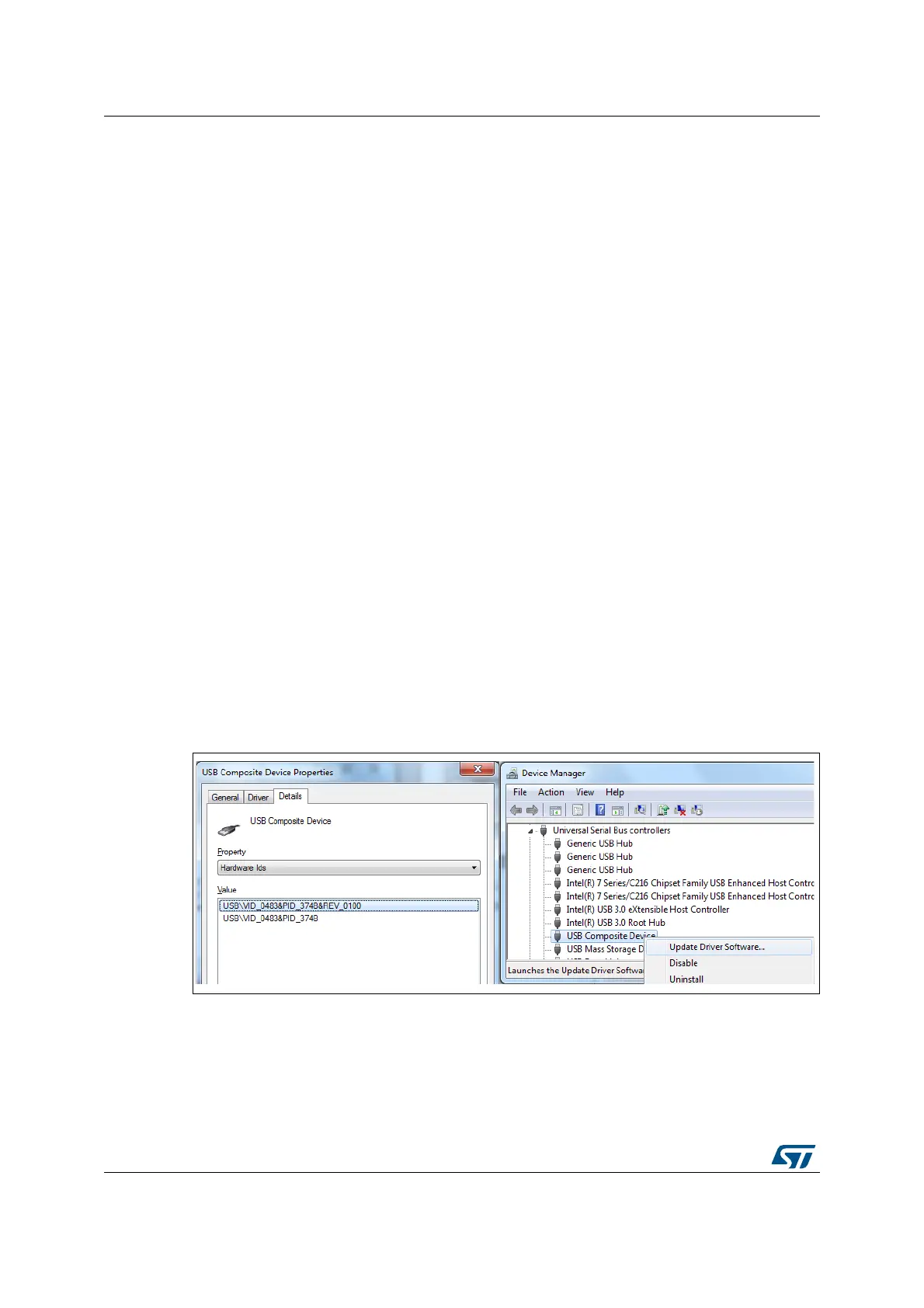
In case the STM32F7308-DK board is connected to the PC before installing the driver, the
PC device manager may report some STM32F7308-DK board interfaces as “Unknown”. To
recover from this situation, after installing the dedicated driver, the association of “Unknown”
USB devices found on the STM32F7308-DK board to this dedicated driver, must be
manually updated in the device manager.
Note: It is recommended to proceed using USB Composite Device, as shown in Figure 7.
Figure 7. USB composite device


 To Next Page