ST700 Dash Display SystemMemory and Setup
© Stack
53
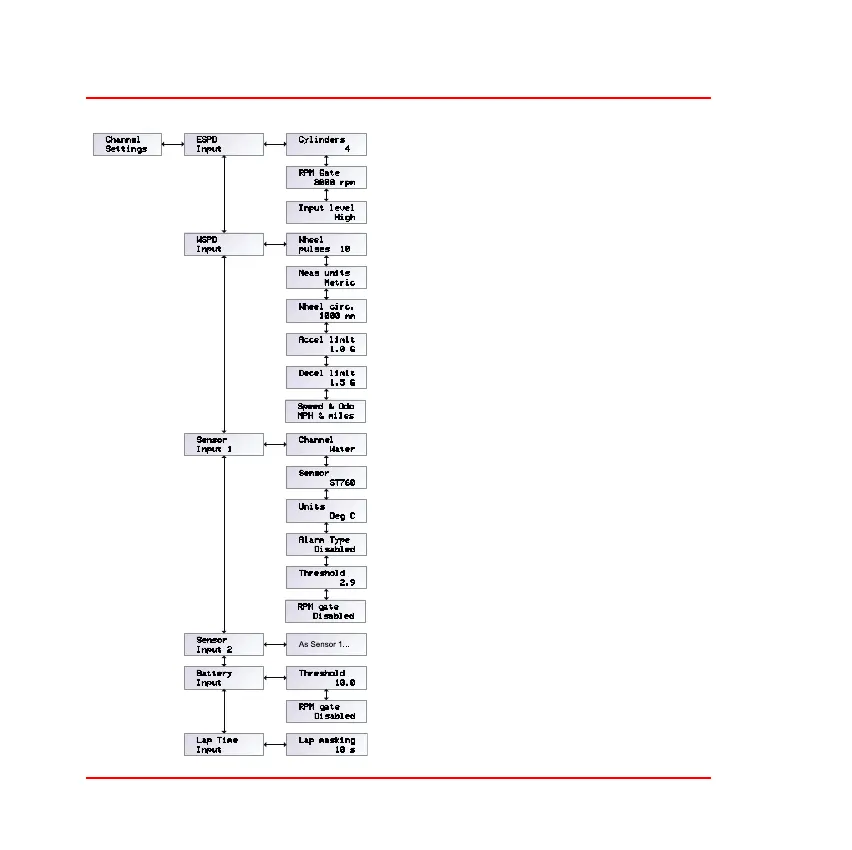
Channel settings—Press the rotary
control briefly when the display
shows ‘Channel Settings’ to setup the
input channels to the ST700 Dash
Display System. Press and turn the
control to move among the channel
settings sub-menus.
❑ ESPD Input (Engine speed)—
Press the control briefly to see the
current setting for the number of cyl-
inders in the engine. Press and turn
the control to adjust this setting to
match the number of cylinders in the
vehicle’s engine. For two–stroke
engines, set this value to twice the
number of cylinders (for example,
set the value to 4 for a two–cylinder
two–stroke engine, or 6 for a three–
cylinder two–stroke engine—see the
troubleshooting heading on
page 67).
RPM gate—Pop–ups will appear on
an alarm condition only when the
engine speed is above the gate RPM
setting—there will be no alarm pop–



 To Next Page