Memory and SetupST700 Dash Display System
58
It is important that you are aware that your beacon can be picked up
by other Stack systems and can affect their lap times if you set up your
beacon mid–session. Therefore, for the convenience and out of re-
spect to other users, you should not set up your beacon when cars are
running. You should also consider cooperating with other users of
Stack systems and use only one beacon at the circuit, although the
different sensor heights on vehicles might require more than one bea-
con.
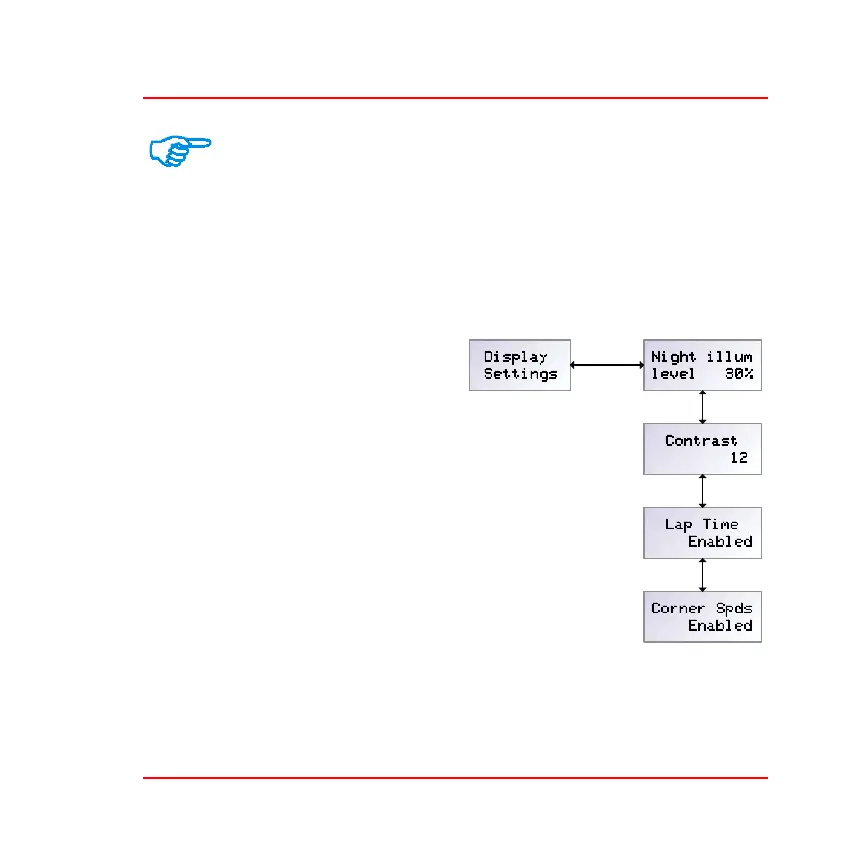
Display settings—Press the rotary
control briefly when the display
shows ‘DIsplay Settings’ to set the
illumination and contrast levels,
and to set the lap time and corner
speed layers.
❑ Night illumination level—
Press the rotary control briefly
when the display shows ‘Night
illum level’ to see the current
setting for night illumination
level. Press and turn the control
to set the level in the range 10%
to 100%. The display will dim
to show the current setting.
❑ Contrast—Press the rotary control briefly when the display shows
‘Contrast’ to see the current setting for display contrast. Press and



 To Next Page