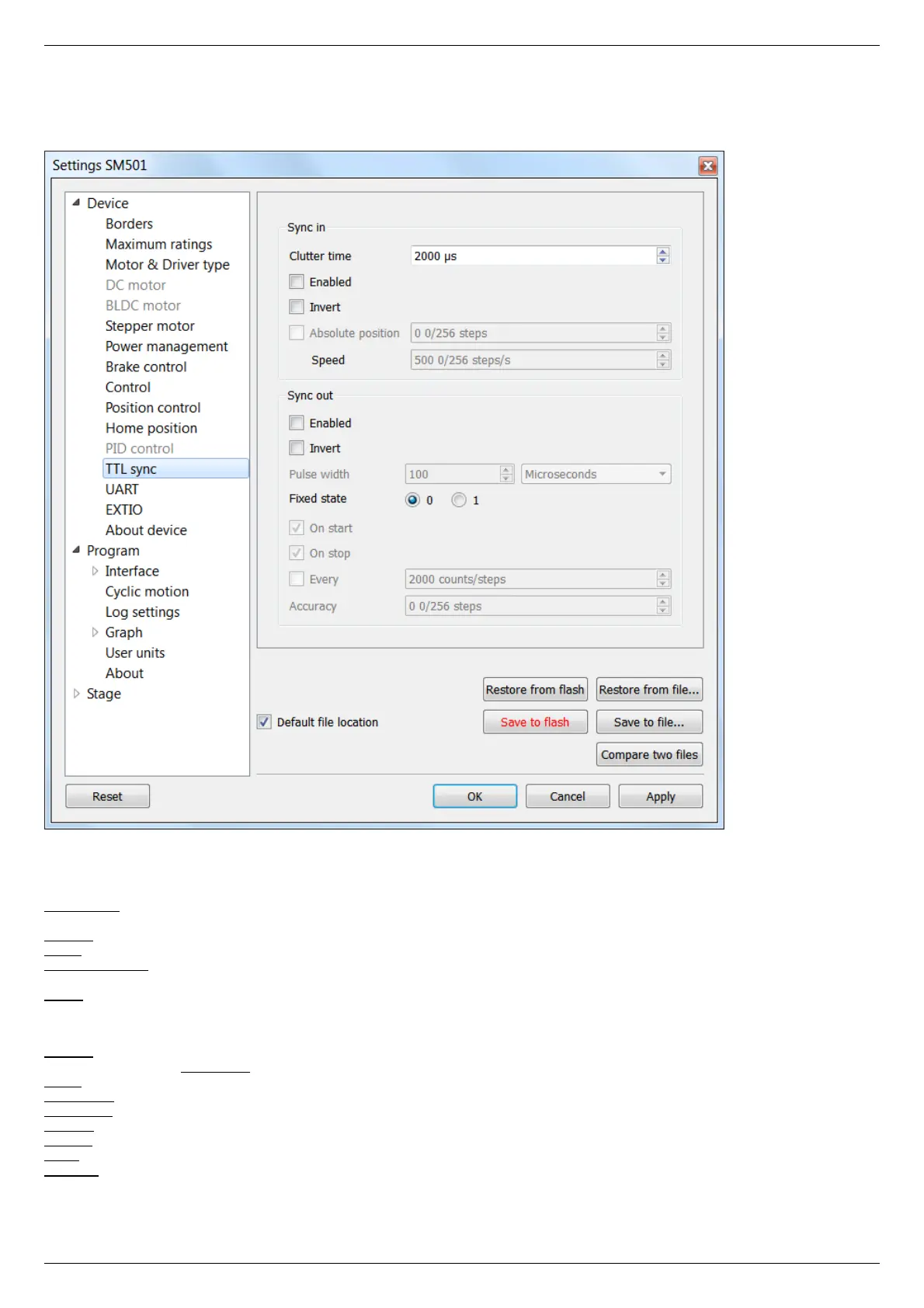
5.3.6. Synchronization settings
In the Application Settings Device configuration -> TTL sync
Synchronization settings window
Synchronization is described in details in TTL synchronization section.
Sync in
Clutter time - setting minimum synchronization pulse duration (in microseconds). Defines the minimum duration, which can be
detected (anti-chatter).
Enabled - check this box for the sync in mode enable.
Invert - checked flag shows that the operation is triggered by the falling sync pulse edge.
Absolute position - if the flag is checked, upon sync pulse the stage moves into the absolute position specified in the field Step/Micro
step. If the flag is unchecked, the shift is relative to the defined destination position.
Speed - the speed to use when moving.
Sync out
The Synchronization Output can be used as a "General purpose Output signal".
Enabled - if the flag is checked, the sync output functions according to the next settings. If the flag is unchecked, the output value is
fixed and equal to the Fixed state.
Invert - if the flag is checked the zero logic level is set to active.
Pulse width - specifies the duration of the output signal in milliseconds or steps/encoder pulses.
Fixed state - sets the logic level of output to 0 or 1, respectively.
On start - synchronizing pulse is generated at the beginning of movement.
On stop - synchronizing pulse is generated at the end of movement.
Every - synchronizing pulse is generated every n encoder pulses.
Accuracy - distance to the target position. As soon as the distance to target on approach is less than or equal to this distance a
synchronizing pulse will be generated if "on stop" option is used.



 To Next Page