Variables are declared using var keyword. A declared variable is placed within visibility scope that corresponds to the function in which
it is declared. If the variable is declared outside of functions, it is placed in the global visibility scope. Variable is created when the
function within which it was declared, or, if the variable is global, at the start of the application. When a variable is created it is
initialized with Undefined value. If a variable is created with initialization, the initialization does not occur in the moment of variable
creation, it happens when the string with the var statement executes.
Reserved words
The following words are the reserved keywords in the language and may not be used as identifiers:
break else new var
case finally return void
catch for switch while
continue function this with
default if throw
delete in try
do instanceof typeof
The following words are used as keywords in proposed extensions and are therefore reserved to allow
for the possibility of future adoption of those extensions:
abstract enum int short
boolean export interface static
byte extends long super
char final native synchronized
class float package throws
const goto private transient
debugger implements protected volatile
double import public
Functions
Functions are objects in ECMAScript. Functions like any other objects can be stored in variables, objects and arrays, can be passed as
arguments to other functions and can be returned by functions. Functions, like any other objects may have properties. Essential specific
feature of functions is that they can be invoked.
In the application text, the most common way to define a function is:
function sum(arg1, arg2) { // a function which takes two parameters
return arg1 + arg2; // and returns their sum
}
Syntax highlighting
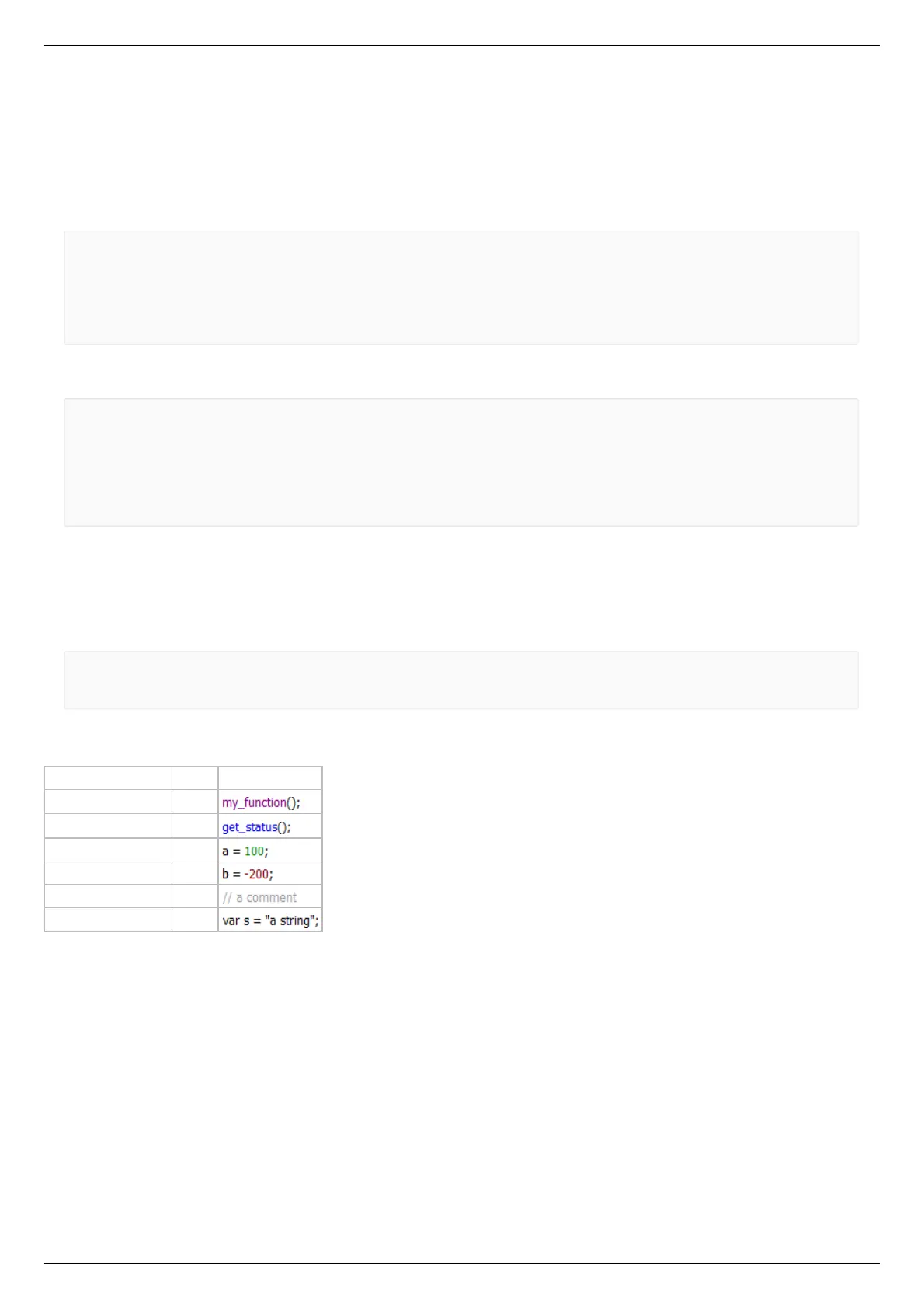
Script window text has syntax highlighting. Its colors are:
Statement type color text example
Arbitrary functions purple
XILab functions blue
Positive numbers green
Negative numbers red
Comments grey
The rest of the text black
During the script execution the background of line with the last executed command is changed to dark gray with update rate of once in
every 20 ms.
Additional XILab functions
This image shows XILab functions which are available from scripts, aside from standard built-in language functions.



 To Next Page