4.4. Safe operation
Several controller settings are directly connected with safe operation. If these settings are set wrong it may lead to controller or stage
damage. Positioning element can be damaged by exceeded power, rotation speed, or by moving outside the allowed movement range.
Usually it is enough to load a preset profile for your stage for safe operation, where all necessary settings are already made.
Movement range bounds and limit switches
Linear stages have limited movement range, unlike circular rotators. Moving outside of the allowed physical movement range is the
main reason for stage jamming and damage. To prevent such kinds of breakages the movement range of stages is limited according to
user requirements. For this reason Limit switches are used, but in some cases when, for example, when stage is not equipped with
limit switches or has only one limit switch, movement range can be defined in software (see Limit switches). Frequently limit switches
are reversed. In this case use the mechanism of reversed limit switches detection which is described in Limit switches section because
otherwise the first motion to the border will lead to stage jamming. Motion range and limit switches is described in corresponding
section. Settings commands are described in Programming guide.
Movement range limiters
Nominal winding current is the main safety setting in stepper motors. This is the main parameter which defines power delivered to the
motor. The nominal current should not exceed maximum allowable current for given motor. For more detailed information see Motor
limiters. For DC engines nominal current is a limiting parameter and should be set according to the maximum permissible current
through DC engine. If maximum current is not known, then maximal voltage delivered to the engine may be limited. This also will
prevent engine overheat although voltage limiting is a more coarse mode than current limiting. For more detailed information see
chapter Motor limiters.
Exceeding the speed limit might damage the stage or lead to faster wearout. It is necessary to set speed limit flag and to set correct
maximum speed for the given stage. For more detailed information see chapter Motor limiters.
Critical Parameters
Controller tracks voltages and currents which appear in its circuits and can react on their suspicious values. This reaction blocks the
engine and prevents any further movement until the source of the problem is eliminated. Due to this it is possible to track winding-
winding or winding-ground shortcuts which may happen because of stage cable damage or damage of the stage itself. This reaction
also has informational character because it allows to track incorrect values of source voltage or oncoming overheating. That’s why you
should read Critical Parameters chapter and set necessary protection. In case of dangerous situation controller will enter Alarm state
and the main window of Xilab program will be colored in red. If this happens, track and eliminate the source of danger before you turn
off the Alarm. If you are using your own application for engine control you should pay close attention to Alarm status flag (see
Controller status).
Operation with Encoder
If during encoder connection sensor channels are swapped, then during engine motion encoder will show direction in reverse. During
operation with DC engine this situation will appear if engine control channels (DC+ и DC-) are mixed up. To fix these errors just set
Encoder Reverse flag in Feedback section on Settings of kinematics (stepper motor) page for stepper motors and on Settings of
kinematics (DC motor) page for DC motors.
It is also possible that there is no contact with one of encoder channels. In this case during motor motion values of sensor will be
oscillating in [-1..1] range around the starting position.
During DC engine operation both of these errors will lead to malfunction in control algorithm, which is described in PID-algorithm for
DC engine control. If you have connected new DC engine for the first time it is strongly recommended to check encoder connection
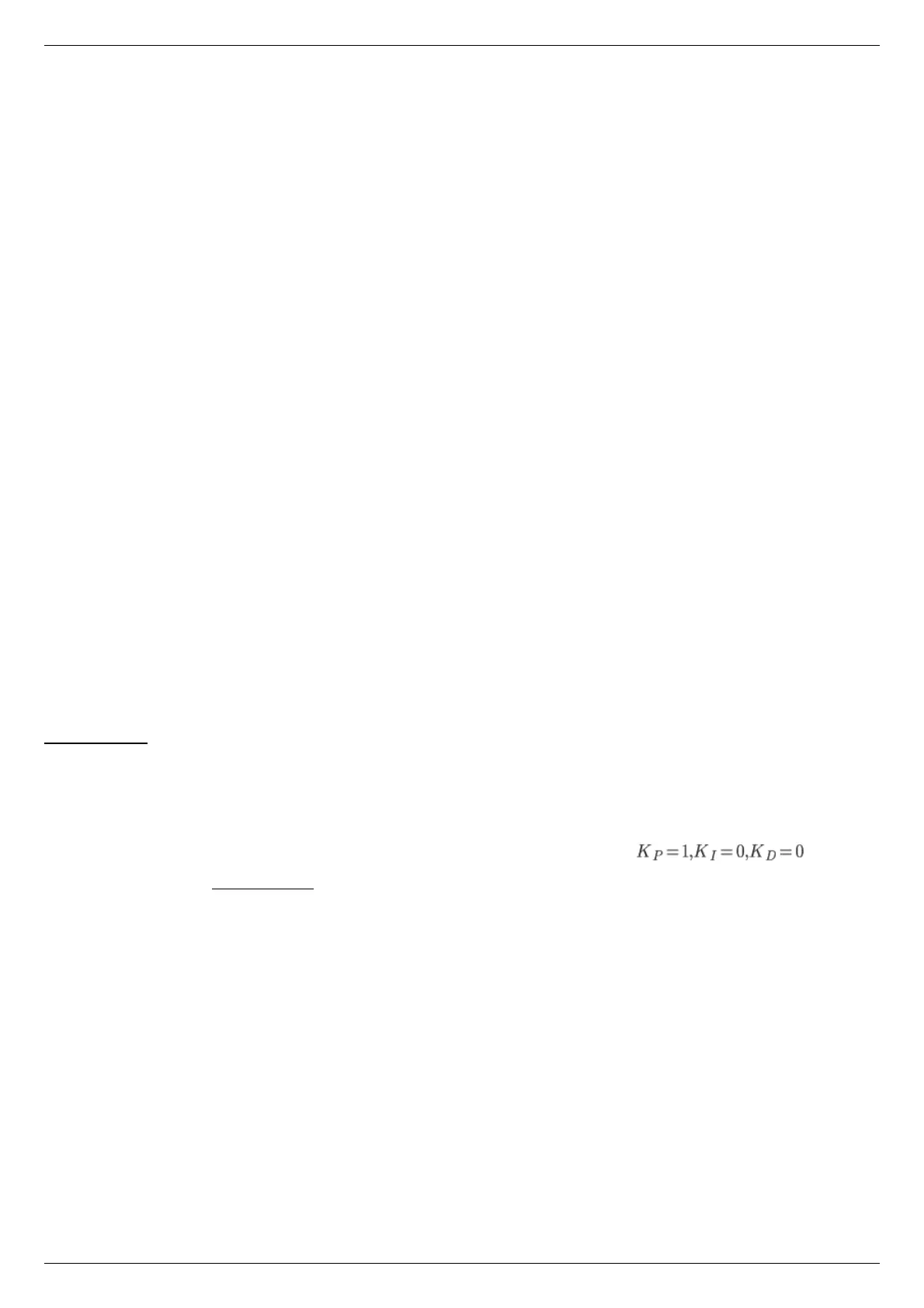
before starting the operation. To do this you should set corresponding regulation factor values and try to
make motion to the right or to the left at a low speed. After the motion please check if encoder values are changing in correspondence
with chosen directions. Set Encoder Reverse flag if it is needed.



 To Next Page