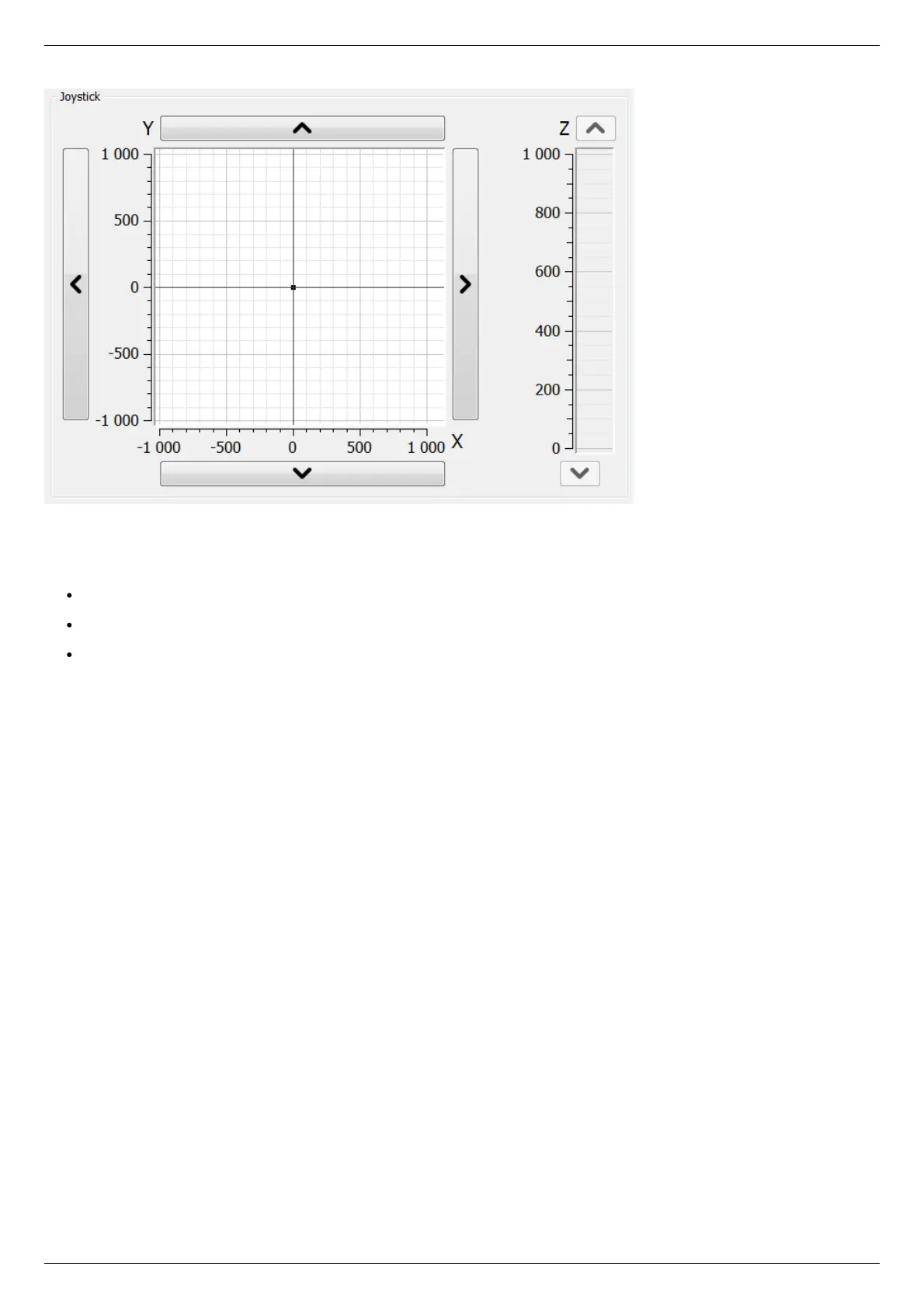
Virtual joystick block
In this block, the current coordinate of the controllers is visualized as a dot with two lines on the plane for X-Y axes and the line for the
Z axis.
There are several possible ways to control movement of the controllers:
When you click anywhere on the X-Y plane or in the Z column, the corresponding controller or controllers start to move to the
selected coordinate in accordance to its own movement settings.
When you press and hold the screen buttons with up, down, left and right arrows, the corresponding axis starts to move in that
direction. The movement stops with deceleration when you release the button (soft stop command is sent).
When you press and hold the keyboard buttons Right, Left, Up, Down, PageUp or PageDown when the joystick block has input
focus, the axis X, Y or Z, respectively, starts to move in the direction of increasing or decreasing coordinate. The movement
stops with deceleration when you release the button (soft stop command is sent). On receiving input focus the widget
background color changes from white to light-green.
The scales of the axes are set in "Slider settings" on Program configuration page in Settings window separately for each controller. If
user units are being used, then the corresponding axis scale is measured in these units. If the position read from any controller is out
of its axis range, then the corresponding indicator will not appear on the screen.
Control block



 To Next Page