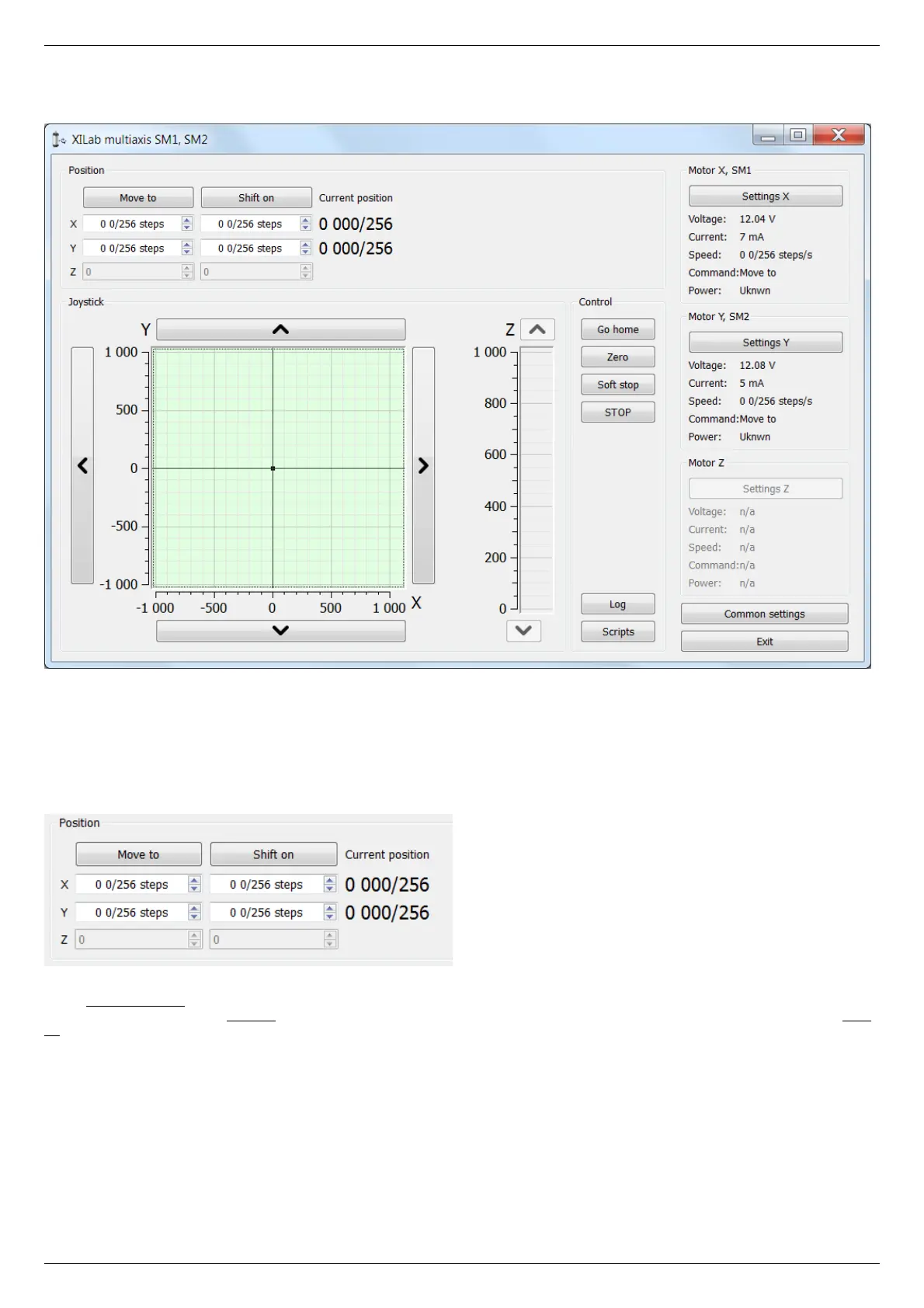
5.2.3. XILab Main window in multi-axis control mode
XILab Main window
In the top left part of the screen in the Position parameter group there are indicators of the current position. In the bottom left part of
the window there is the Joystick and Control blocks, which are a graphical control element for several axes and a button block
respectively. In the top right part, in the Motor blocks data on the current status of controllers and connected motors is located. In the
bottom right part of the window there is a group of buttons for application control as a whole. Let us consider these groups in more
detail.
Motion control block
Motion control block
In the Current position column indicators of the current position in steps or calibrated units (see below) for the axes X, Y and Z (from
left to right) are located. The Move to button performs movement to the coordinate given by the controls of its column, and the Shift
on button performs shift on relative offset for a predefined distance. If one of the controllers is temporarily absent or disabled, the
corresponding line becomes grayed out.
Virtual joystick block



 To Next Page