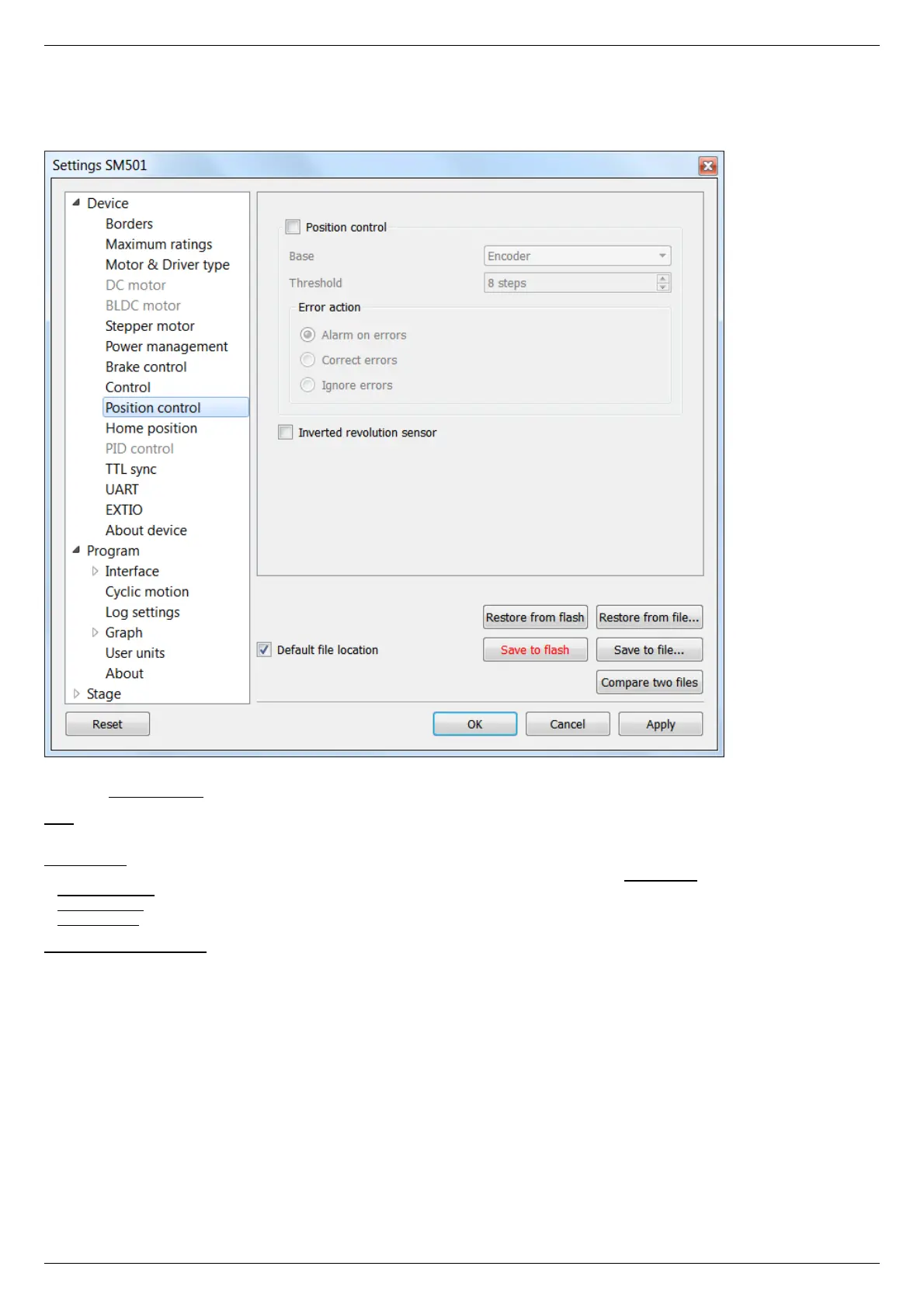
5.3.8. Position control
In the Application Settings Device configuration -> Position control
Window of Position control
Check the Position control checkbox to activate the position control.
Base - selection of the position control device. You can select an encoder (see Operation with encoders) or revolution sensor in the
drop-down list.
Minimal error - determines the number of missed steps (0 .. 255), which is considered to be an error. If the amount of missed steps
exceeds the specified number of steps the SLIP error flag is set. Further actions depend on the Error action setting:
If Alarm on errors is active then the controller will enter Alarm state.
If Correct errors is active then the controller will try to correct slip error (see Steps loss detection).
If Ignore errors is active then the controller will do nothing.
Inverted revolution sensor - if the flag is checked the revolution sensor is triggered by the level 1. Unchecked flag means usual logic is
valid - 0 is the trigger/activation/active state.
Configuration commands are described in the Communication protocol specification.



 To Next Page