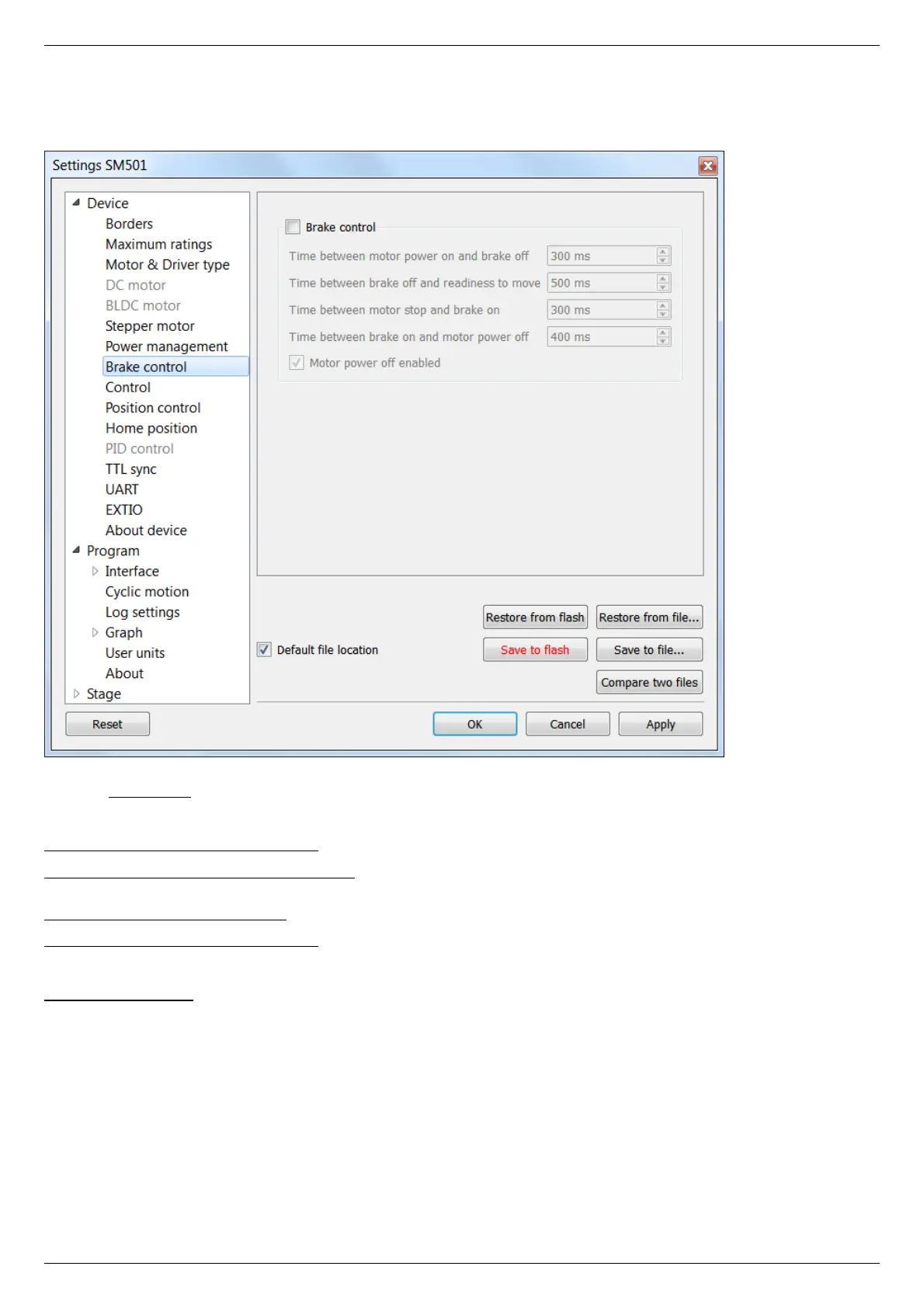
5.3.7. Brake settings
In the Application Settings Device configuration -> Brake control
Magnetic brake settings window
Check the Brake control flag to enable magnetic brake.
Parameters:
Time between motor power on and brake off - time between switching the motor on and switching off the brake (ms).
Time between brake off and readiness to move - time between switching off the brake and motion readiness (ms). All motion
commands will be executed only after this time.
Time between motor stop and brake on - time between stopping the motor and turning on the brake(ms).
Time between brake on and motor power off - time between turning on the brake and motor power-off (ms).
Value range is from 0 to 65535 ms.
Motor power off enabled flag means that when magnetic brake is powered off, the brake turns off motor power supply.
Configuration commands are described in Communication protocol specification.



 To Next Page