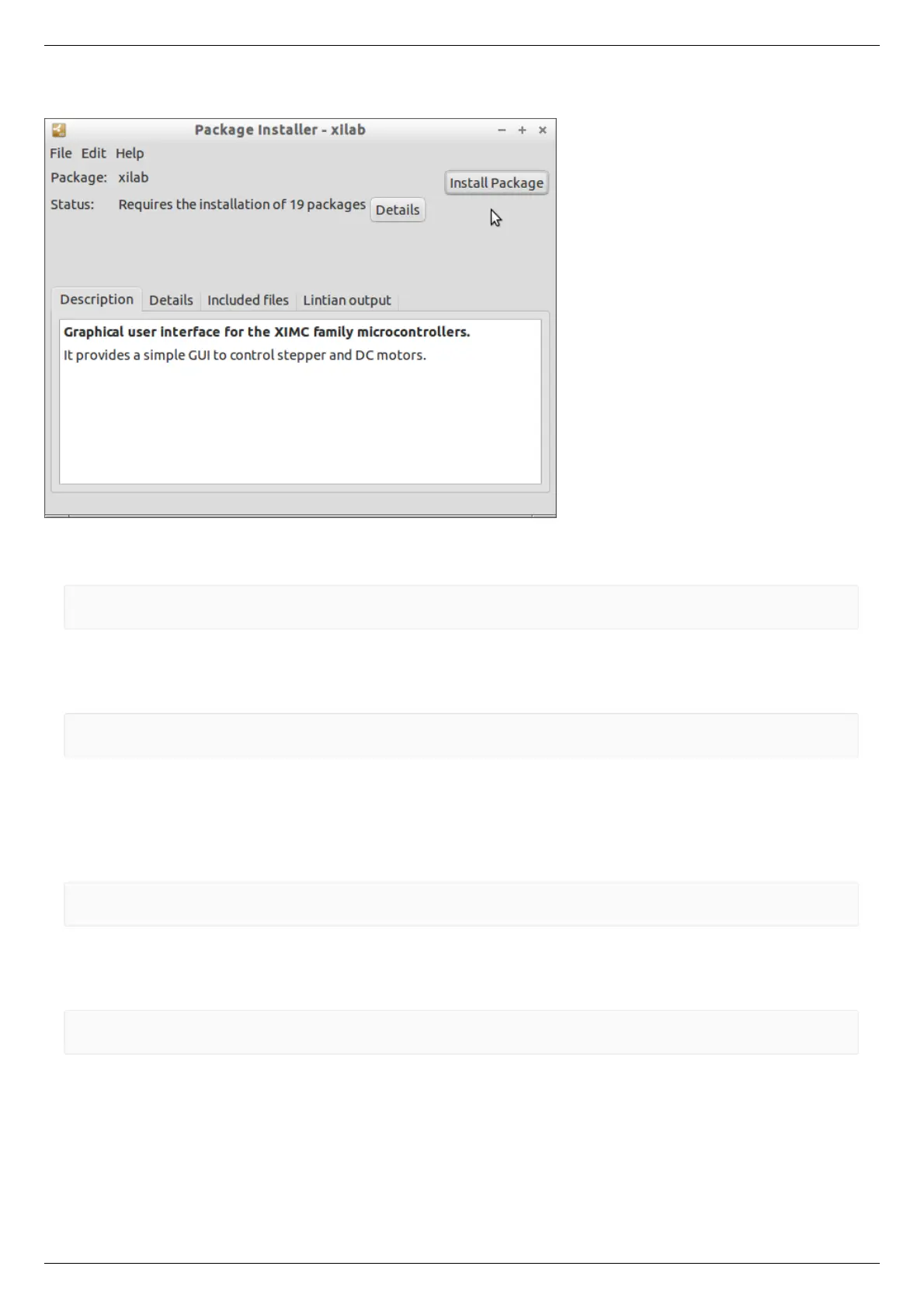
Click on the file xilab_x.y.z-1_i386.deb (for 32-bit versions of Linux) or xilab_x.y.z-1_amd64.deb (for 64-bit versions of Linux).
Installation window will appear. Click the Install package. Dependencies and Xilab application will be installed.
The text installer
Execute the following commands as super-user (root):
gdebi "<FILEPATH>/libximc6_<LIBVERSION>-1_<ARCH>.deb"
gdebi "<FILEPATH>/xilab-<VERSION>-1_<ARCH>.deb"
where <FILEPATH> is the path to package files (eg "/home/user/Downloads/"), <LIBVERSION> and <VERSION> are the version
numbers of libximc library and xilab application respectively (for example, "2.0.2" and "1.8.12") and <ARCH> is the identifier of
architecture ("i386" for 32-bit systems and "amd64" for 64-bit systems).
Example:
gdebi "/home/user/Downloads/libximc6-2.0.2-1_amd64.deb"
gdebi "/home/user/Downloads/xilab-1.8.12-1_amd64.deb"
Xilab application requires X-server (graphic mode) for operation.
RedHat / OpenSUSE
The text installer
Execute the following commands as super-user (root):
zypper install "<FILEPATH>/libximc6-<LIBVERSION>-1.<ARCH>.rpm"
zypper install "<FILEPATH>/xilab-<VERSION>-1.<ARCH>.rpm"
where <FILEPATH> is the path to package files (eg "/home/user/Downloads/"), <LIBVERSION> and <VERSION> are the version
numbers of libximc library and Xilab application respectively (for example, "2.0.2" and "1.8.12") and <ARCH> is the identifier of
architecture ("i386" for 32-bit systems and "amd64" for 64-bit systems).
Example:
zypper install "/home/user/Downloads/libximc6-2.0.2-1.x86_64.rpm"
zypper install "/home/user/Downloads/xilab-1.8.12-1.x86_64.rpm"
Xilab application requires X-server (graphic mode) for operation.



 To Next Page