PERSONAL TRAINER STUDIO
TM
The unique Personal Trainer Studio
TM
was developed by Star Trac in conjunction with focus groups of the personal training indus-
try. The Personal Trainers told Star Trac that they needed three things: customization of their clients workouts, accountability -
meaning having their clients actually perform the amount and intensity of cardio exercise that is prescribed, and feedback to the
user so that they can accurately assess their cardio progress. We give you the system to meet all of these needs, with the Personal
Trainer Studio
TM
. This chapter provides the procedures to manage Personal Trainer PIN codes, and to add, edit and delete pro-
grams. For the procedures to run Personal Trainer programs, refer to Chapter 3, Pro Operation.
NOTE: The Personal Trainer Studio
TM
is available on the PRO TREADMILL only.
USING PERSONAL TRAINER
STUDIO
TM
After you have been assigned a PIN number by the Club
Coordinator or manager, you may now enter the Personal
Trainer Studio
TM
. Personal Trainer Studio
TM
is simple to under-
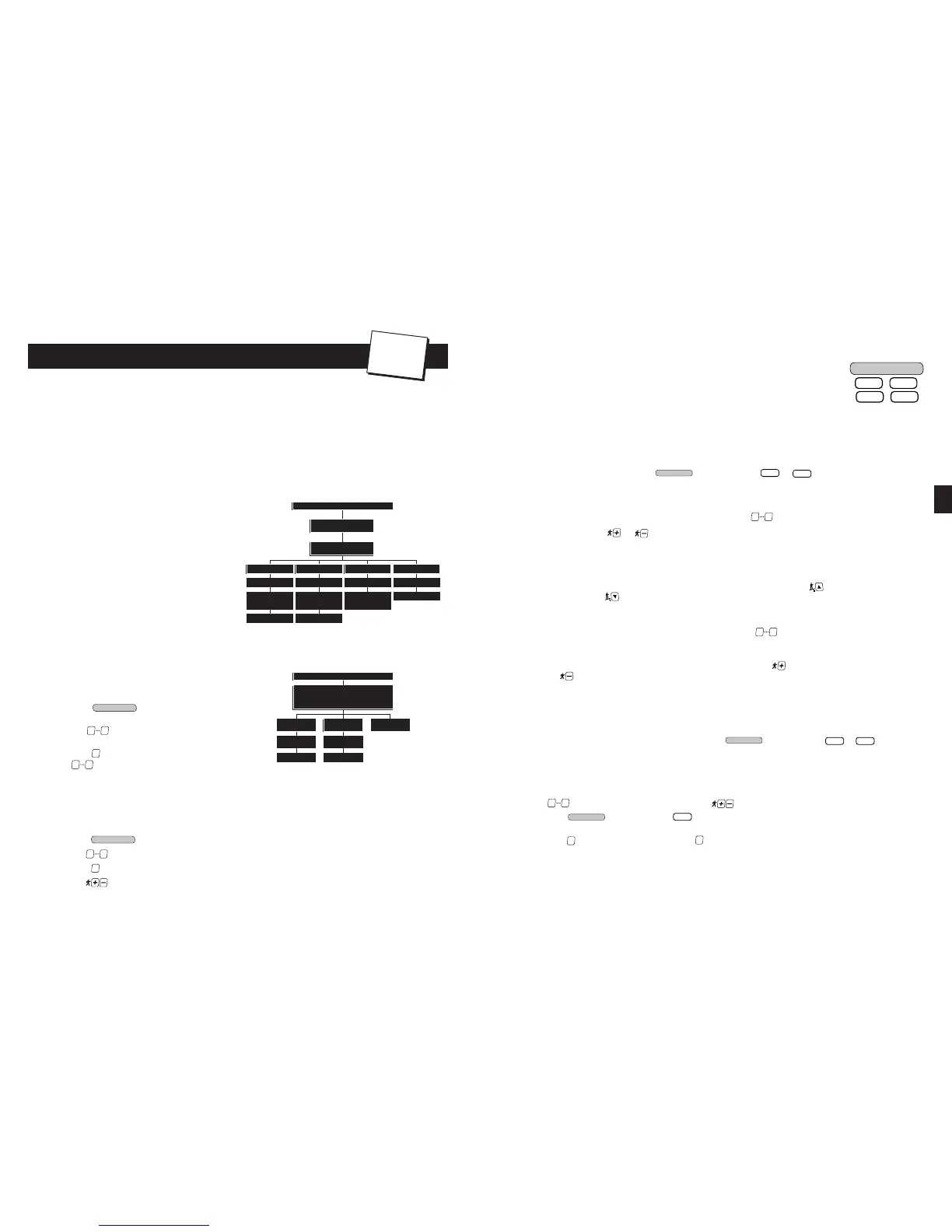
stand and simple to use. The following chart defines the basic
functionality of this feature.
Custom programs: Each trainer is assigned a PIN code by the
club or fitness director. Each PIN code allows storage of 5 custom
programs with up to 20 intervals each. Your personal profiles can
be further customized to suit specific client needs by entering a
maximum speed at run time. The level control scales the eleva-
tion of the profile while the Max Speed entry ensures that your
client will not exceed their abilities.
MAINTAINING PIN NUMBERS:
The master PIN code is required to assign and add or delete per-
sonal trainer PIN numbers. The following chart shows the basic
procedures for maintaining Personal Trainer PIN numbers.
To add a Personal Trainer PIN Code:
1. Press the key; you will be prompted to
enter a PIN code.
2. Use the keys to enter the MASTER PIN code,
then press the S
TART or ENTER key.
3. Press the key to enter the “Add PIN” function. Use
the keys to enter the desired PIN. You may use
any number from 0000 to 9999.
4. Press the S
TART or ENTER button to add the new PIN number. The Information Window will display a confirmation mes-
sage indicating that the PIN number has been added to the system.
If the entered PIN number currently exists in the system, or if the added PIN number would exceed the maximum num-
ber of PINs allowed (50), an error message will display in the Information Window.
To delete a Personal Trainer PIN Code:
1. Press the key; you will be prompted to enter a PIN code.
2. Use the keys to enter the MASTER PIN code, then press the S
TART or ENTER key.
3. Press the key to enter the “Delete PIN” function.
4. Use the keys to scroll through the list of active PIN numbers until the desired PIN number is displayed.
A
THLETIC
P
ARTNER
P
ROGRAMS
The ATHLETIC PARTNER programs were designed for the serious, as well as the recreational runner. You
control the speed and incline to add variety and challenge to your workout. The patented Impact
Absorption System
TM
(IAS) Soft Trac
TM
protects ankles, knees, joints and back while providing a com-
fortable run. When wearing the heart rate strap, or grasping the heart rate contacts, your heart rate is
constantly monitored and displayed in the Heart Rate Window to assist you in getting the most efficient
workout possible.
The 5K LAKE LOOP and 10K BAY RUN provide workouts of a preset distance. The CUSTOM INTERVAL lets you create and run a pro-
file based on a desired time or distance goal, with up to 20 segments, utilizing a different speed/incline combination for each seg-
ment. The FIT TEST offers a modified version of the Balke and Ware protocol for maximal VO2 treadmill testing.
To operate the 5K LAKE LOOP or 10K BAY RUN programs:
During program setup, you can use the BACK key to return to a previously accepted parameter.
1. Stand on the running belt; press the key, then press the or key, as desired. You are prompted
to enter your weight.
■
The treadmill will display a default weight of 155 pounds (70 kg). You may enter any weight from 0 to 350 pounds (0
to 135 kg).
■
You can enter your weight using the numeric keypad. Use the keys to enter your correct weight.
■
You can press the or key, as necessary, to increase or decrease the displayed weight in 1 pound (or 1 kg)
increments.
■
When your correct weight has been entered, press the START or ENTER key to accept the displayed value. You are
prompted with a 3 second countdown, then the treadmill begins the program.
2. You can adjust the incline of the treadmill during the program:
■
You can adjust treadmill incline from 0 to 15%, in 0.5% increments. Press the key to increase the treadmill
incline; press the key to decrease the treadmill incline.
3. You can adjust the speed of the treadmill during the program:
■
You can specify a desired speed from 0.5 to 10.0 mph (0.8 to 16.0 kph) for 110-volt units or 0.5 to 12.0 mph (0.8 to
19.3 kph) for 220-volt units, using the numeric keypad. Use the keys to enter your desired speed, then press
the S
TART or ENTER key to accept the entered speed.
■
You can adjust treadmill speed from 0.5 to 10.0 mph (0.8 to 16.0 kph) for 110-volt units or 0.5 to 12.0 mph (0.8 to 19.3
kph) for 220-volt units, in 0.1 mph (or 0.1 kph) increments. Press the key to increase the treadmill speed; press
the key to decrease the treadmill speed.
4. If desired, you can use the personal cooling fan during your workout (see “Using the Cooling Fan” for details).
5. You can pause the program during your workout by pressing the S
TOP key once. The program will pause for a preset peri-
od of time (either 30, 45 or 60 seconds, as set in the Manager Settings mode). Press the START key BEFORE the pause
timer expires to resume your program. The treadmill returns to its minimum speed when you exit the pause mode.
6. If desired, you can jump to another ATHLETIC PARTNER program if your remaining workout time is greater than 5 minutes.
■
To jump to another ATHLETIC PARTNER program, press the key, then press the or key, as desired.
7. When you have reached your workout goal, the treadmill will enter the Cooldown cycle (see “Cooldown Cycle” for more
information). If you wish to exit your program before you have reached your workout goal, press the S
TOP key twice. The
treadmill will slow to a stop. (Press the STOP key once during a Pause to exit the program.)
To operate the CUSTOM INTERVAL program:
During program setup, you can use the B
ACK key to return to a previously accepted parameter. When entering program parame-
ters, use the keys to enter the desired value, or use the keys to scroll to the desired value.
1. Press the key, then press the key. You will be prompted to select a “goal” type, either “Time Goal” or
“Distance Goal”.
Press the key to select “Time Goal”; press the key to select “Distance Goal”. The Information Window will display
a prompt to enter a time goal, or distance goal, as appropriate:
Time Goal - The default time goal is 20 minutes. You may enter any time goal from 5 to 99 minutes.













 To Next Page