2
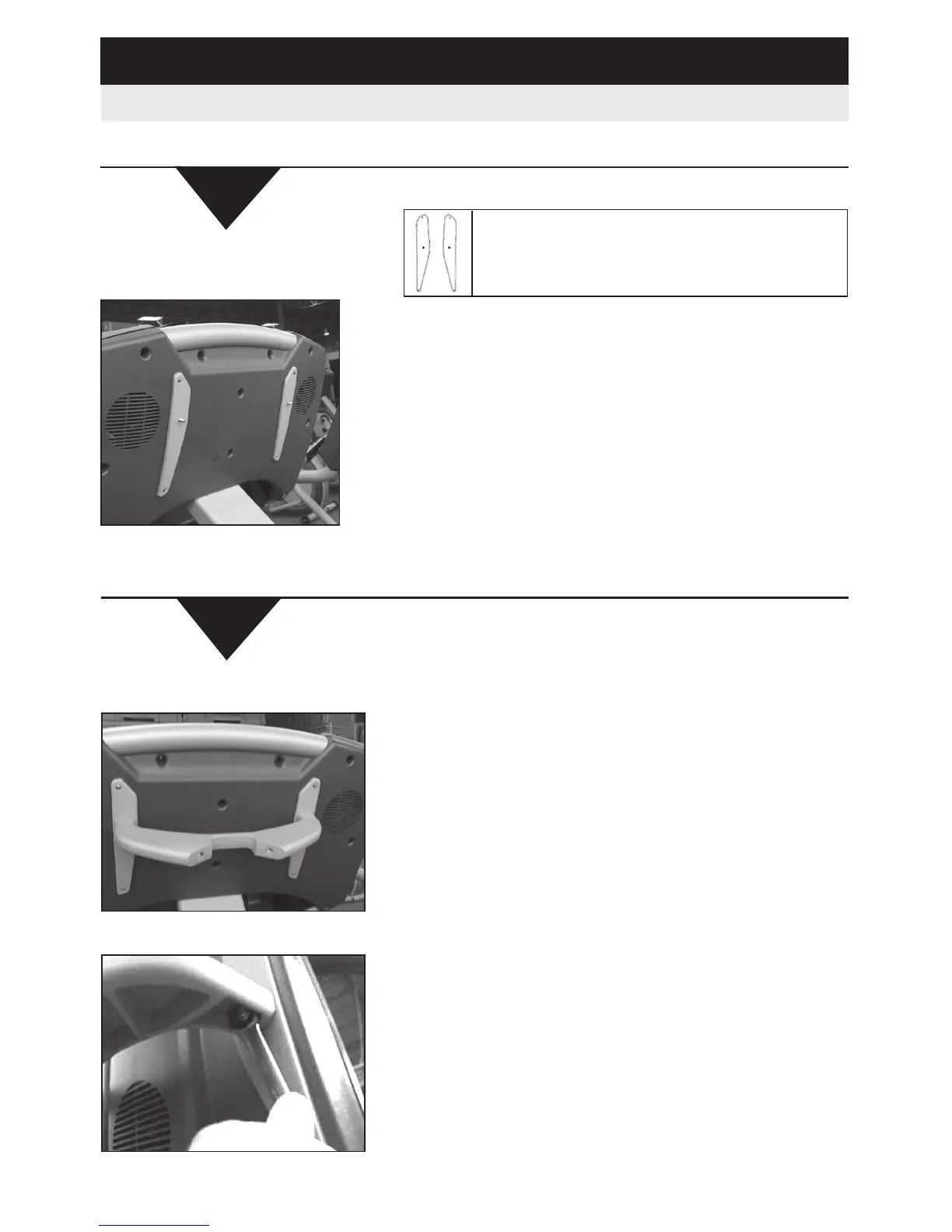
Attach the wings into the back of the display using
the Phillips head screws.
NOTE: The longer screws go in the 2 bottom
holes and the shorter screws in the 2 top holes.
Failure to follow this will result in damage to the
display.
Align the wings on the crossbow so the curved edge
is facing the inside and the smooth edge on the
outside as shown in the diagram.
All Treadmills
Treadmill Installation Instructions (Cont’d)
3
Attach the crossbow to the wings and leave the
nuts slightly loose so you can position them onto
the display, do not attach the back of the crossbow
at this time.
Tighten the two nuts with the 7/16” or 11MM open
end wrench as shown.













 To Next Page