P
RECAUTIONS
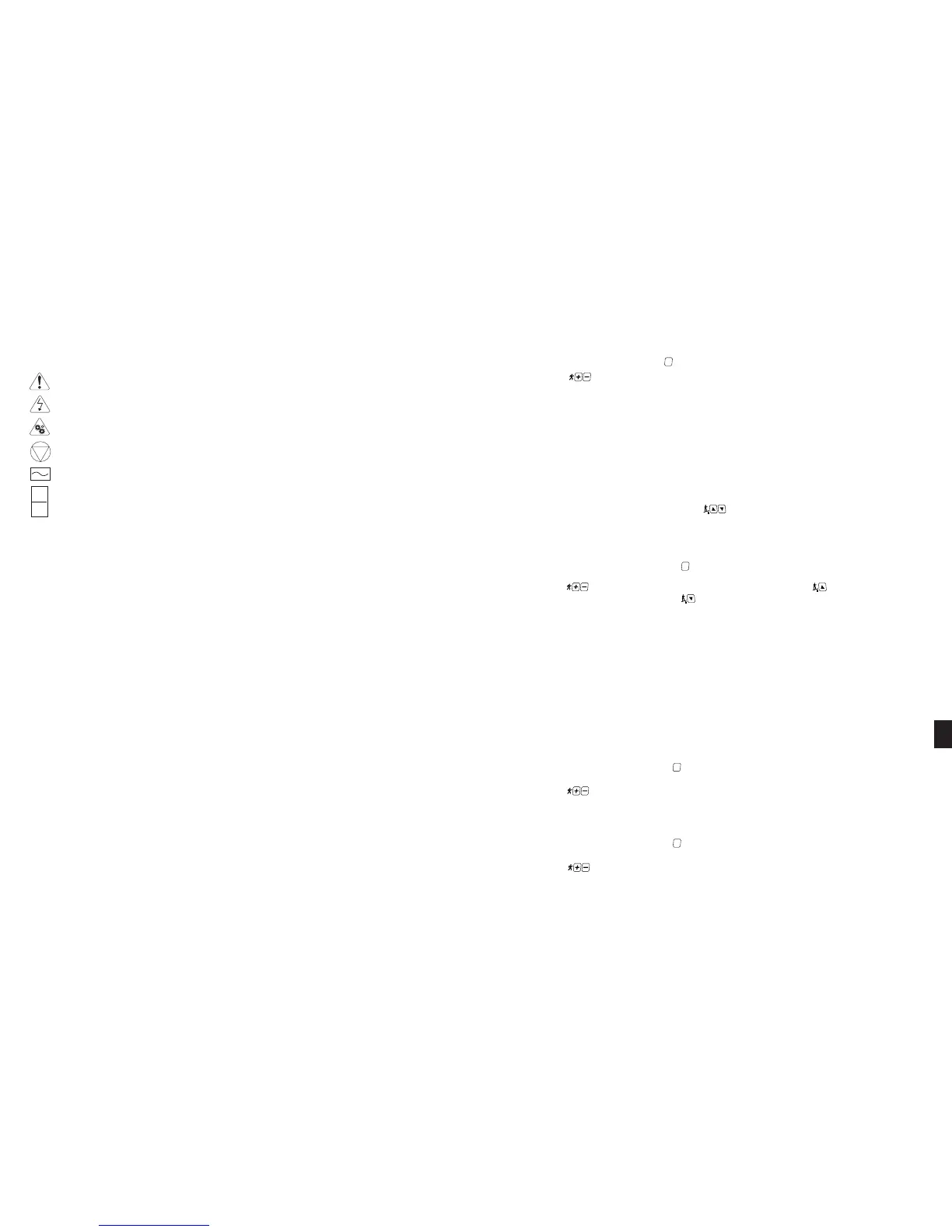
CAUTION: READ THE OWNER’S MANUAL COMPLETELY BEFORE OPERATING THIS TREADMILL
CAUTION: BEFORE CLEANING OR SERVICING, DISCONNECT POWER SUPPLY
CAUTION: MOVING PARTS, KEEP HANDS AND FEET FROM UNDER THE TREADMILL WHEN OPERATING
STOP (OF ACTION)
ALTERNATING CURRENT
ON
OFF
These safety notes are directed to you as the owner of the STAR TRAC PRO / PRO S TREADMILL. For safety purposes, please
train all your members and fitness staff to follow these safety instructions.
To delete a saved club name/message:
1. From the Club Naming menu, press the key. The Information Window will display the first saved club name/message.
2. Press the keys, as necessary, to scroll through the list of saved club names/messages until the desired club
name/message is shown in the Information Window. The Information Window will display the message “DELETE CON-
FIRM” followed by the message “ENTER TO DELETE - PRESS STOP TO CANCEL”.
3. Press the E
NTER key to delete the displayed club name/message. The Information Window will display the message
“CLUB DELETED” briefly, then return to the Club Naming menu.
4. Select another option from the Club Naming menu, or, press the S
TOP key to exit the Club Naming function.
CSAFE COMPANY NAMING
The CSAFE Company Naming function lets you store up to 10 unique CSAFE Company names. Using the CSAFE Company
Naming function you may add a new CSAFE Company name, view a list of CSAFE Company name stored in the treadmill's mem-
ory, select a saved CSAFE Company name and delete a CSAFE Company name from memory. To enter the CSAFE Company
Naming function:
1. While in the Maintenance Settings mode, press the keys, as necessary, until “CSAFE NAMING” is shown in the
Information Window, then press the E
NTER key.
2. The Information Window displays the CSAFE Naming menu “1 TO SELECT CLUB - 2 TO ADD CLUB - 3 TO DELETE
CLUB - 4 TO VIEW CLUB”.
To add a new CSAFE Company Name:
1. From the CSAFE Naming menu, press the key. A blinking cursor is shown in the first character position of the
Information Window.
2. Press the keys, as necessary, until the desired character is obtained. Press the key to move the cursor to the
next character position (if necessary, use the button to return to a previous character position).
3. Repeat step 2, as necessary, until the complete CSAFE Company Name has been added, then press the ENTER key. The
Information Window displays the message “VERIFYING CSAFE NAME - CONFIRM ADD” followed by the message
“PRESS ENTER TO ADD - PRESS STOP TO CANCEL”.
4. Press the E
NTER key to save the CSAFE Company Name to the treadmill's memory (press the STOP key to cancel the addi-
tion and return to the CSAFE Naming menu).
5. The Information Window will display the message “ADDED CSAFE X OF 10” briefly, then return to the CSAFE Naming
menu.
6. Repeat steps 1 through 5 to add additional CSAFE Company Names.
NOTE: If you enter a CSAFE Company Name that has already been saved to memory, the Information Window will dis-
play the message “CSAFE NAME EXISTS” followed by the message “PRESS ENTER TO RETRY - PRESS STOP TO
CANCEL”. Press the S
TOP key to return to the CSAFE Naming menu, then repeat steps 1 through 5 to enter a new CSAFE
Company Name.
7. When all desired CSAFE Company Names have been entered, select another option from the CSAFE Naming menu, or,
press the STOP key to exit the CSAFE Naming function.
To view saved CSAFE Company Names:
1. From the CSAFE Naming menu, press the key. The Information Window will display the first saved CSAFE Company
Name.
2. Press the keys, as necessary, to scroll through the list of saved CSAFE Company Names.
3. Press the S
TOP button to return to the CSAFE Naming menu. Select another option from the CSAFE Naming menu, or,
press the STOP key to exit the CSAFE Naming function.
To select a saved CSAFE Company Name:
1. From the CSAFE Naming menu, press the key. The Information Window will display the first saved CSAFE Company
Name.
2. Press the keys, as necessary, to scroll through the list of saved club names/messages until the desired CSAFE
Company Name is shown in the Information Window.
DO
Do encourage your members to discuss their health program
or fitness regimen with a health care professional, especially
if they have not exercised for several years, are over 35, or
have known health conditions.
Do read all instructions in this manual before using your
treadmill.
Do use your treadmill only for its intended use, as described
in this manual.
Do check to ensure the belt is not moving prior to using the
treadmill.
Do stop operating your treadmill if you feel dizzy, faint or
exhausted.
Do exercise slowly until you reach a level of comfort and secu-
rity.
Do perform regular preventive maintenance as suggested in
the manual.
Do keep the electrical cord away from sources of excessive
heat.
Do keep the treadmill air openings free of lint, hair, etc.
Do unplug your treadmill before doing any maintenance or
cleaning.
Do warm up and cool down before and after each workout.
Do set your goals (see Getting Started in Chapter 6).
Do complement your walking, jogging, and running with a
nutritious diet.
Do try charting your progress using the feedback from your
treadmill.
Do try using the incline feature to burn more calories and
strengthen your lower-body muscles.
DO NOT
Do not let children operate your treadmill. Supervise invalids
or disabled persons who use your treadmill.
Do not leave your treadmill unattended when it is plugged in.
Unplug it from the outlet when it is not in use, and before you
remove or replace any parts or accessories.
Do not use your treadmill without athletic shoes.
Do not step or jump on or off your treadmill if the belt is mov-
ing.
Do not use or store your treadmill outdoors or in an enclosed
pool environment.
Do not ever drop or insert any object, hands, or feet into any
opening, or underneath this equipment.
Do not place water bottles or cups on your treadmill unless
you are using the designed holders for the treadmill. Do not
use your treadmill where aerosol (spray) products are being
used or where oxygen is being administered.
Do not use attachments or parts not recommended by the
manufacturer.
Do not run the equipment with the motor shroud removed, or
modify the equipment in any way.
Do not overtighten the running belt.
Do not operate your treadmill if it has a damaged cord or
plug, if it is not working properly, if it has been dropped or
damaged, or if the display shows an error code. Call your deal-
er or Unisen at (800) 503-1221, or USA 1-714-669-1660 for
service.













 To Next Page