Basic Setup Connecting the Power Cable
Page 11
© Copyright 2022 Stratasys. All rights reserved.
Connecting the Power Cable
1. Remove the power cable from the Tools and Cables Accessory Box.
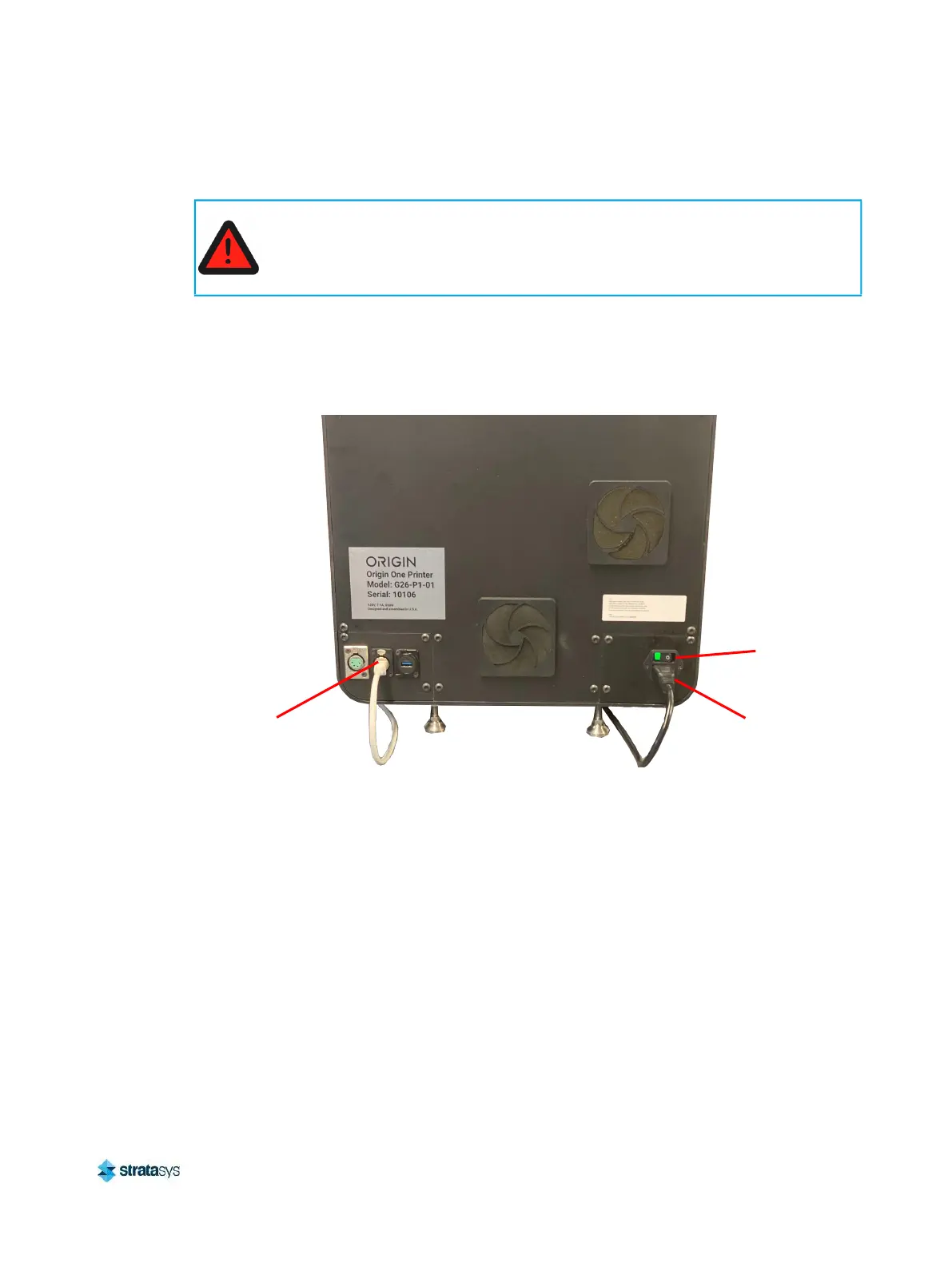
2. Plug the receptacle end of the power cable into the rear of the printer and the three-prong
(US) or two-prong (EU) end into a grounded outlet. See Figure 3.
Figure 3: Rear Connections
Warning: Electrical Shock Hazard.
A licensed electrician must perform all wiring from the service connection to the
system - including all connectors, cables, and proper strain relief.
Comply with all applicable local and national electric codes.
Ethernet Network
Connection (RJ45)
Power
Cable
Connection
Power
Switch













 To Next Page