FFiigguurree 1100 –– AAccttiivvaattiinngg tthhee CCPPRR rreelleeaassee hhaannddllee
RReemmoovviinngg oorr rreeppllaacciinngg tthhee hheeaaddbbooaarrdd
WWAARRNNIINNGG -- Do not use the headboard for CPR support.
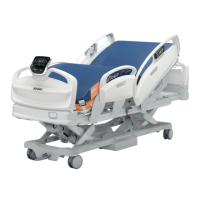
You can remove the headboard (A) (
Product illustration
(page 11)) to access the patient or to clean the product.
To remove the headboard:
1. Grasp the handles and lift the headboard straight up and off the product.
To replace the headboard:
1. Align the headboard pegs with the sockets at the head end of the product.
2. Lower the headboard until the headboard seats into the sockets.
RReemmoovviinngg oorr rreeppllaacciinngg tthhee ffoooottbbooaarrdd
You can remove the footboard (G) (
Product illustration
(page 11)) to access the patient or to clean the product.
To remove the footboard:
1. Grasp the handles and lift the footboard straight up and off the product.
To replace the footboard:
1. Align the footboard pegs with the sockets at the foot end of the product.
2. Lower the footboard until the footboard seats into the sockets.
RRaaiissiinngg tthhee ssiiddeerraaiillss
WWAARRNNIINNGG
• Always set the siderail position for appropriate patient safety.
• Always lock the controls when the patient is unattended.
• Always route the cables, wires, and tubing from other equipment so that parts of the product do not pinch them.
NNoottee -- Do not use siderails as a patient restraint device.
When you raise the siderails, listen for a click to indicate that the siderail locks into position. Pull on the siderail to make sure
the siderail locks.
EN 20 3009-009-001 Rev B.0





 To Next Page