pg 32
DIG - dual digital delay
Configuring DIG to Use MIDI (cont�)
STEP 3 – SET MIDI OUT MODE
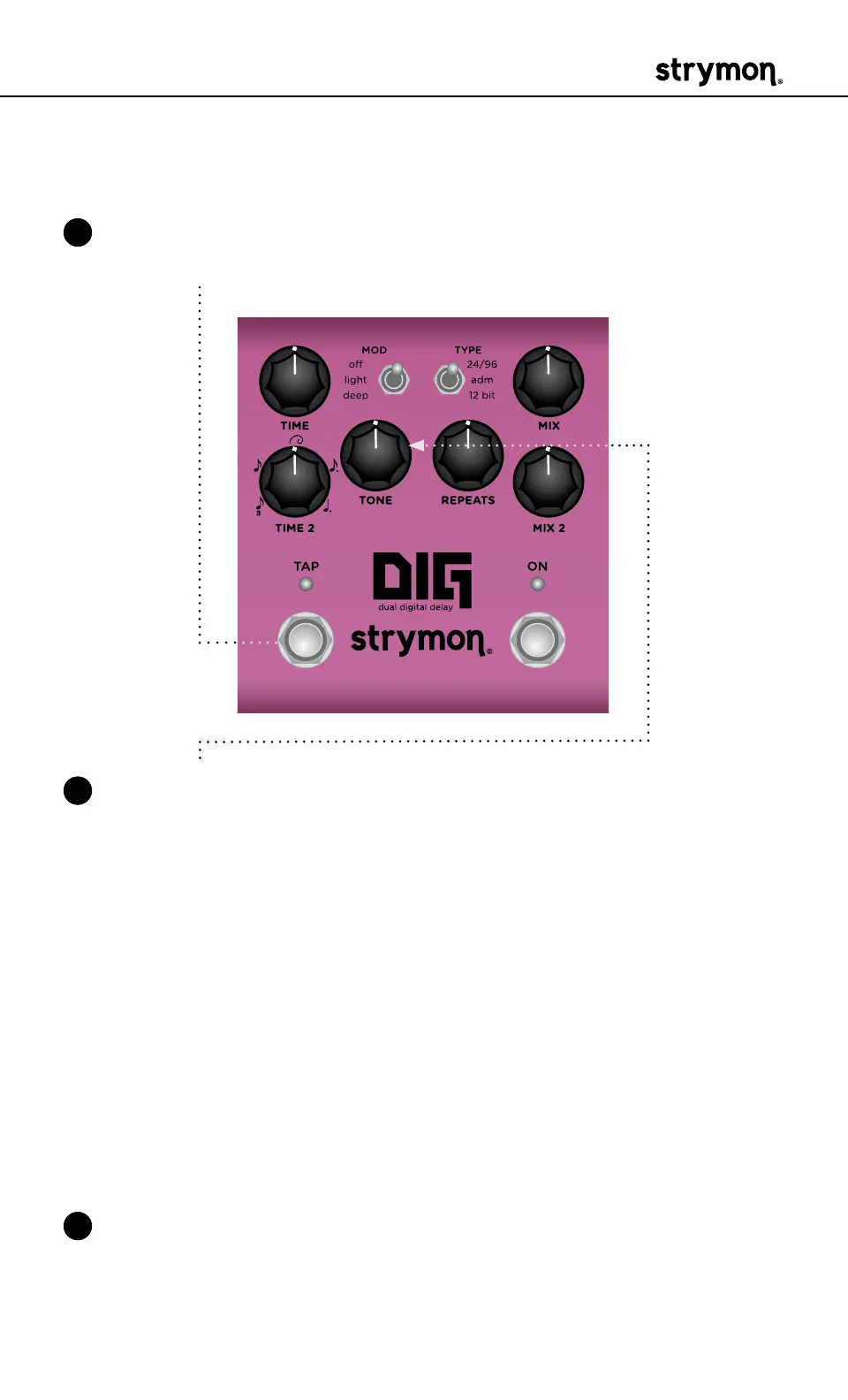
1 Press and hold the TAP footswitch while connecting power to the
pedal� Once both LEDs flash, release the footswitch�
2 Turn the TONE knob to select what kind of MIDI data is sent from DIG
to other MIDI devices� Both LEDs will flash momentarily to indicate
status�
• OFF: RED (default) - No MIDI messages are sent out of DIG�
• THRU: BLUE - Incoming MIDI messages are sent to the MIDI Out
without any additional MIDI messages generated by DIG�
• SEND CC, PC, OTHER: WHITE - MIDI CC, PC, and SysEx mes-
sages generated by DIG are all sent to the MIDI Out�
• SEND CC, OTHER: GREEN - MIDI CC and SysEx messages gener-
ated by DIG are sent to the MIDI Out�
• SEND PC, OTHER: PURPLE - MIDI PC and SysEx messages gen-
erated by DIG are sent to the MIDI Out�
• SEND OTHER: AMBER - SysEx messages generated by DIG are
sent to the MIDI Out�
3 Press either footswitch to store the MIDI OUT mode and exit�



 To Next Page