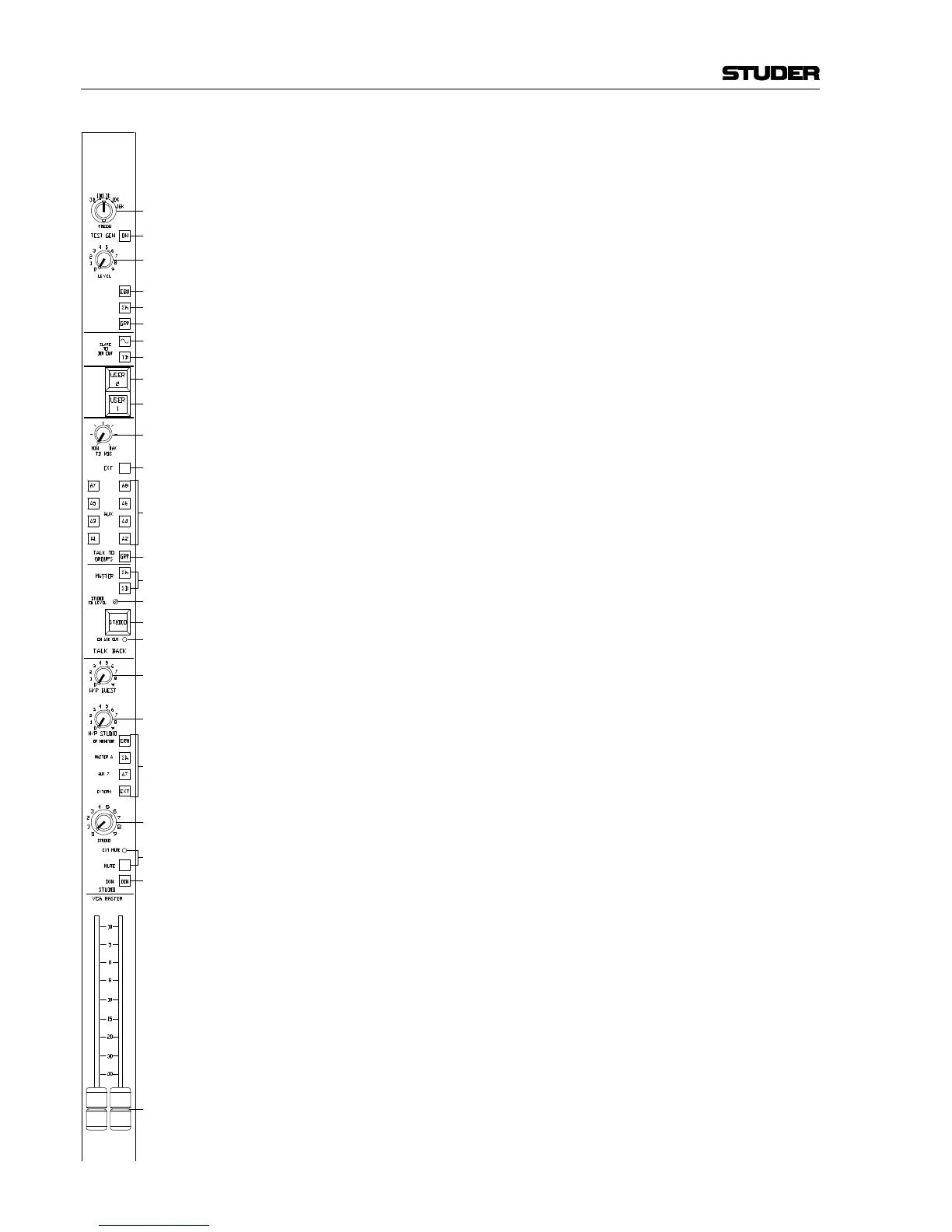
[21] CRM, ΣA, A7, EXT
The input signal for the guest headphones, studio headphones and stu-
dio monitor speakers is selected with this bank of mutually releasing
selector keys. The selection is CRM (i.e. the same signal as is fed to the
control room monitor speakers via the CR Monitor unit), ΣA, AUX 7, or
EXT (external input from the rear panel connector).
[22] STUDIO
Level control for the studio monitor speakers. Jumper-programmable
to VCA remote control from an external potentiometer (refer to section
3.1.6).
[23] MUTE
Key for muting the studio monitor speakers. The EXT MUTE LED next
to this key is on if the muting has been activated by the STUDIO MIC
ON signal.
[24] DIM
Key for attenuating the level of the studio monitor speakers. The amount
of attenuation is set by an internal trimmer potentiometer.
[25] VCA MASTER 3/4 faders
Linear Penny & Giles faders. These faders send the appropriate con-
trol voltages to the individual input modules. VCA group master faders
#3 and #4 are on this unit, #1 und #2 are located on the CR Monitor
unit.



 To Next Page