26
Please make sure the WiFi dongle (supplied with the console) is plugged into one of the
USB ports on the console.
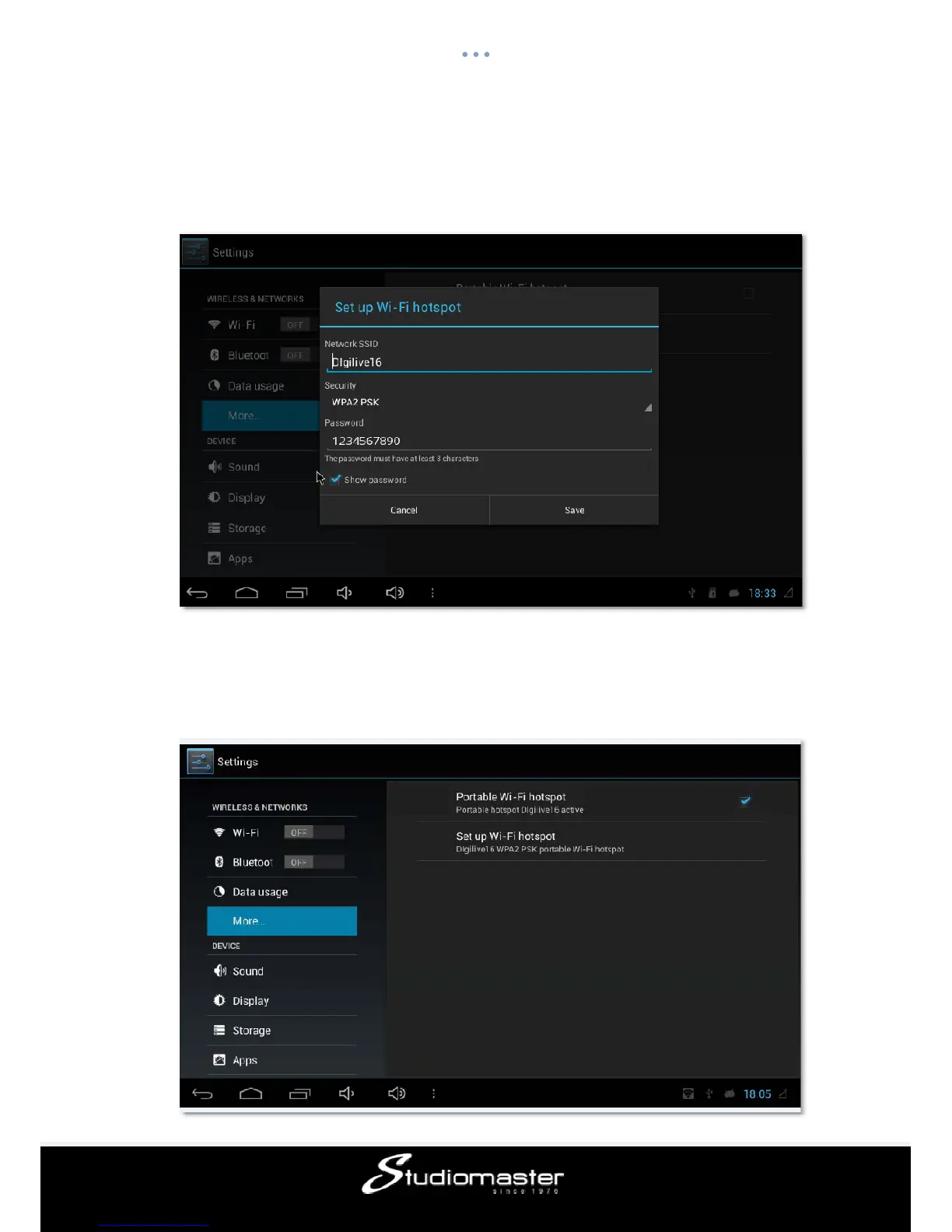
Single press“SetupWifi”→“More” →“Portable hotspot” →“Set up Wi-Fi hotspot”
A window will pop up like below
Please enter the network name in Network SSID, for example “Digilive16”(as in the picture)
Set the password in Security, for example“1234567890” (as in the picture)
Make sure the “Portable Wi-Fi hotspot” is selected (as in the picture)














 To Next Page