16
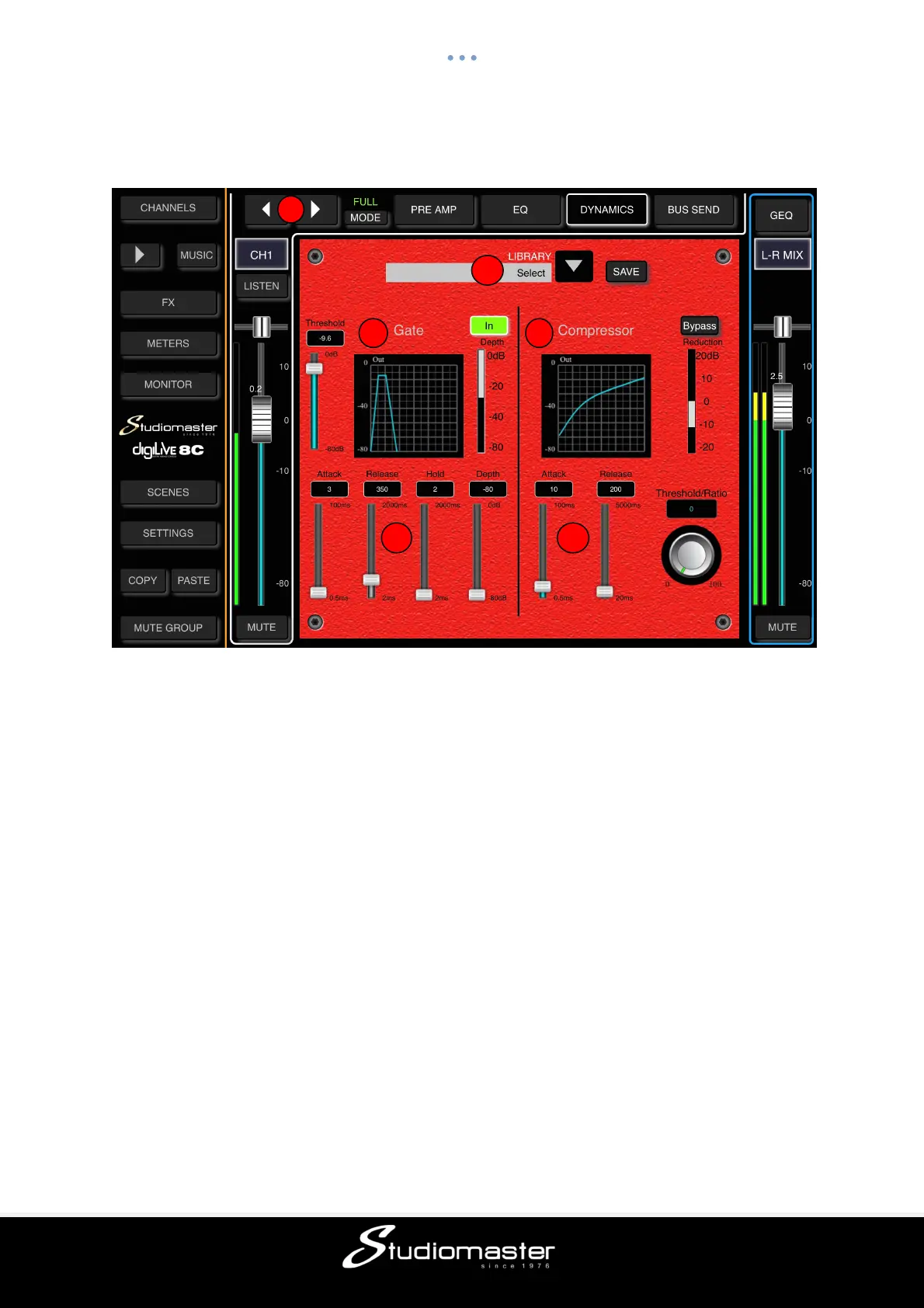
MIC DYNAMICS SUB-PAGE (Touch Tab to Open)
The Dynamics consist of a gate and a separate compressor
① Change Input
Press the arrow-buttons to select the previous or next input.
② Gate
Single press IN to enable the Gate (button turns green), press again to disable it (button
goes dark). Default is disabled.
The Gate Response Curve is split into 3 parts – Attack (left), Hold (middle) and Release
(right) – each of which has its own on-screen control fader.
③ Gate Parameter Adjustment
You can adjust the Gate’s parameters on-screen by selecting and dragging the
corresponding fader.
Threshold adjusts the Gate’s threshold in the range from -80dB to 0dB. Default is -80dB.
Any signals lower than the threshold will be reduced by the value set on the Depth fader. The
Gate Response is determined by the times set on the Attack, Hold and Release faders.
Attack (attack-time) sets the length of time that the gate takes to close after the input signal
falls below the threshold. This time ranges from 0.5ms to 100ms, default is 3ms.
Hold (hold-time) sets the length of time after the signal rises above the threshold before the
gate begins to open. This time can be set between 2ms and 2000ms (2 sec), default is 2ms.
Release (release-time) sets the length of time that the gate takes to open after the end of the
hold period. This parameter can be adjusted from 2ms to 2000ms (2 sec). Default is 350 ms
which is compatible with a wide range of sound sources
Depth: Sets the attenuation of gated signals (those lower than Threshold). Depth ranges
from 0dB to -80dB, default is -80dB.
2
3
4
5
6



 To Next Page